You are using the issue property [Measures].[Issue Impact Weight] for your calculation. The property value will show up in the report any time you use an issue in the report or formula, no matter if the issue should be pulled in by other dimension page selections or not.
eazyBI, by default, allows importing any numeric custom field as a measure. Please check if your custom field Impact Weight is represented in section Measures>Predefined>Custom fields. There could be several measures, for example, Impact Weight created, Impact Weight resolved, etc. You would like to use one of them for this report. They will sum up values by default and will take into account page selections.
Here is my report example. I disabled the Nonempty option to show all issues ignoring Pages selections. I used the numeric custom field Story Points as an example.
Calculation SP uses the same formula as you shared with Issue Story Points property. Property Issue Story Points shows values for unrelated projects and unselected priorities. Therefore, this property gives an incorrect sum for SP. The default measure Story Points created will automatically sum up values and filter by pages.
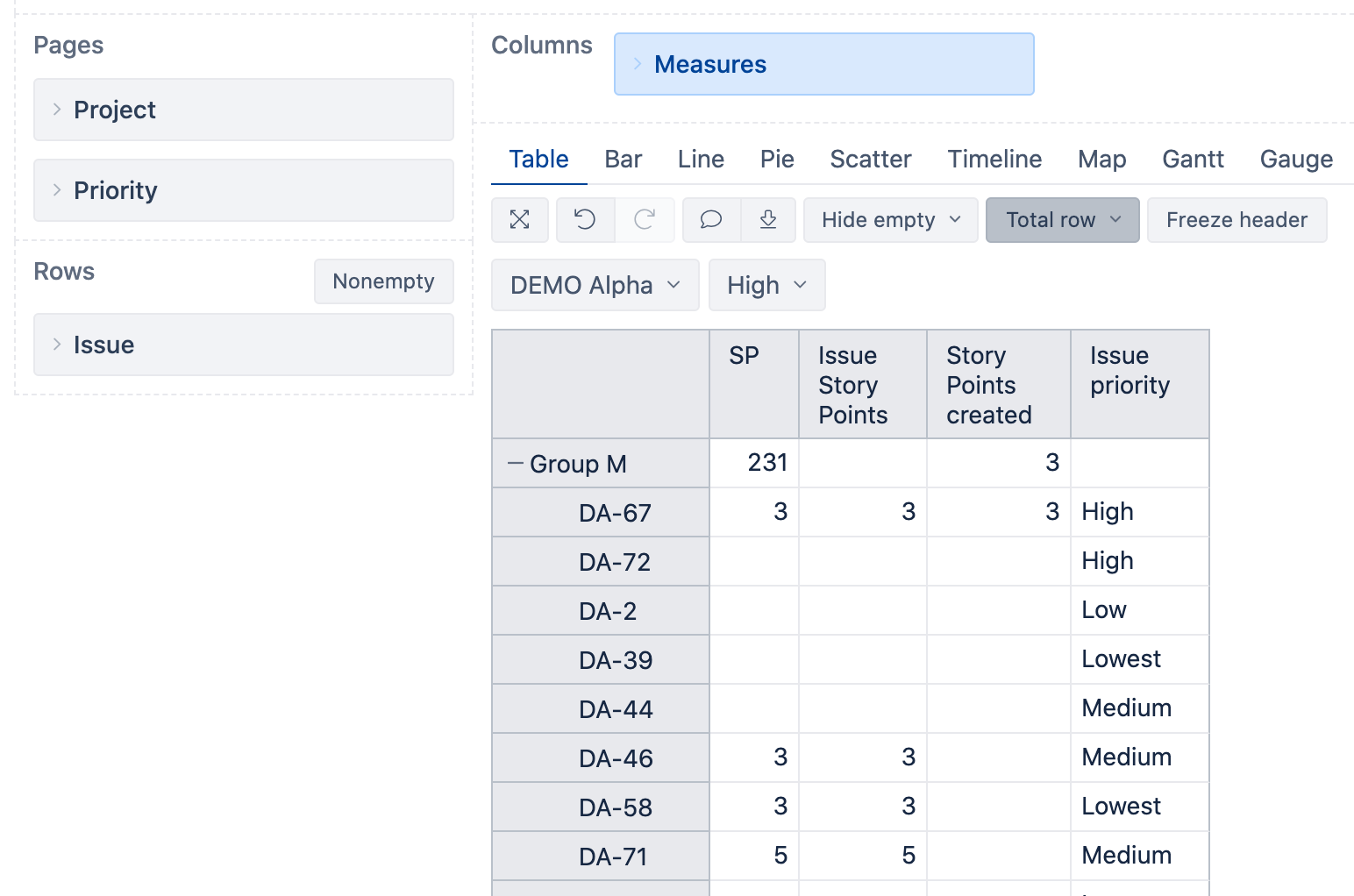
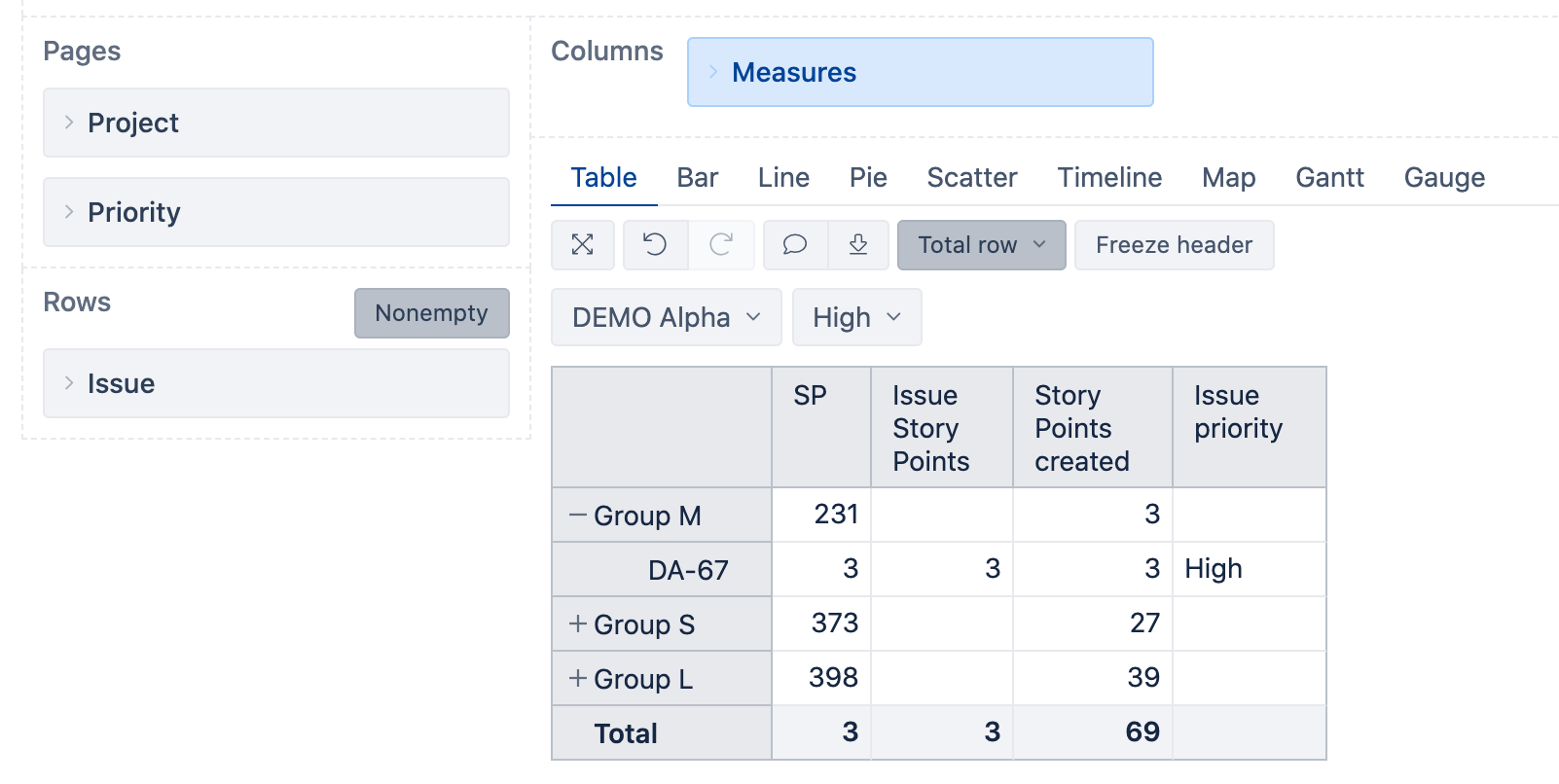
The total calculation might work differently for different formulas. The total for Calculated measure, in my case, SP and Issue Story Points will sum values of visible rows and will remove values for grouping members to avoid double counting. Therefore, you see values from expanded issues only. You would like to expand all or collapse to see correct total values for any metric based on issue properties.
The total for default measure Story Points created is calculated differently and will show you the correct values always:
Daina /support@eazybi.com