Gauge chart with additional data

Hello - I have a request to enhance eazyBI for JIRA’s Gauge chart.

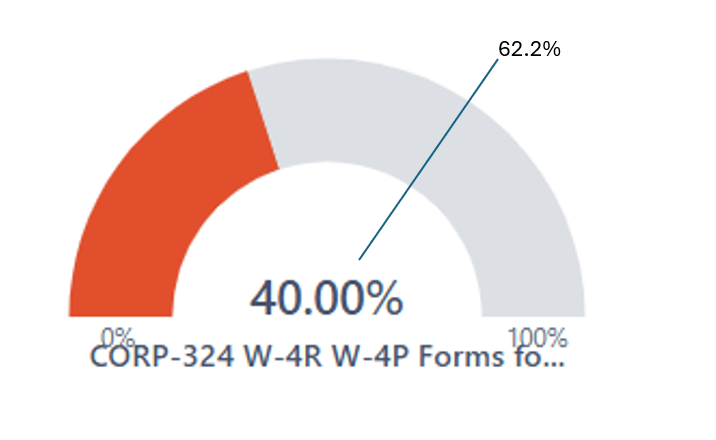
Here’s the idea… I’m using the gauge as a progress bar showing the % completion of work assigned to a team from our quarterly planning event. I’d like to factor into the chart the calendar progress. In the example below, the team is 40% complete with their work, however the calendar is now 62.2% through the quarter. Likewise, because the team’s progress is lagging the calendar, the progress bar is red. My main question is - I need a way to make a 2nd mark on the graph to illustrate progress of the calendar. (I know the color coding can be done based on the progress vs the calendar).

1 Like

Hi @patR1,

Thanks for posting your suggestion for the Gauge chart. Currently, it is not possible to add a dynamic mark showing the progression of the year in the Gauge chart, but we have noted your idea in our backlog for future development ideas.

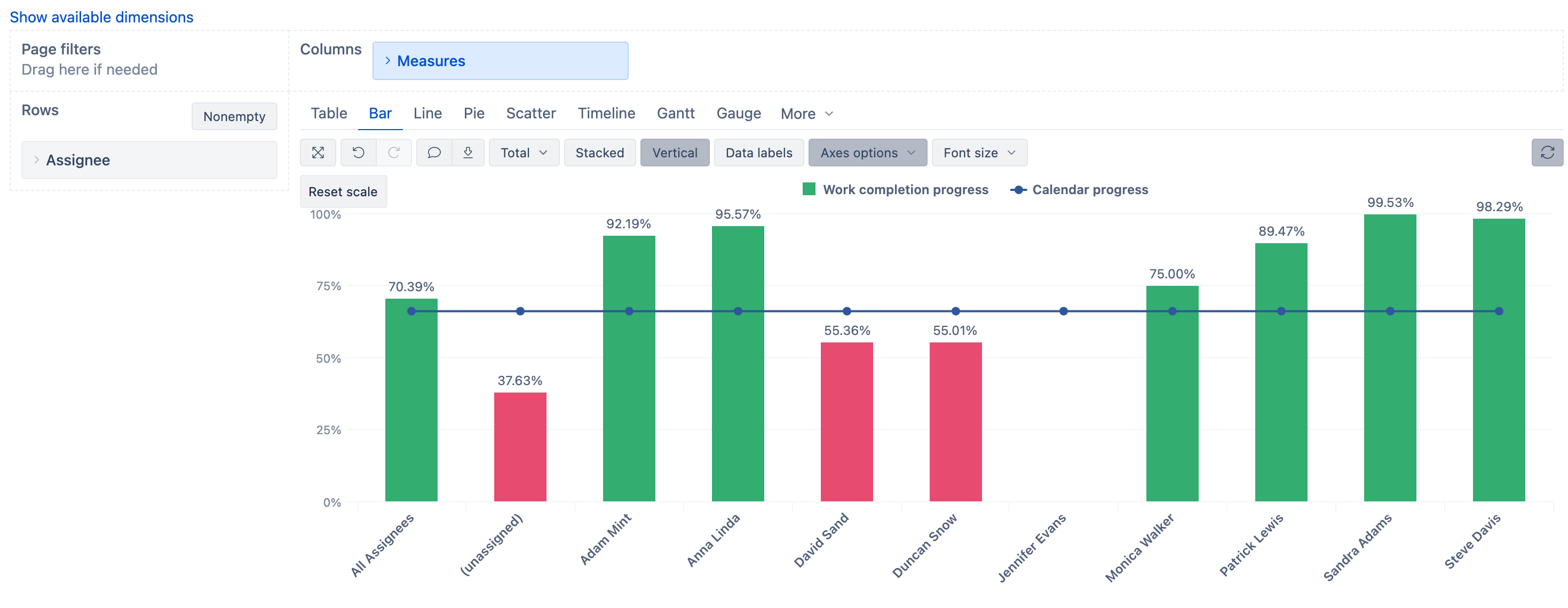
As a workaround, I can suggest using the Bar chart:
  • add the Team dimension in Rows

  • add a Time dimension in Pages for filtering

  • Create two calculated measures:

Measure 1: “Work Completion Progress”

[Measures].[Issues resolved]
/
[Measures].[Issues created]

Format this as Percentage → Decimal

Measure 2: “Calendar Progress”

(365 - 
DateDiffDays(
  "today",
  "31 Dec 2025"
))
/365

Format this as Percentage → Decimal

  • Switch to Bar chart & adjust it as following:

    • Click on the “Calendar Progress” measure icon and select Type → Line

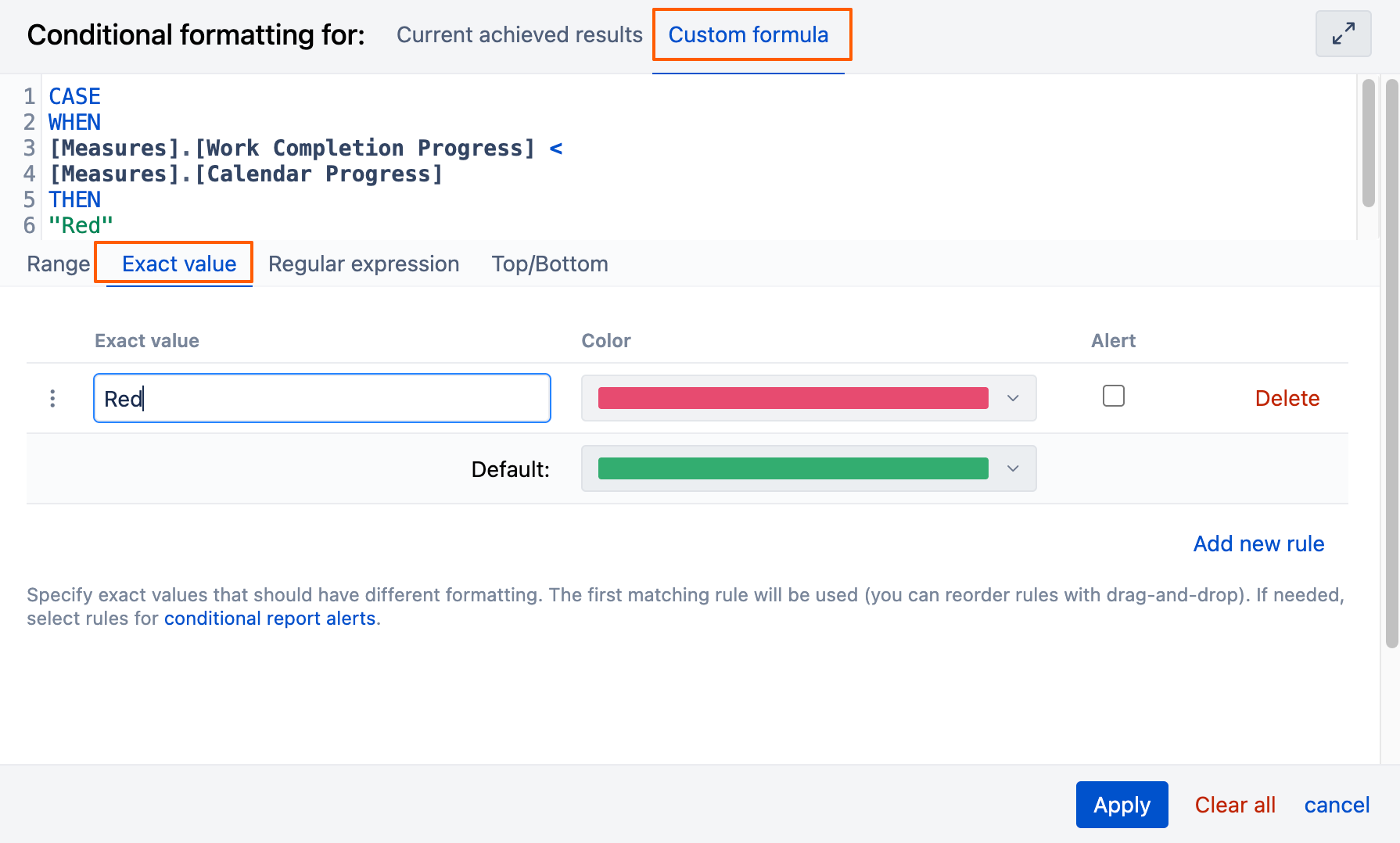
    • Click on the “Work Completion Progress” measure icon and select Color → Conditional formatting. Use Custom formula with this rule:

CASE
WHEN
[Measures].[Work Completion Progress] <
[Measures].[Calendar Progress]
THEN
"Red"

This approach will give you a visual representation where:

  • The bar shows work completion progress

  • The line shows calendar progress

  • Red coloring indicates when work is behind schedule

I hope this helps!

Best,
Marita from support@eazybi.com

1 Like