Hi!
Welcome to the eazyBI community!
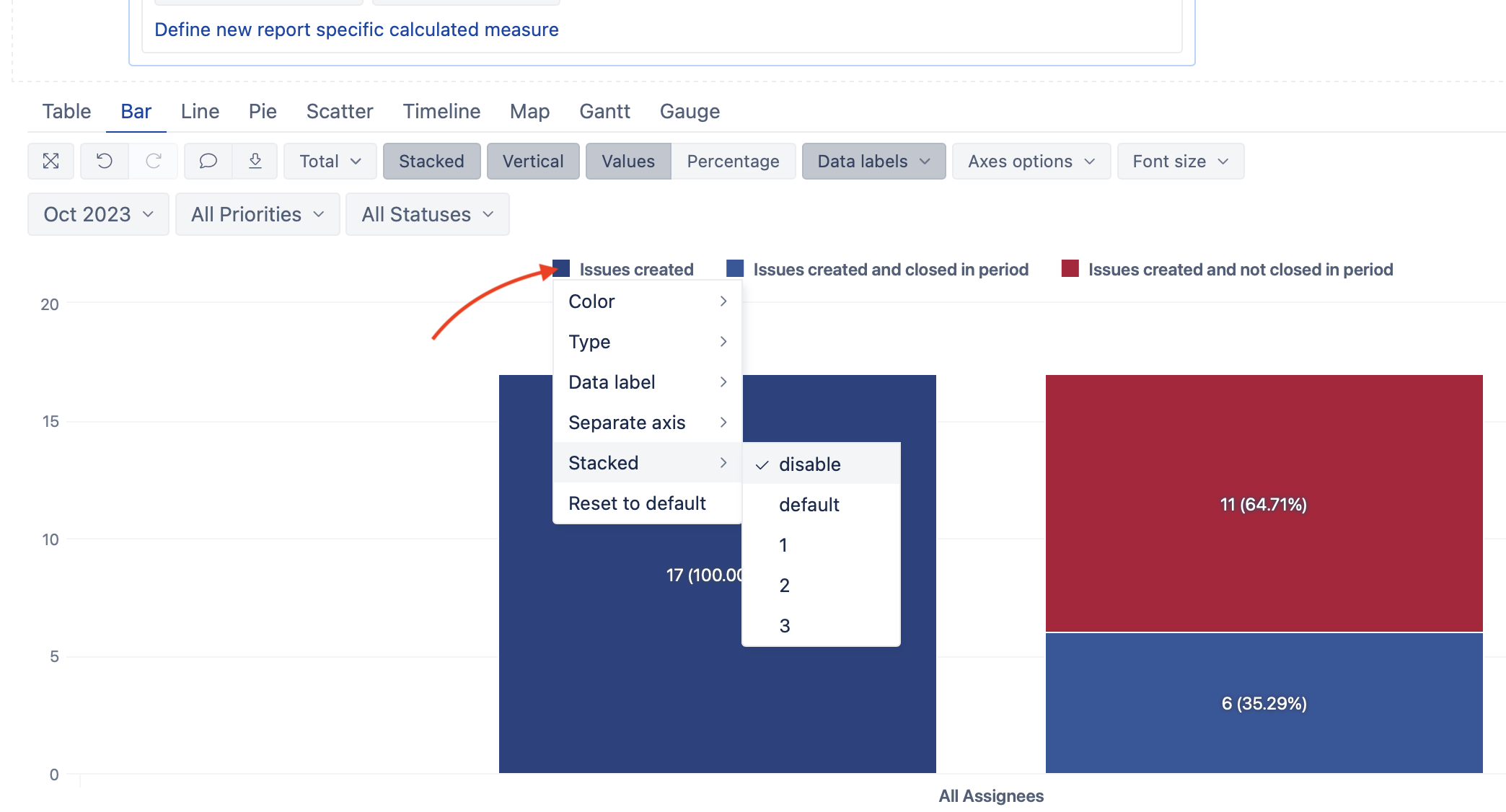
Here are the steps to create stacking groups:
(1) Click on the label icon for the measure
(2) Under Stacked, you can change the default to:
- disable - to remove measure from stacking
- 1, 2, 3 - choose groups for stacking measures (default is 1).
More about chart customization options here: Customize chart
Kindly,
Ilze