Hello @david.foote ,
The component field is a multi-value field and thus is unavailable to be imported as issue linked field dimension, but you can use a similar approach that was suggested in this answer:
See the adjusted formula below that uses the component dimension, and hierarchy levels like this:
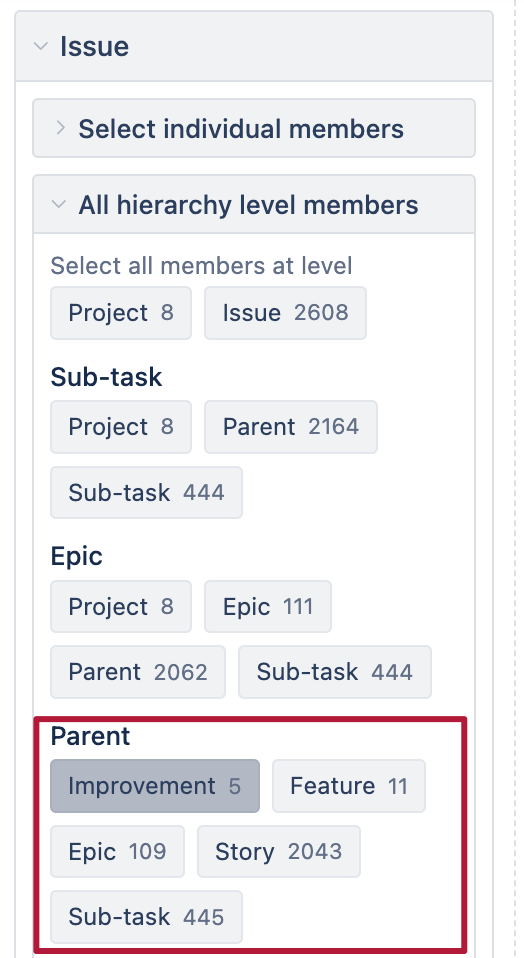
The formula:
CASE WHEN
  -- avoid error when at "All issues" level
  NOT [Issue].CurrentHierarchyMember is [Issue].CurrentHierarchy.DefaultMember
  AND
  -- skip Improvement level if it exists
  NOT [Issue].CurrentHierarchyMember.Level.Name = "Improvement"
THEN
 CASE WHEN
  -- check if Feature ancestor has issues
  ([Measures].[Issues created],
   -- get Feature ancestor in hierarchy
  Ancestor(
     [Issue].CurrentHierarchyMember,
     [Issue].CurrentHierarchy.Levels("Feature")
  ),
  [Component].CurrentHierarchyMember,
  [Issue Type].[Feature])>0
 THEN
  -- Reset Component context to default to get total across all components, use the formula you need
 ([Measures].[Issues resolved],
 [Component].CurrentHierarchy.DefaultMember)
 END
END
Also, to avoid that hierarchy levels are imported as Hierarchy Level 4, Hierarchy Level 3 etc, you can add additional advanced settings with the Parent hierarchy nams so they match the level names used in Jira, see more here: Plans custom fields
Kind regards,
Gerda // support@eazybi.com