Hi,
Thank you for reaching out to eazyBI community!
Measure Original estimate hours is related to issue creation date only and ‘Issue Target Start’ is a property field. Issue property field values are displayed in the report only when you use Issue dimension Issue level members in report, not when data is aggregated.
Here are the steps to achieve your reporting needs:
(1) Import “Target Start” date as a measure.
(2) Create a new calculated custom field that mimics “Original estimated hours” with javascript code. As a custom measure it will automatically be related to all default dates and any other date you are importing into eazyBI as a measure.
Here is a JavaScript for Original est. hours (I used abbreviation because name can not be exactly the same as for existing measure):
if (issue.fields.timeoriginalestimate)
return issue.fields.timeoriginalestimate / 3600.0;
Use this javascript when adding new custom field in Source Data Jira import options Custom fields tab.
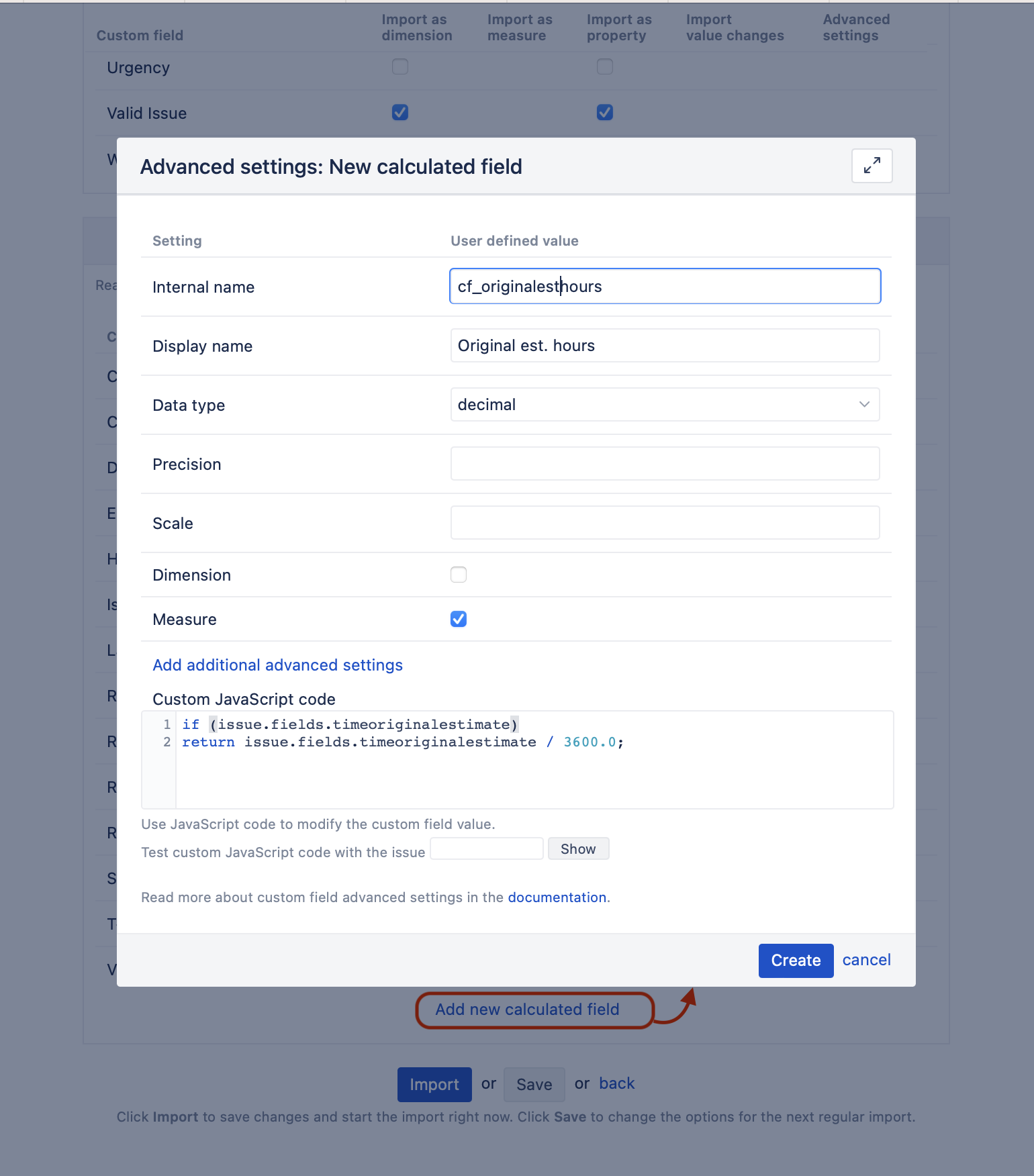
Save and select it for import as a measure and as a property and run an import. Import will create new measures with any date (Original est. hours with due date, Original est. hours with target start, Original est. hours with custom date, etc.) and property Issue Original est. hours in your account.
When the import is run, you can use the new measure in the report and use Time dimension to filter by the target start date.
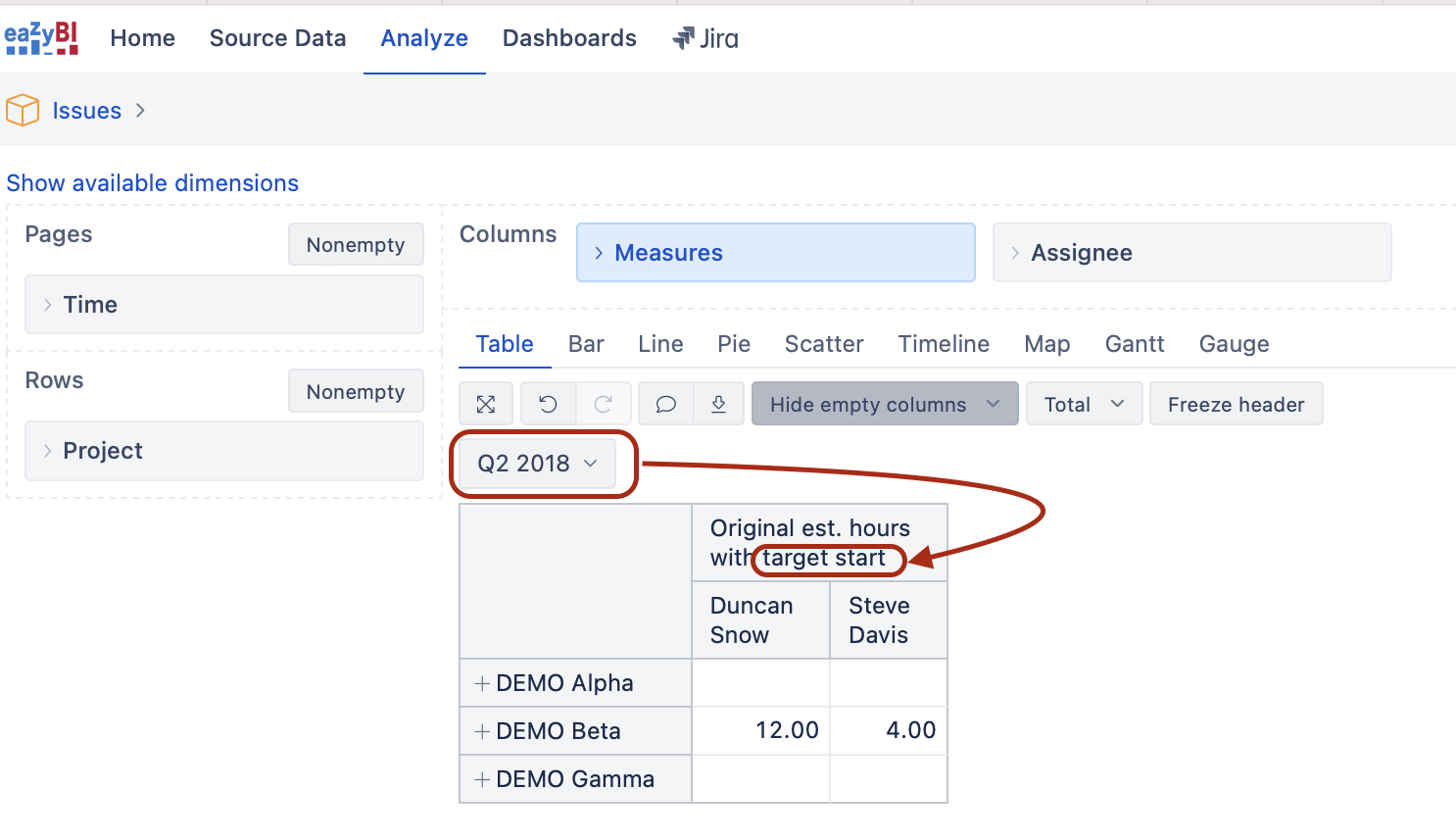
If needed, create new calculated members in the Time dimension to filter time in specific ways using both exact and relative dates.
I hope this helps.
Kindly,
Ilze