How to use MDX to represent a calculation cell: cumulative value, such as the sum of the number of status A and status B of the story type?
1 Like
Hi @Shirly
Welcome to the Community! 
There are two ways how to add a Cumulative Sum to a measure that you have selected in your report.
First option:
You can add a standard calculation by clicking on the name of the measure and choosing “Add calculated” → “Cumulative sum”
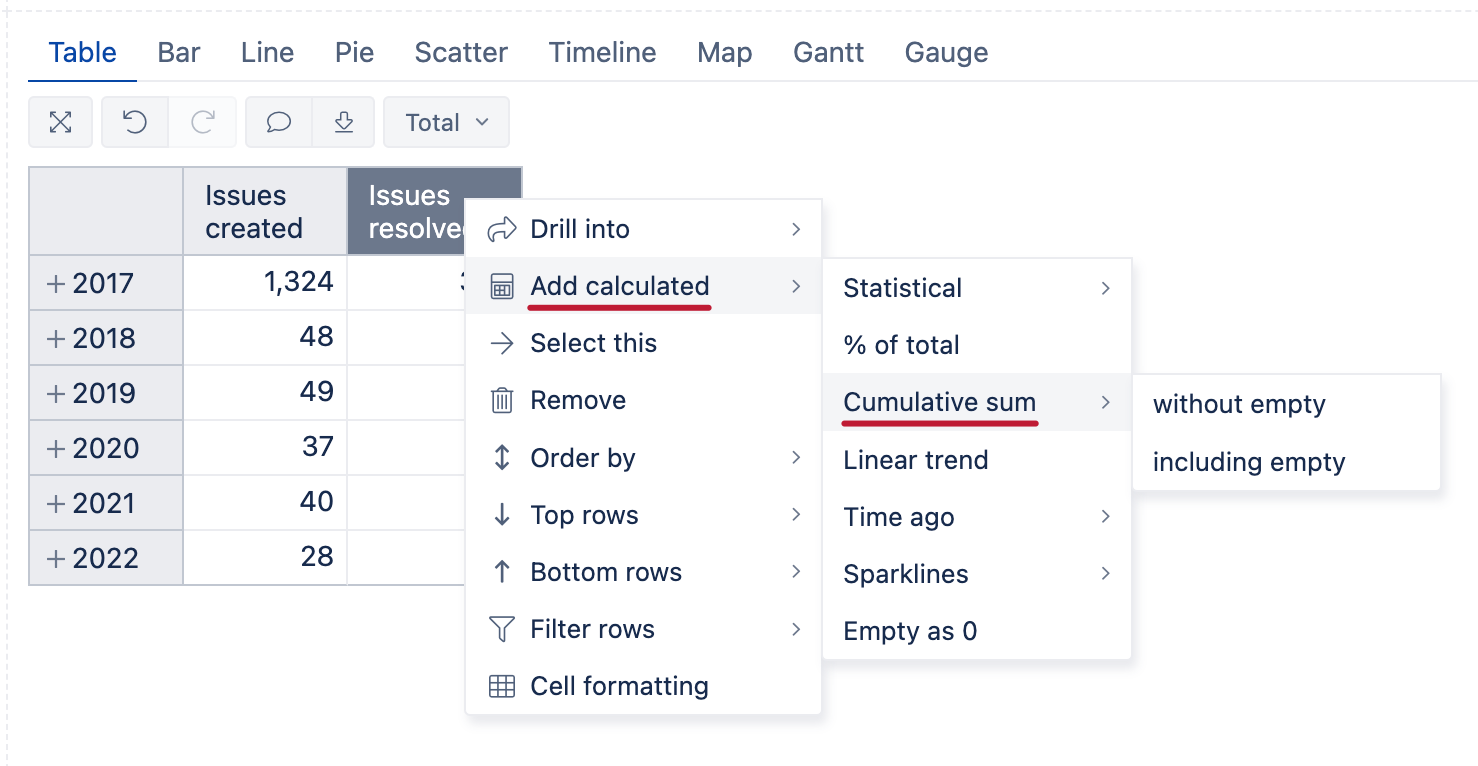
Second option:
Define a new calculated measure in the Measures dimension and use the CumulativeSum function together with the necessary measures:
CumulativeSum([Measures].[Issues resolved])
However, if you want to combine Stories that are in both “Status A” and in “Status B”, you can create a new calculated member in the Status dimension that will Aggregate both of these Statuses with the following formula:
Aggregate({
  [Status].[Status A],
  [Status].[Status B]
})

Let me know if this fits your use case or if you have any additional questions on this!
Best regards,
Nauris / eazyBI support