Hi. I am struggling to build a measure that will allow me to count all closed epics per month that contained at least one story with hours spent and with a particular custom field equal to particular value. Is it possible?
Yes, it’s possible to count closed epics per month based on stories with specific criteria. eazyBI already has information about which issues are resolved (measure “Issues resolved” and property “Issue resolution date”), issue type (dimension “Issue type”), how many and on what issues are logged hours (measures “Hours spent”, “Issues with hours spent” and many more), and work item type (dimension “Issue Type” and property “Issue type”). The custom field values are most likely imported into your eazyBI account as a dimension already too.
You should define a new calculated measure in Measures to combine all this data. The logic for calculation is to iterate through all epics and check if the epic resolution date falls in the selected Time period. Then check if Epic has any story with logged hours (ignoring the period when hours are logged) and a specific value for the custom field. The expression might look like this:
Sum(
  --set of epics
  Filter(
    --iterate through all epics
    Descendants([Issue.Epic].CurrentHierarchyMember,[Issue.Epic].[Epic]),
    --check if Epic resolved in selected period
    DateInPeriod(
      [Measures].[Issue resolution date],
      [Time].CurrentHierarchyMember
    )
  ),
  CASE WHEN --Epic has any story with logged hours and a specific custom field value
    ([Measures].[Issues with Hours spent],
    [Issue Type].[Story],
    [CUSTOM_FIELD].[CUSTOM_FIELD_VALUE],
    [Time].CurrentHierarchy.DefaultMember) > 0
  THEN --count Epic as closed
    1
  END
)
Update the expression with the dimension name and value representing your specific custom field [CUSTOM_FIELD].[CUSTOM_FIELD_VALUE]; use autocomplete in the formula editor to get the right dimension and value names from library.
Set measure formatting to numeric → integer.(How to work with the formula editor).
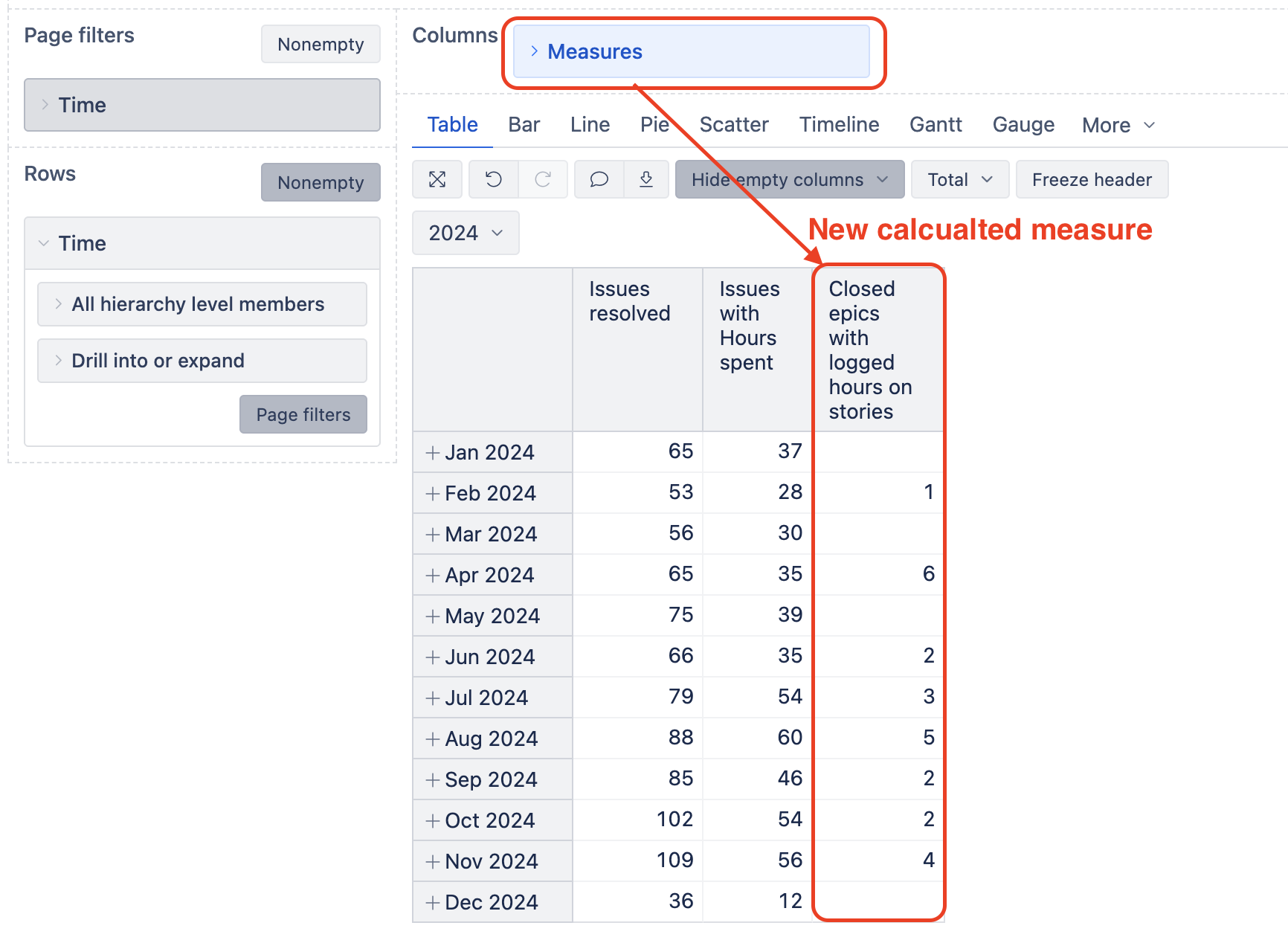
More details on how to create calculated measures and an explanation on the mentioned functions are described in the documentation: Calculated measures
best,
Zane / support@eazyBI.com