Hi @guillolb
Welcome to the eazyBI Community, and thanks for posting your question!
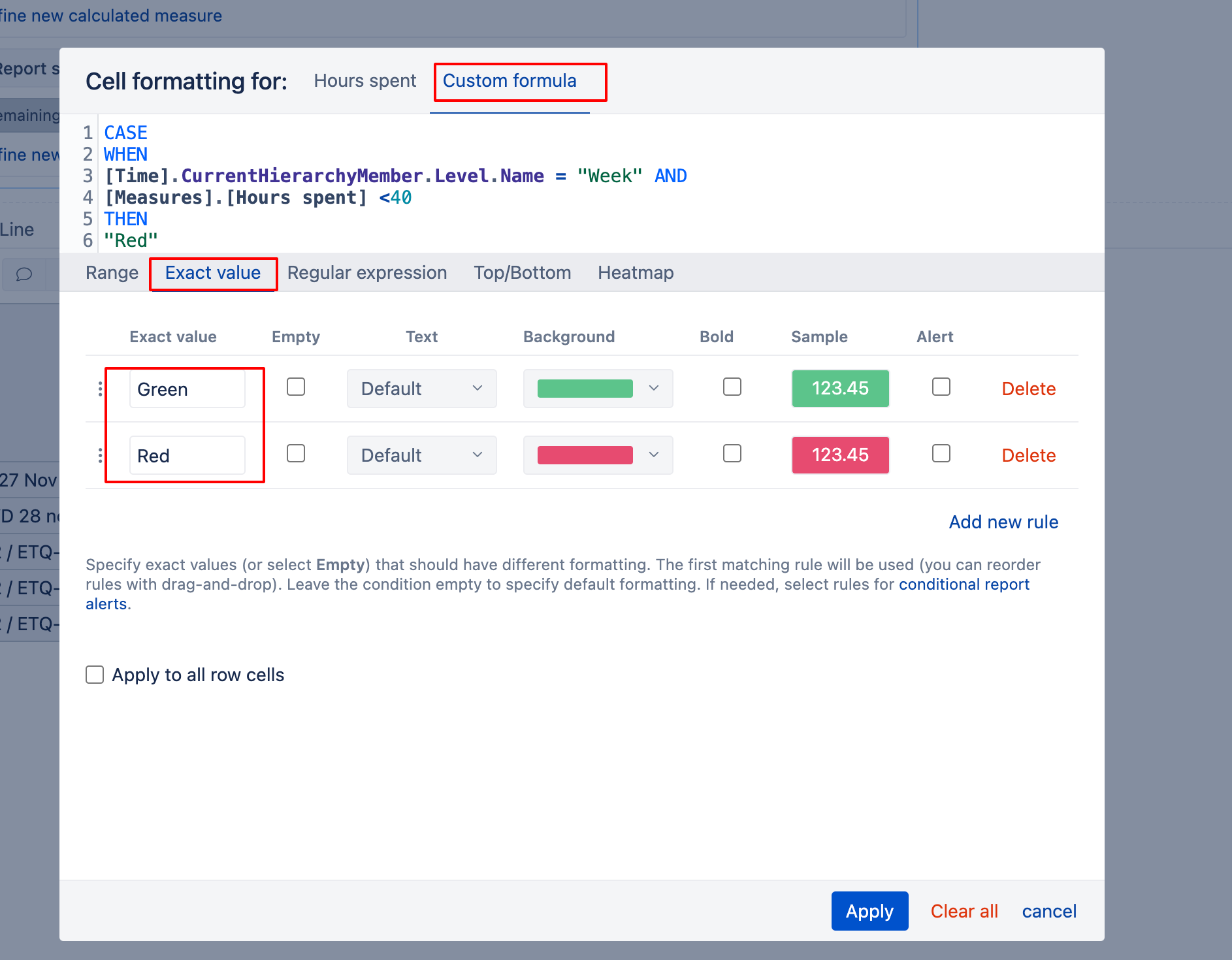
You can define greater/less than in the Custom formula tab; see the example in the screenshot below.
When you access the conditional formatting, switch to the “Custom formula” tab (learn more here - Conditional cell formatting) and paste the formula below. Note that no formatting will be applied in the current setup for a round value of 40.
CASE
WHEN
[Time].CurrentHierarchyMember.Level.Name = "Week" AND
[Measures].[Hours spent] < 40
THEN
"Red"
When
[Time].CurrentHierarchyMember.Level.Name = "Week" AND
[Measures].[Hours spent] > 40
THEN
"Green"
END
Then select the “Exact value” tab as marked in the screenshot below and type two values, selecting the corresponding background colors.
Best wishes,
Elita from support@eazybi.com