Ability to set multiple "Specific Import Dates"

Current Behaviour:

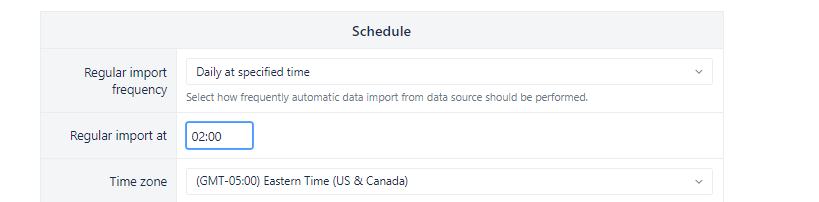
  • A user can only select only 1 specific time to import the report:
  • We end up having to set the intervals instead “every ‘x’ hours”, but we want to minimize load on the servers since they are Xray Reports and they a long time to update.
Request:

  • Ability to select multiple specific import times
  • Our Stakeholds will like to have imports at separate intervals: example, 9:00 AM and 4:30 PM

Thanks

Hi!

While having several regular import times would be a good improvement, for now, I would suggest you set up a schedule using disabled or enabled hours when the import is allowed to run. For example, see Advanced settings (applicable for Server and DC eazyBI app).

Lauma / support@eazybi.com

Hi @eli_solutions,

I’m wanted to let you know that we’ve implemented a custom cron schedule for data imports in eazyBI Cloud & Data Center (starting from version 9.0):

You can now schedule regular imports to run at specific hours of the day, on specific days of the month, or on selected weekdays.

For more details, please check our documentation: Data from Jira

Let us know if you have any questions!

Best regards,
Marita from support@eazybi.com