Hello,
does exists a view with the list of all accounts with import scheduled time?
Thanks
Hello,
does exists a view with the list of all accounts with import scheduled time?
Thanks
Hi @Marco,
eazyBI admins can see an overview of all accounts and their regular import frequency in eazyBI → System administration → All Accounts (see the documentation: Administer all accounts).
However, to see the exact hour of scheduler data import, you might want to go to import options for each source data.
If you have eazyBI installed on Jira Server or Data Center you may look into the eazyBI database and query the source_applications table and check on available application_params.
Best,
Zane / support@eazyBI.com
Thanks @zane.baranovska
we will try with the database table.
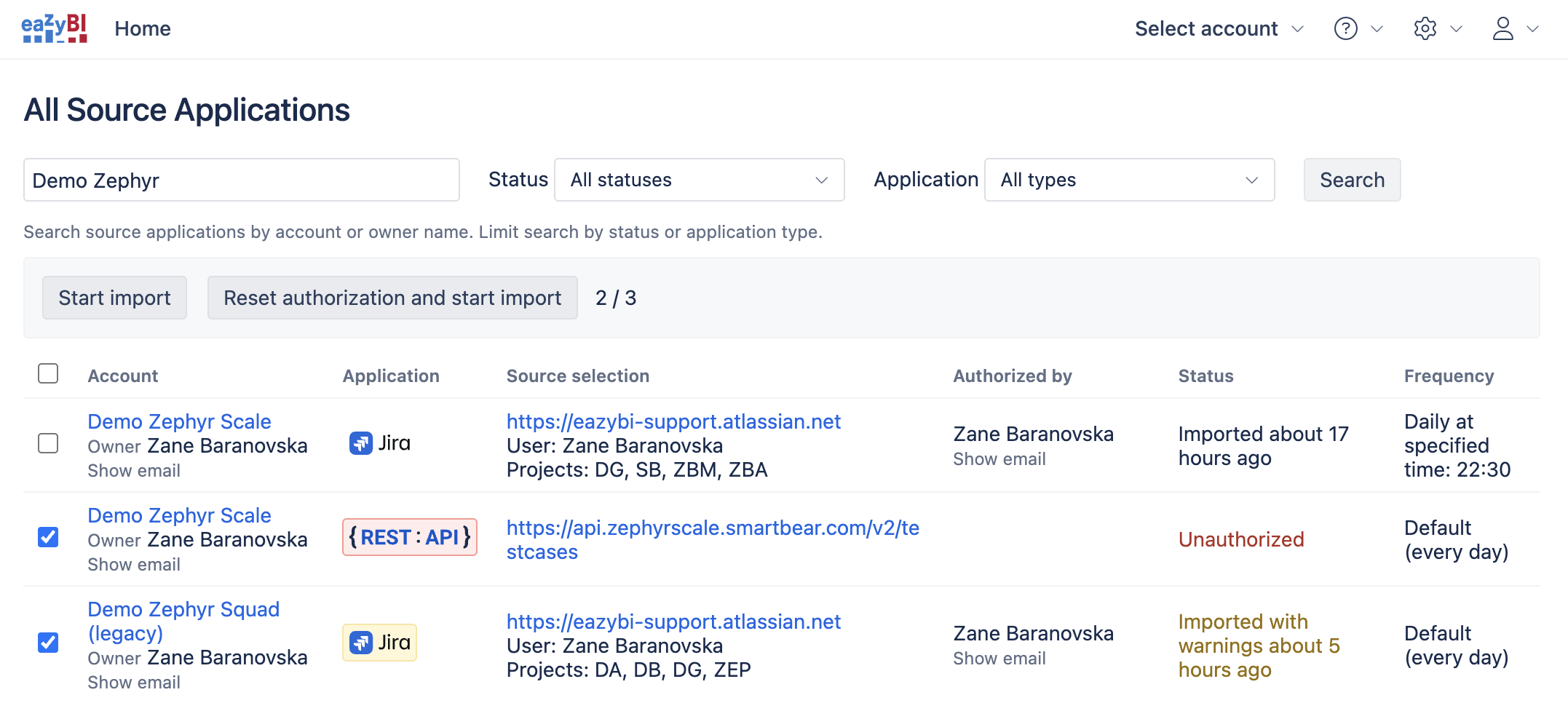
Good news  We recently released a new screen to oversee and manage data imports.
In the All Source Applications screen, you can see details of each data source, including import schedule, authorized user, and current status; from there, you can perform bulk operations to reset authorization and import data. For more detils please see the documentation: Administer all source applications.
Best,
Zane / support@eazybi.com