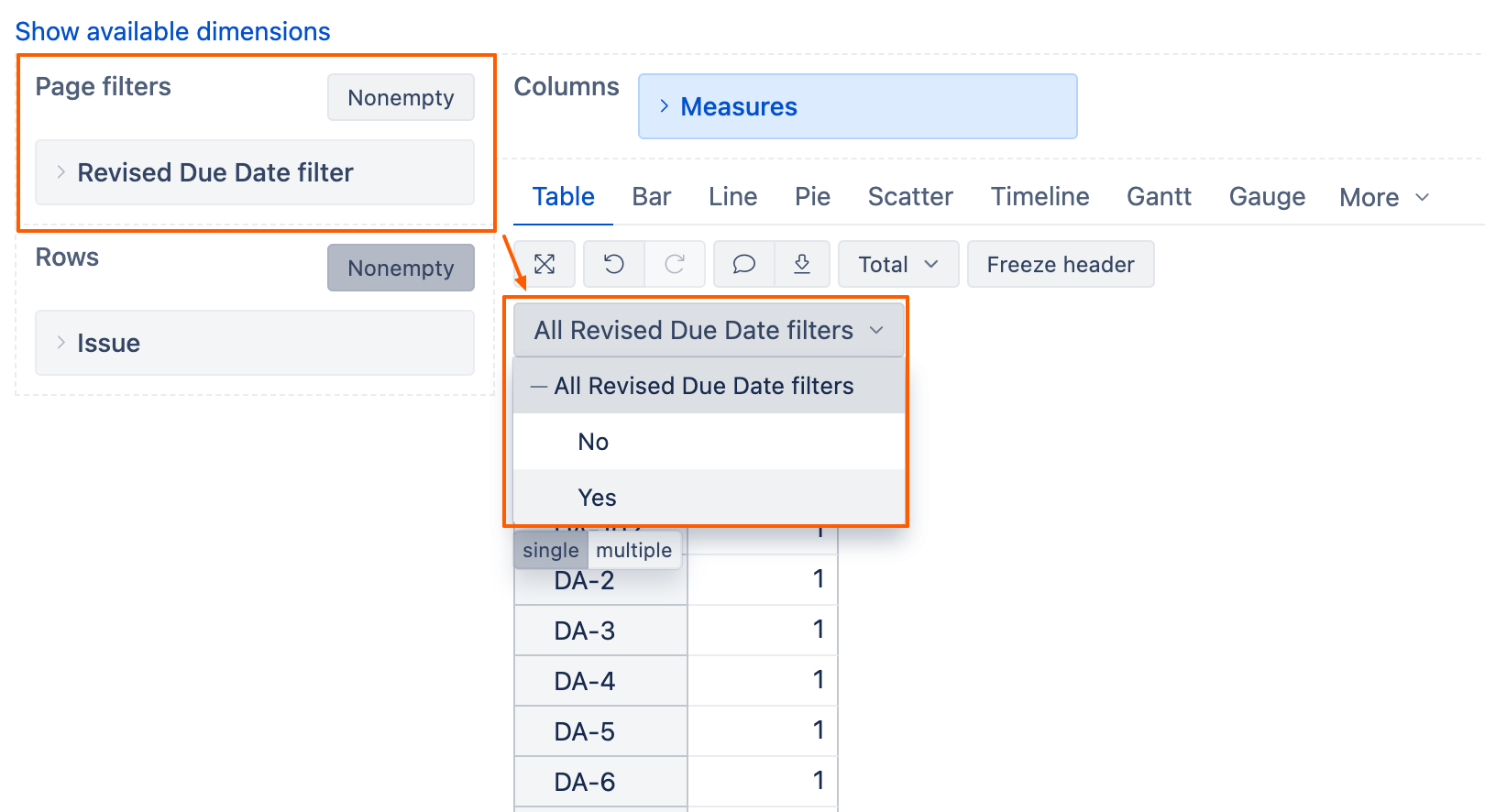
I need a Page Filter based on the following condition:
Field: Revised Due Date (date field: revised_due_date)
Page Filter Name: Revised Due Date
Dropdown Options:
Yes → revised_due_date is not empty
No → revised_due_date is empty
Could you please guide me on how to create this filter in EazyBI?
[jira.customfield_is_revised_due_date_filter]
name = “Revised_Due_Date(Filter)”
data_type = “string”
dimension = true
javascript_code = ‘’’
var dueDateChanged = false;
if (issue.changelog && issue.changelog.histories) {
for (var i = 0; i < issue.changelog.histories.length; i++) {
var history = issue.changelog.histories[i];
for (var j = 0; j < history.items.length; j++) {
var item = history.items[j];
// Check for changes to your specific custom field
if (item.field == “Revised_Due_Date”) {
dueDateChanged = true;
break;
}
}
if (dueDateChanged) break;
}
}
if (dueDateChanged) {
issue.fields.customfield_is_revised_due_date_filter = “Yes”;
} else {
issue.fields.customfield_is_revised_due_date_filter = “No”;
}
‘’’
Use the measure “Issues with Revised Due Date” in your report. You can also apply filter >0 for this measure if you are only interested in results where this value is filled.
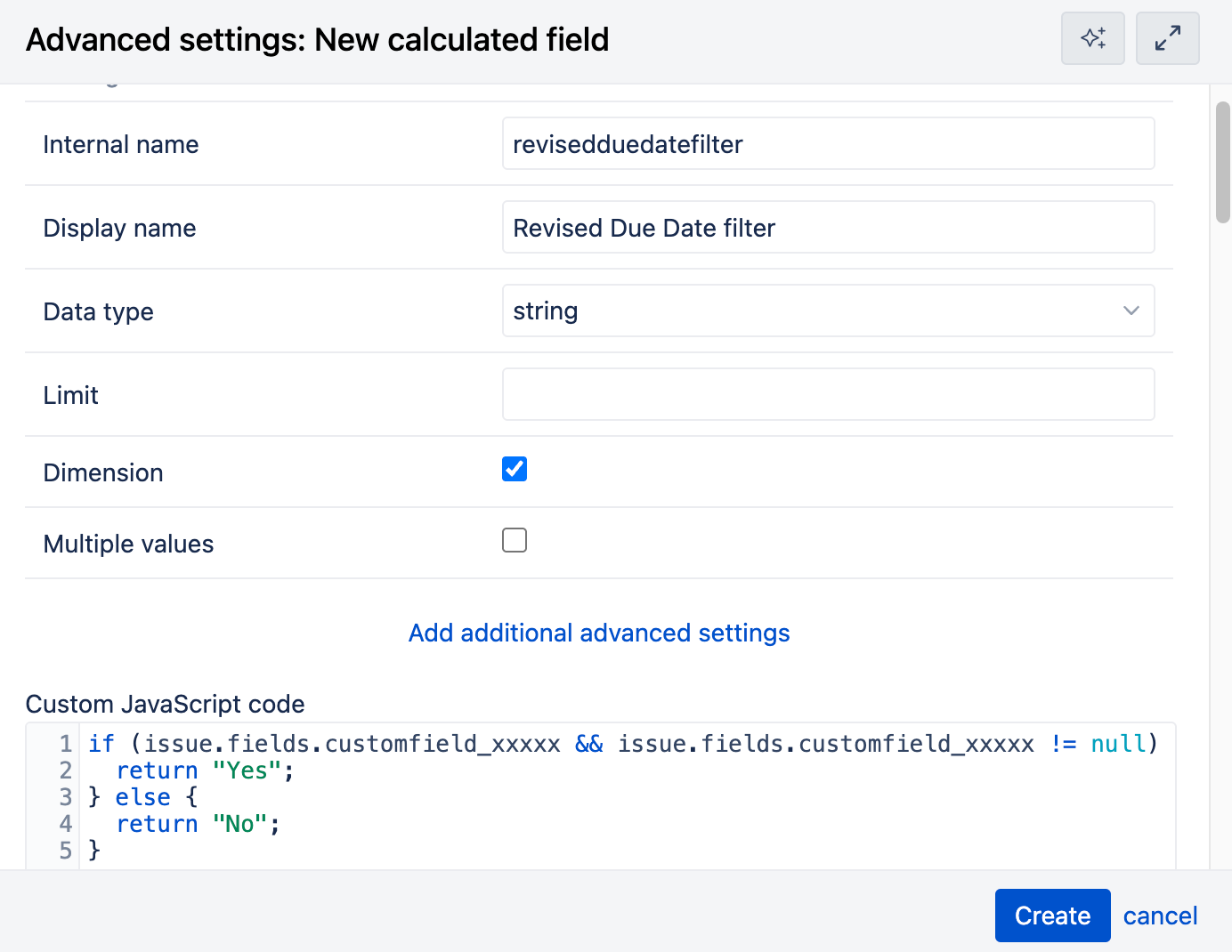
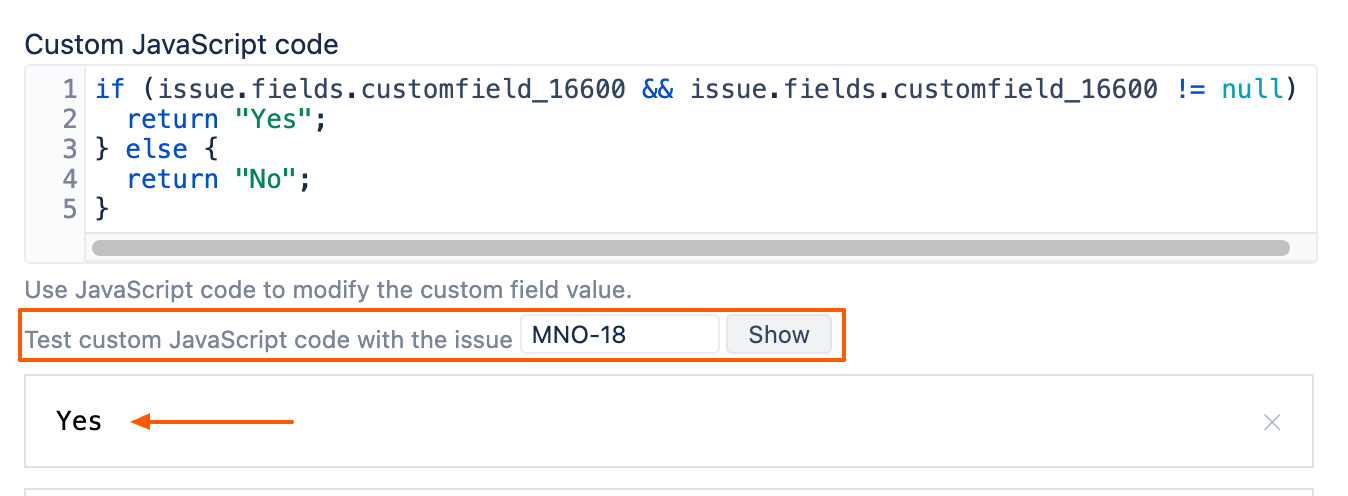
To create a Page filter as you described, you will need to create a custom calculated field with JavaScript. Here are the steps:
go to Source Data → Edit → Custom fields tab
first, check & note the customfield_id of the “Revised Due Date” field. You will need it for the JavaScript in the later steps. You can see the customfield_id when hovering over the customfield.