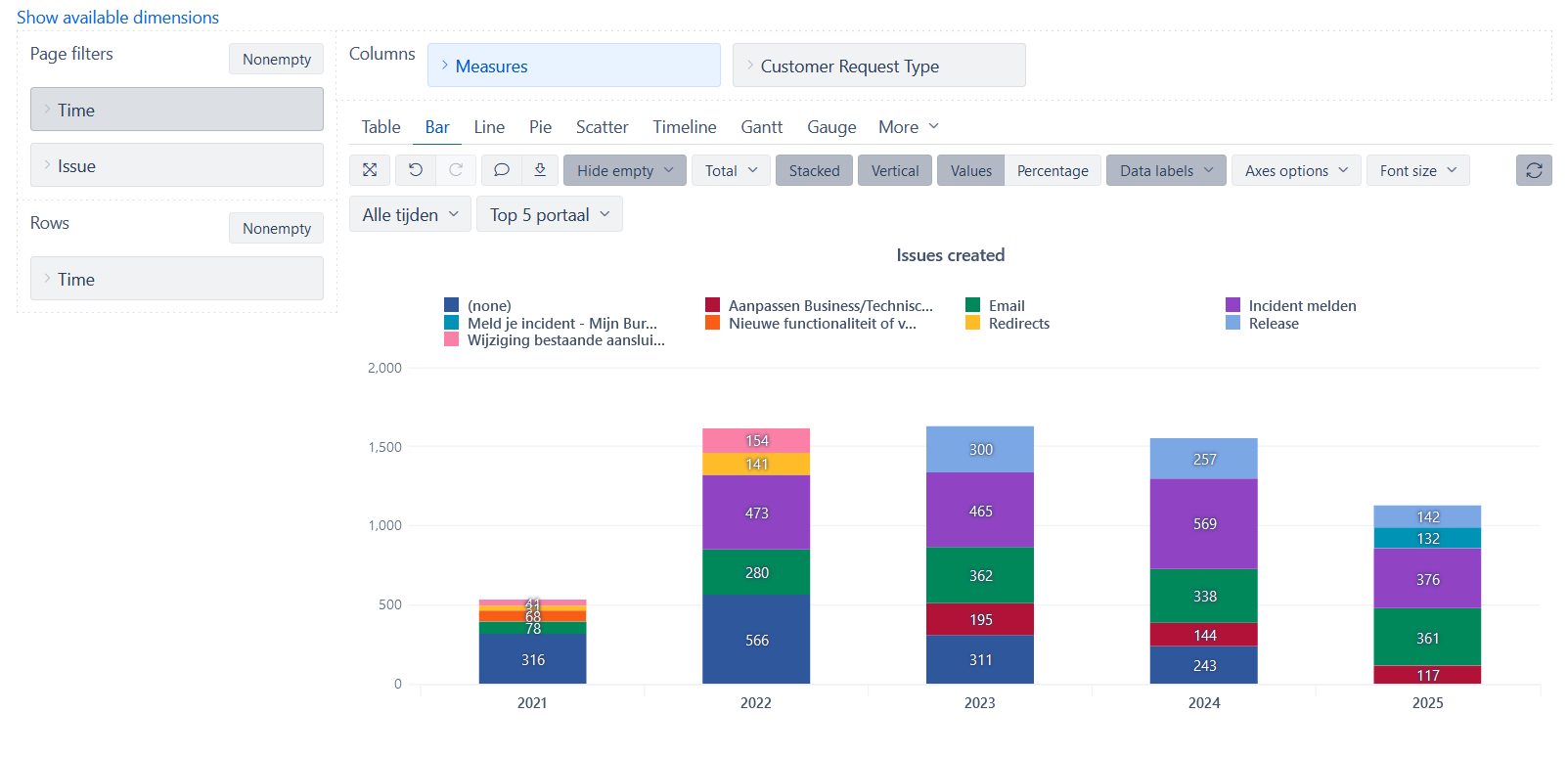
ASC or DESC on stacked results on a timeline

Is there a way I can order the results in a stacked column, per column?

Hi @_P3,

Thanks for posting your question!

There’s a way to order issues created by ASC or DESC order, but in order to do that, you need to bring “Customer Request Type” dimension in front of the “Measures”. This will allow you to apply the ordering as shown in the screenshot below:

However, once you expand “All Customer Request Types”, you need to choose by which one you prefer to order as it’s not going to be possible for all of them to be sorted in the same way.

Another option, if you prefer “Customer Request Type” to appear in a specific order in your report, you can bookmark the dimension members and then choose the order in which you want to display them: https://docs.eazybi.com/eazybi/analyze-and-visualize/create-reports#Createreports-Ordercolumns

I hope this helps.

Best,
Marita from support@eazybi.com

Hi @Marita_Burgio ,

Thanks for the effort. So it seems it can’t be done then (guessed it already). It was just for visualisation reasons, it looks better that the stacks were per year in ascending or descending order.