We have started using Atlassian team (Team) in Jira and are also importing the field to eazyBI as a dimension. When using the Team in page filters, the list is not ordered alphabetically by Team name but in some other order (maybe ordered by the Team ID). Could you change the field so that the dimension would show the teams in alphabetical order by name (or have another hierarhcy inside the dimenson that would show them alphabtically). Now it is difficult to find the correct team in the page filter.
Hi @vpurho,
Thanks for posting your question!
To show the teams alphabetically in the page filter, you can create a new calculated member in the Team dimension that reorders all teams by name using the Order function.
Please try the following steps:
- Go to Team dimension → Add a new calculated member with expression:
Aggregate(
  Order(
    [Team].[Team].Members,
    [Team].CurrentMember.Name,
    BASC
  )
)
- Save the calculated member.
Once saved, select this new calculated member in your report page filter instead of the default “All Teams” member, and expand it. The teams underneath it should now be listed in alphabetical order by name.
Let me know if this works well for you or if you run into any issues setting it up.
Kind regards,
Elita from support@eazybi.com
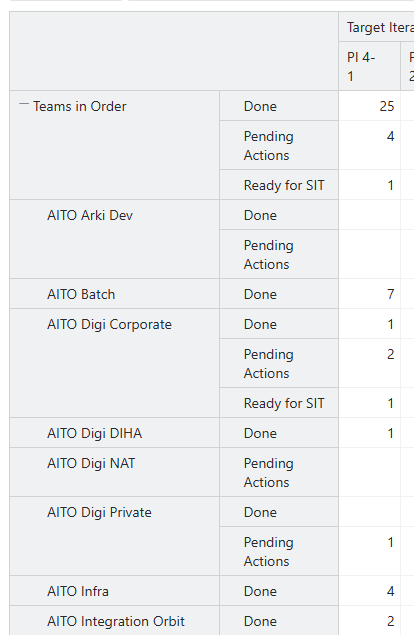
Thanks Elita. That works but it then only impact the page filter (which is what I initially asked  ). There is one issue though. If I want to use the Team in rows and want to have the teams sorted alphabetically, I need to select the Ordered Teams calculated member and expand that which then gives me the summary row on top of the list. If I drill into the team level, then the teams are shown in rows in the “random” order.
And also even when I select the new ordered calculated member, the page filter shows first the teams in “random” order and then at the bottom there is the new calculated member which I can expand to get the alphabetical order. I guess that as they are in the same hierarchy level, I cannot get just the ordered member showing.
Hi @vpurho
Thanks for your follow up!
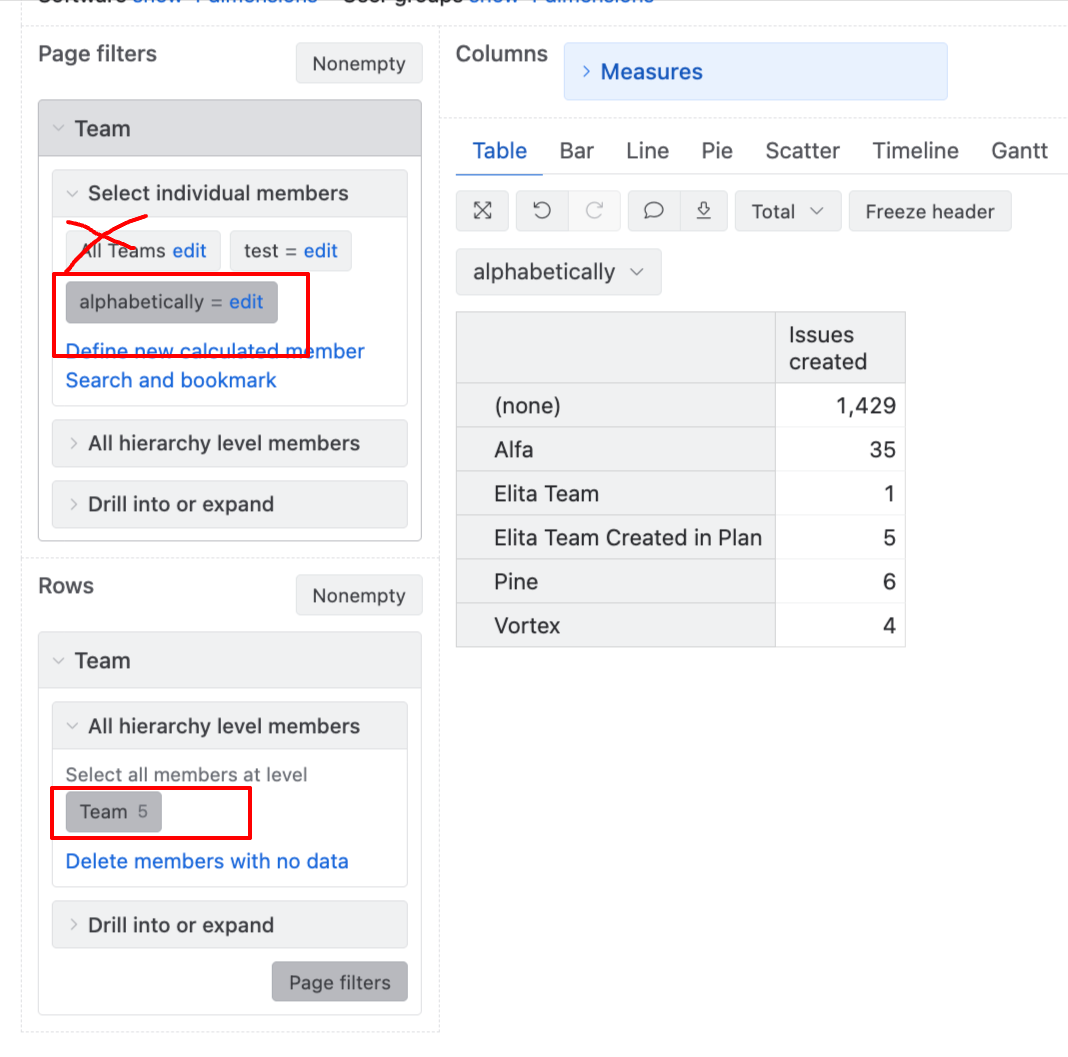
To only see the alphabetically sorted member in the Page filters, disable the All teams member selection. Refer to the screenshot below.
Then select the Team level in Rows, and it should show the teams in alphabetical order as well.
Let me know if this works for you!
Best,
Elita from support@eazybi.com
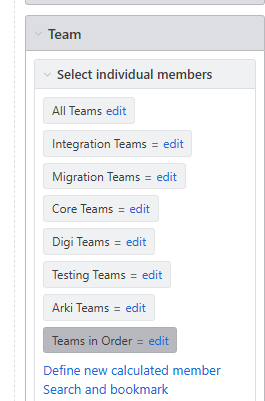
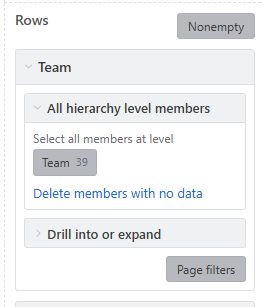
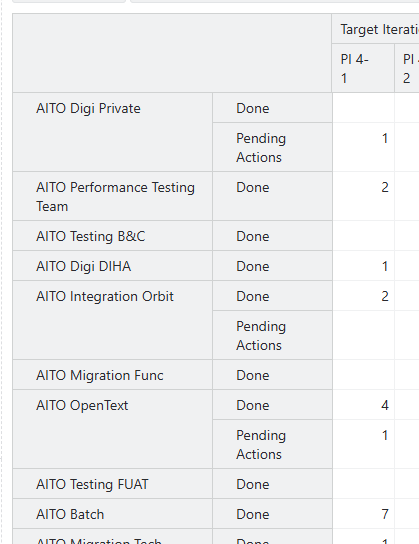
Hi @vpurho
Thanks for sharing the screenshots. To help you more effectively, I’d like to see a bit more detail about your setup - the current screenshots are cropped and don’t give me the full context of what you’re seeing.
Here is a loom recording on how the sorting works on my test instance - eazyBI - Jira - 15 September 2026 | Loom
Could you please share the following:
- Full screenshots (not cropped) of both the setup that isn’t working and the workaround that does work. Ideally showing the entire report page including the dimension selection panel, page filters, and the resulting table.
- eazyBI environment: are you in DC (which version?) or Cloud?
- The report definition of the report. The best would be if you had the Page filter selection with enabled member for sorting the teams - then save the report and export definition. This will allow me to see the report’s structure and whether there is something else in the background that’s breaking the sorting. Heres instructions on how to export report definition - Export and import report definitions
If you would prefer not to share this information publicly on the community, please feel free to write to us directly at support@eazybi.com - I will pick up the conversation from there and we can continue in a private thread.
Best,
Elita from support@eazybi.com
Hmm, it seems that if I create a report from scratch, then it works ok, but if I try to modify an existing report, the All Teams somehow haunts on the background. I only tried with one report so there might be something specific on that report regarding what has been left behind in the report definition. When I recreated the report from scratch using the ordered member, it worked ok.
Hi @vpurho
Great to hear that recreating the report from scratch with the Ordered Teams member solved it - that confirms the calculated member itself works correctly.
You are right that “All Teams” can persist in the background of an existing report even when it looks like it has been deselected in the UI. This usually comes from a stale reference in the saved report definition (for example, a [Team].[All Teams] still present in selected_set, members, or bookmarked_members from before you added the Ordered Teams member).
If you would like the sorting to work on your existing report without having to rebuild it, please share the exported report definition and I will check what may be causing this problem.
Otherwise, if rebuilding your report from scratch is acceptable no need to share the definition then.
Kind regards,
Elita from support@eazybi.com