Calculate average times fom one status to other

Wanted to create report with graphics where I take in account every jira which in period was Approved. And calculate exact ticket’s time from Status [Approve Estimate] to [Approved] in a days. Should take in account all tickets which were in that status during period (e.g. December) ignoring whatever status they are now.

Used **Define calculated member formula
**
———————

AVG(
Filter(
Descendants([Issue].CurrentMember, [Issue].[Issue]),
DateInPeriod(
(
[Measures].[Transition to status last date],
[Transition Status].[Approved],
[Time].CurrentHierarchy.DefaultMember
),
[Time].CurrentHierarchyMember
)
),
DateDiffWorkDays(
(
[Measures].[Transition from status first date],
[Transition Status].[Approve Estimate],
[Time].CurrentHierarchy.DefaultMember
),
(
[Measures].[Transition to status last date],
[Transition Status].[Approved],
[Time].CurrentHierarchy.DefaultMember
)
)
)

—————————

got result: Drill through Issue. Total value: 3.84; row count: 8

which is NOT correct because if I deepdive into drill through I have these results

Outcome should be: 22,06 not 3.84

I cant figure why - if each tickets times are correct why AVG is not

tnx in advance

Hi @uvis.lapsins

Welcome to eazyBI Community and thanks for posting your question!

If an issue was reopened after being Approved, these timestamps come from different workflow cycles, which may be giving incorrect results.

I do have a follow-up question - are you looking for the average workday difference with timestamps for issues that went directly from “Approve Estimate” → “Approved” with no intermediate statuses
or
Can there be other statuses in between after it was moved to Approve Estimate and before it was moved to Approved?

Is there another filter critera that we could potentially add to avoid reopened issues? For example, would you like to analyze only issues that are currently in “Approved” status or currently resolved?

Best,

Elita from support@eazybi.com

Thanks for quick response.

  1. To clarify - “Aproved” is not the end status - its in the middle of process.

example:

New→Open→multiple_others→RequestEstimate→ApproveEstimate→ApproveEstimateApproved→In Implementation→Ready for Deliver→IT testing→Business Testing→Accepted→Billed→Closed (Resolution added)→Reopened (very rarely)

The Goal is to have a KPI which will show Management average times Business spends in gathering approvals across different departments, branches, persons and how it impacts TTM (time-to-market)

  1. Im not very worried right now about Reopened tickets - they are rare.

  2. What i figured out as well, that I dont have all of tickets returned in my filter (just learning)

Because in JIRA querry

project = “10900” AND issuetype = “Change Request” AND status changed TO “Approved” DURING (“2025-12-01”, “2025-12-31”)

I have 47 tickets - means during December tickets went to status Approved

But in EazyBI - I have only

Drill through Issue. Total value: 3.84; row count: 8

Looking forward

P.S. Maybe its possible to make a MS Teams call for 10 min, so I can show and explain with examples and probably Latvian language would help me to be more precise :wink:

Hi @uvis.lapsins

Thanks for the follow up!

I was actually trying to find out if there can be statuses in the middle between the Approved Estimate and the Approved.

This is the workflow you shared
New→Open→multiple_others→RequestEstimate→ApproveEstimateApproved→In Implementation→Ready for Deliver→IT testing→Business Testing→Accepted→Billed→Closed (Resolution added)→Reopened (very rarely)

But can there be workflows as followijg?

New→Open→multiple_others→RequestEstimate→ApproveEstimate→ApproveEstimateOpenApproved→In Implementation→Ready for Deliver→IT testing→Business Testing→Accepted→Billed→Closed (Resolution added)→Reopened (very rarely)

The reason I ask is to understand if we can filter out the set of Issues using the Transition dimension to only consider issues with a specific/strict transition.
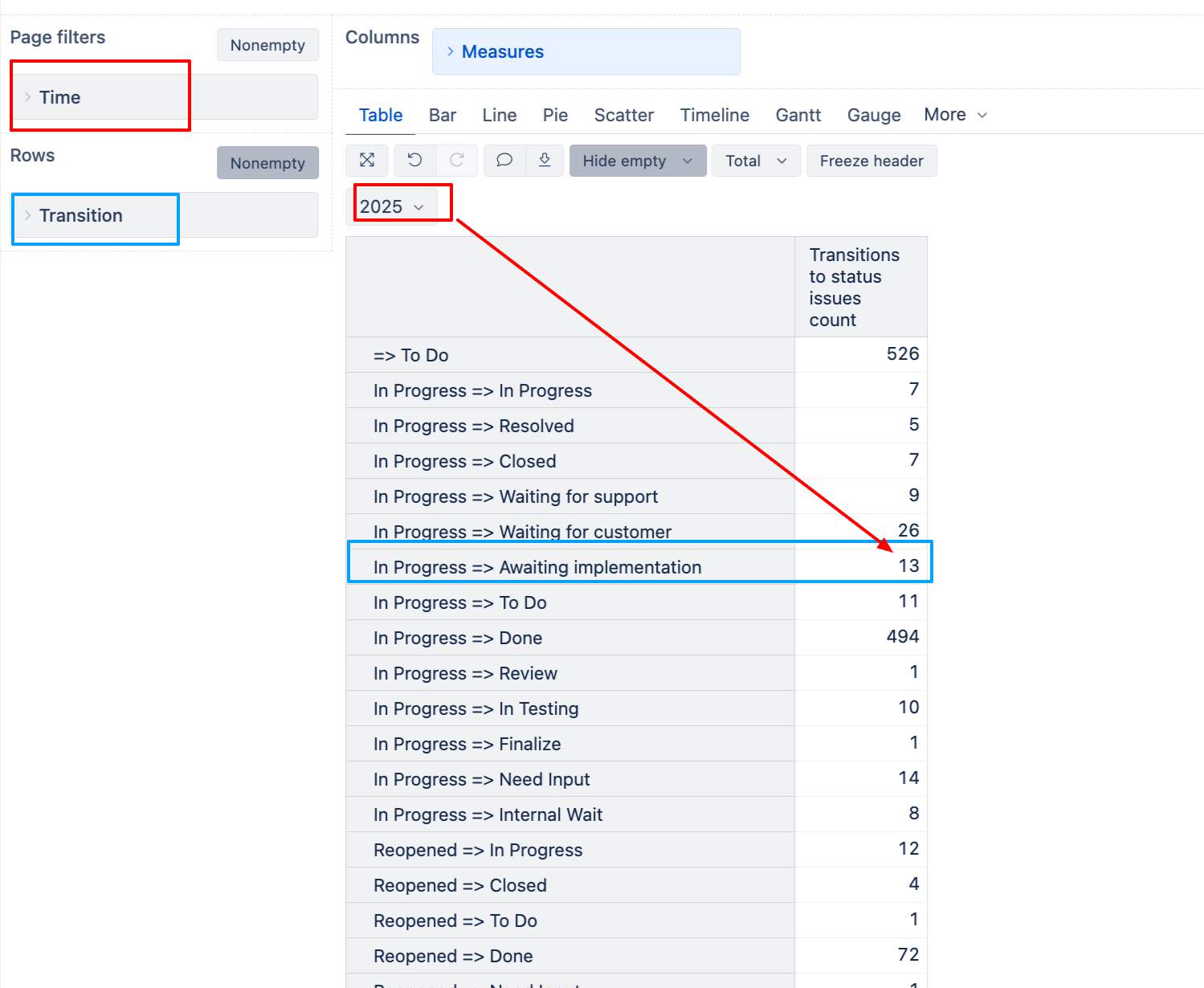
Like in the screenshot below. When filtering 2025 and using the measure Transitions to status issues count and having the Transition dimension in Rows, I can see how many distinct issues had this particular transition in the selected time.

In your case you do not have this check. You are looking for issues that have had an Approved status, and then you are looking for the day difference between when the issue exited the Approve estimate status the first time (regardless of which status it proceeded to move further).

Also, I noticed a potential logic issue in your measure. You’re using:

  • 'Transition from status first date' for Approve Estimate (when issue EXITED this status)
  • 'Transition to status last date' for Approved (when issue ENTERED this status)

If the transition is direct (Approve Estimate → Approved), these timestamps would be identical, resulting in 0 days difference.

(
[Measures].[Transition from status first date],
[Transition Status].[Approve Estimate],
[Time].CurrentHierarchy.DefaultMember
),
(
[Measures].[Transition to status last date],
[Transition Status].[Approved],
[Time].CurrentHierarchy.DefaultMember
)

If you are searching for this specific transition, you may try the expression below. I have changed the Transition from status first date to Transition to status first date to capture the date when it moved to “Approve Estimate”

Avg(
  Filter(
    Descendants([Issue].CurrentMember,[Issue].[Issue]),
      ([Measures].[Transitions to status issues count],
      [Transition].[Approve Estimate => Approved],
      [Time].CurrentHierarchyMember
    ) >0
  ),
  DateDiffWorkDays(
      (
      [Measures].[Transition to status first date],
      [Transition Status].[Approve Estimate],
      [Time].CurrentHierarchy.DefaultMember
      ),
      (
      [Measures].[Transition to status last date],
      [Transition Status].[Approved],
      [Time].CurrentHierarchy.DefaultMember
      )
      )
)

If you confirm that there CAN be intermediate statuses, use your initial formula instead, but amend the part where you check whether it moves from the status or to the status.

If this still does not resolve your problem, please reach out to us directly at support@eazybi.com, referring to this Community post.

Best,

Elita from support@eazybi.com
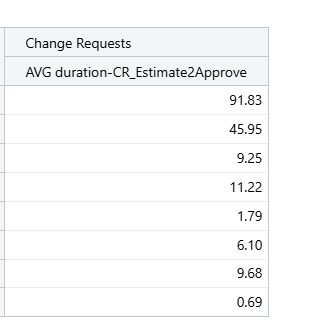
Thank You!

You showed me the turn I went wrong (from & first date → to & last date)

I solved my needs

AVG(
Filter(
Descendants([Issue].CurrentMember, [Issue].[Issue]),
DateInPeriod(
(
[Measures].[Transition to status last date],
[Transition Status].[Approved],
[Time].CurrentHierarchy.DefaultMember
),
[Time].CurrentHierarchyMember
)
),
DateDiffWorkDays(
(
[Measures].[Transition to status first date],
[Transition Status].[Approve Estimate],
[Time].CurrentHierarchy.DefaultMember
),
(
[Measures].[Transition to status first date],
[Transition Status].[Approved],
[Time].CurrentHierarchy.DefaultMember
)
)
)

1 Like