Confusing behavior of Descendants

I am trying to sum the remaining estimate of all linked tickets multiple layers down from a given ticket (e.g. a ticket has multiple epics, each containing stories that have estimates). The estimates may be split over different projects, and have multiple layers. I want to track the total estimate day by day to track total burndown.

It seems like Descendants are made to accomplish exactly this, with level set to Issue to get links all the way down, but I do not understand the output I get from this call. If I input,

SetToStr(
Descendants(
[Issue].CurrentHierarchyMember,
[Issue].[Issue]
)
)

and set a given ticket as Parent Link, I get all tickets in all the projects, regardless of linking. To debug, I tried instead to do

SetToStr(
Descendants(
[Issue].[Parent Link].[ABC-12],
[Issue].[Issue]
)
)

(ABC-18 is a placeholder name for a ticket in my Jira project). This returns an empty list instead. Is Descendants not the right call for this, or is my syntax lacking something?
Hello @HappyEbiUser,

Welcome to the eazyBI community!

The Descendants() function works well with the right hierarchy. It allows the creation of a set of underlying members within the designated hierarchy.

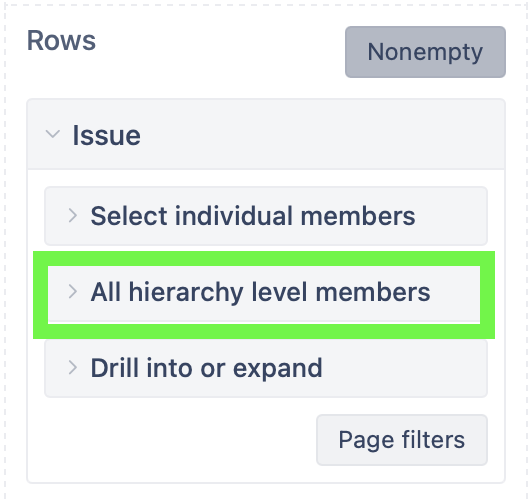
You might expand the “All hierarchy level members“ section of the Issue dimension to see what hierarchies are available on your instance.

SetToStr() will display the members of the set.

The different dimensions, like “Parent Link” and “Issue”, are related via measures. If you want to see all issues directly related to the specific parent link, you might filter them by the measure.

The expression might be as follows.

SetToStr(
  Filter(
-- set of issues in issue selection
    Descendants(
      [Issue].CurrentMember,
      [Issue].[Issue]),
-- filter condition - related to context
   [Measures].[Issues created]>0
  )
)

If you have a proper hierarchy (only one parent issue per child), and you have imported that hierarchy into eazyBI, you might not even need to iterate through individual issues, as the measure values are automatically aggregated through the hierarchy.
You might read about Plans hierarchies here - https://docs.eazybi.com/eazybi/data-import/data-from-jira/plans-custom-fields#Planscustomfields-JiraCloud.
If that is not the case, you might read about building additional issue hierarchies here - https://docs.eazybi.com/eazybi/data-import/data-from-jira/advanced-data-import-options/additional-issue-hierarchies.

You might even use the standard measure with the proper hierarchy level in the issue dimension.

However, if your issues are not arranged in a proper hierarchy, or some hierarchy levels are optional, or there are other inconsistencies preventing the import of the hierarchy, you might have to calculate values across the spread network of issue links.

In that case, please describe your setup in detail (what links are used, what is the issue relation, etc.).

Regards,
Oskars / support@ezyBI.com