Hi everyone! I have a table that’s made up of parent tasks and also includes several columns with fields from related tasks. Similar to this demo setup - Stories with Bugs details - Issues - eazyBI Demo Training - eazyBI
Can you tell me if I can create a filter with a drop-down list that will contain values with a field from a subtask? For example, using the demo stand as an example, how could I create a filter based on Bug Assignee values?
It could be done like this:
Use the Assignee “All hierarchy level members” in the Rows, with the Issue: Like this:
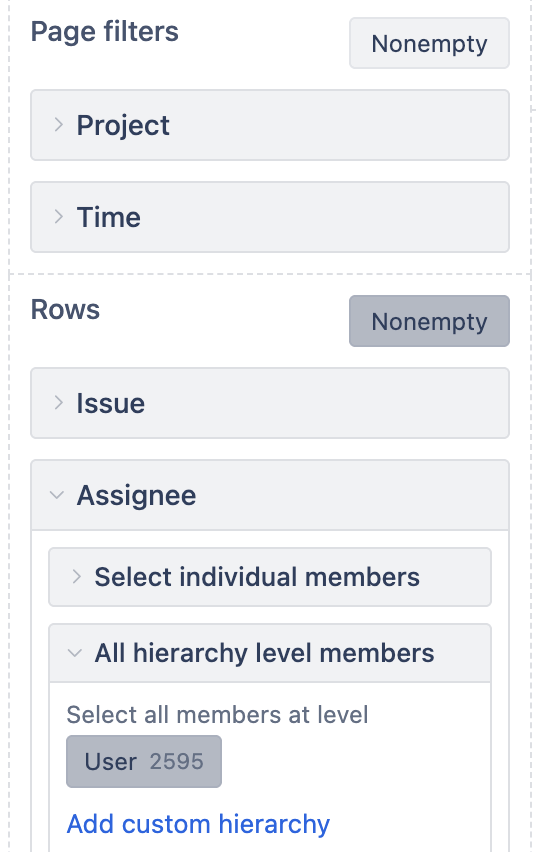
Then, run the report to create the context of the visual information
Last, move the Assignee dimension to Page Filters and refresh the data.
It will load the small amount of info for the displayed info
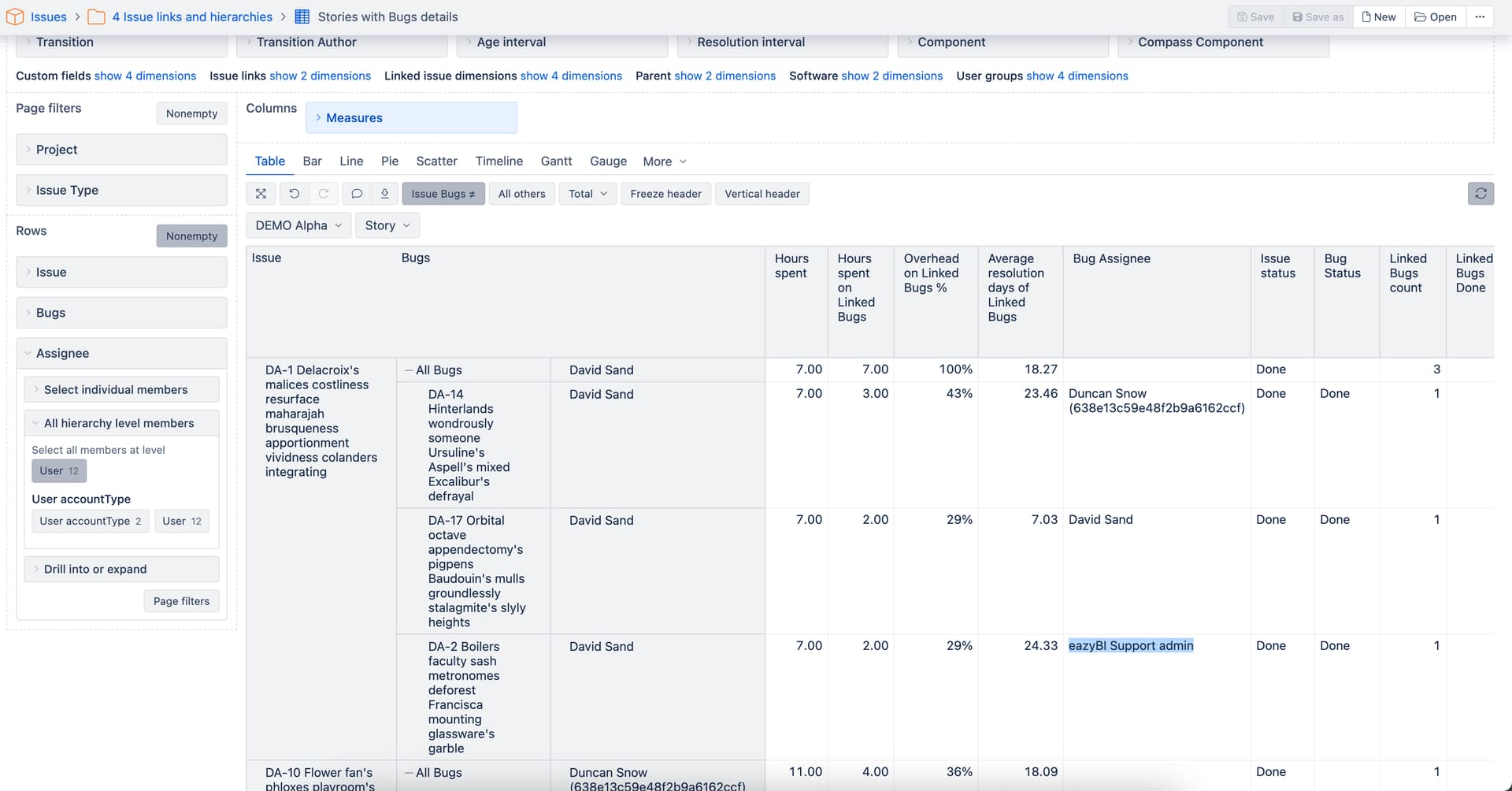
Aaaaaa. That is different.
Then, for that you would need to have the Bug Assignee as a Dimension and then following those steps in the same order.
It should work.
For having the Bug Assignee as a Dimension you have to go to the Source Data → Custom Fields and at the bottom you will see the “add new calculated member”, click on that on in the pop up something like this:
With the javascript code like this (changing the cusftomfield) if it is only one value each time
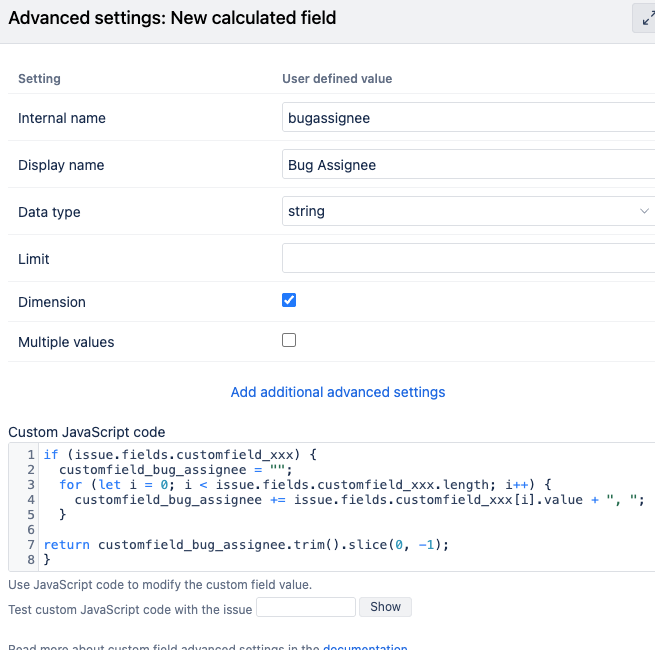
if (issue.fields.customfield_xxx) {
    return customfield_bug_assignee;
}
And then you can test it with the below “Show” button with any ticket you have
Hi @sn1ffer,
In the training account, there is another report example showing how to filter/group data by linked Bug: eCD Linked issues context - Issues - eazyBI Demo Training - eazyBI
The idea is to create a new calcualted measure that changes the default context of the Assignee dimension (in the example report, it is Priority).
In your case, the expression to count issues by the linked bug assignee might look like this:
Sum(
  --go through all linked Bugs
  Filter(
    DescendantsSet([Bugs].CurrentMember,[Bugs].[Bugs]),
    --check if linked Bug Priority matches selected assignee
    DefaultContext((
      [Measures].[Issues created],
      [Issue].[Issue].GetMemberByKey(
        [Bugs].CurrentMember.KEY),
      [Assignee].CurrentHierarchy.CurrentMember
    )) > 0
  ),
  --aggregate linked Bugs ignoring the Issue assignee
  ([Measures].[Issues created],
  [Assignee].CurrentHierarchy.DefaultMember)
)
Here is a training video explaining context change - redefining the relation between two dimensions using calcauted measures: Videos: calculations with MDX
Examples mentioned in the video are in the eazyBI demo training account mentioned above: Analyze - eazyBI Demo Training - eazyBI
Best,
Zane / support@eazyBI.com
Hi! Thanks for your help, but I have a slightly different case. Let me explain in a little more detail. I have a task linked to a bug from another Jira workspace. Each task corresponds to only one bug. My table looks something like Figure 1.
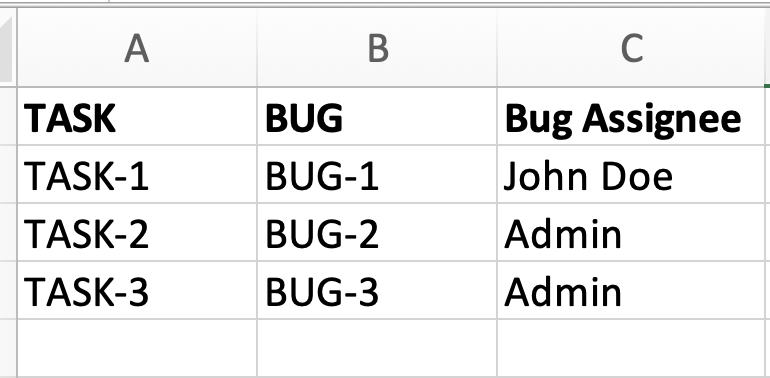
I need to create a filter that will allow me to select the values for the bug’s assignee, as shown in Figure 2. Can I do this using calculated measure/member?
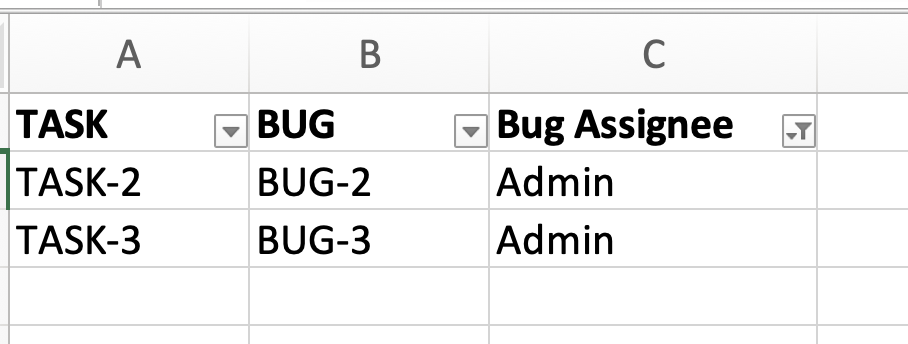
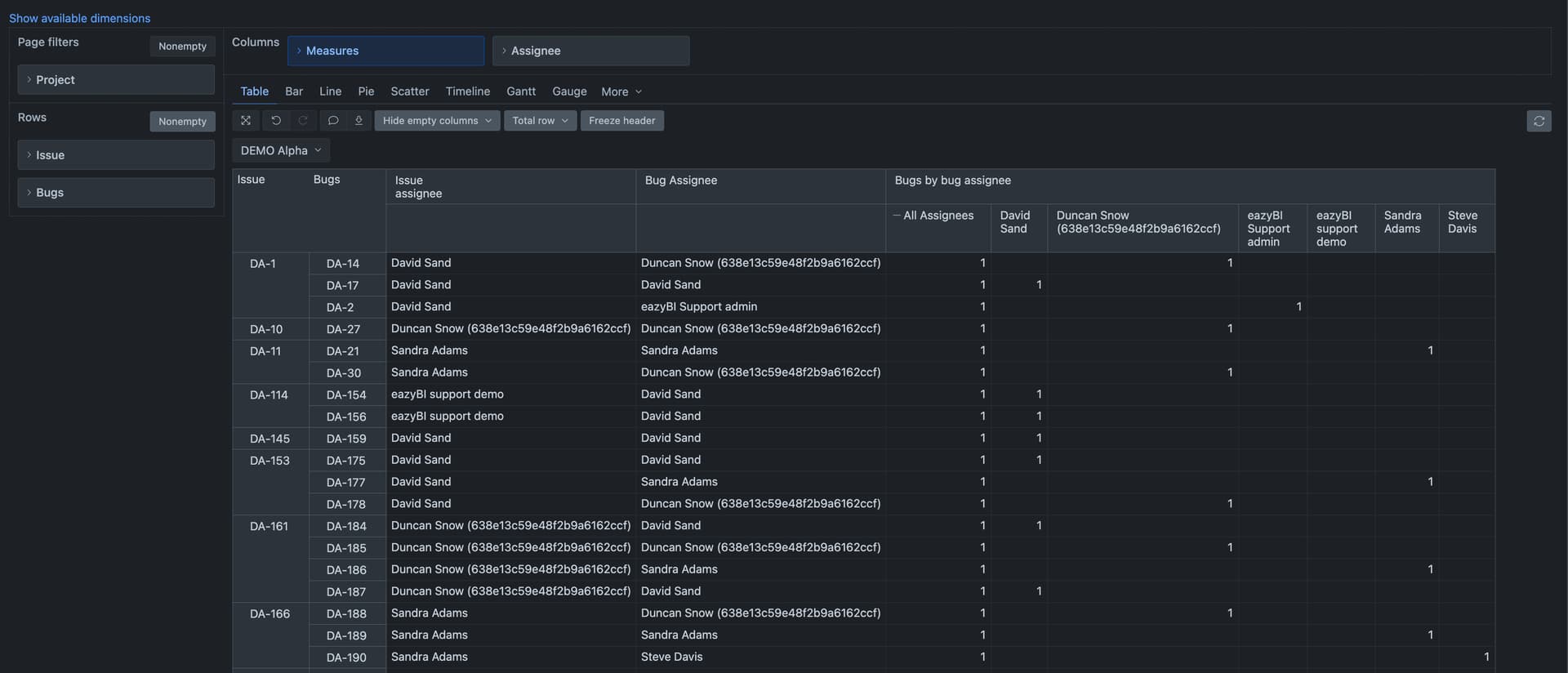
@sn1ffer The solution above describes how the dimension “Assignee” works as a filter to get report rows by the “Bug Assignee” field.
Use the combination of dimension “Assignee” and the calcauted measure to filter data by bug assignee values.
Best,
Zane
Thank you, I was able to implement such a solution for the bugs. But I ran into another problem implementing a similar case. I have a task list, and each task has a linked team (project Teams). I need to implement a filter (a drop-down list) based on the team lead field, which is present in all Team project tasks.
I’m using a combination of dimension “Teamlead” and a calculated measure to filter data by team lead values, but I can’t get the desired result yet.
 DefaultContext((
  [Measures].[Issue Teamlead],
  [Issue].[Issue].GetMemberByKey(
    [Issue].CurrentHierarchyMember.get('Teams')
  )