Hi there,
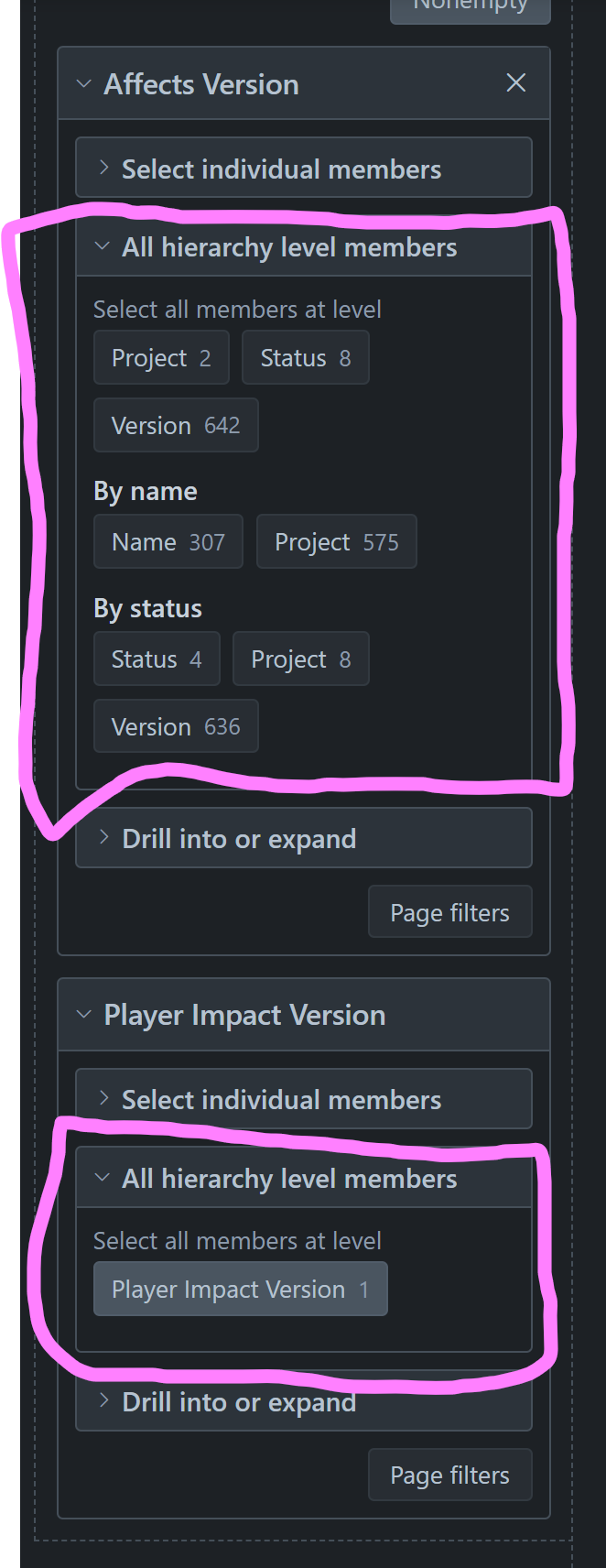
I’ve created a custom version and am importing it into EazyBI but it is missing the Hierarchy Members that Affects Version / Fix Version have.
Is there any planned work or workarounds for this?
@janis.plume Has this been looked at yet? Tim found an old post from August 2024 where you mentioned it was in the backlog. Can't access properties for Target Version custom field
Thanks, Jon @Adaptavist
Seems like the solution mentioned in the article will work. It would be nice to have an additional built-in hierarchy for custom fields that are a version picker though 
Hi @Tim_O_Brien Hi @jchatwin
Welcome to eazyBI Community and thanks for posting the question!
The hierarchy member selection features in the built-in Affects Version and Fix Version dimensions are not automatically available for custom fields. This is currently a limitation of custom version fields in eazyBI. I’ve added your vote to our internal feature request for this functionality, though I cannot provide a timeline for when it might be implemented.
Before I suggest potential workarounds, can you please share more details about your setup?:
Are you using Jira Cloud or Jira Data Center/Server?
What type of custom field is this? (e.g., Version Picker, Select List, or another field type)
Is it a single-version or multi-version field?
What’s your use case? What report are you trying to build?
If you can share more about what you’re trying to achieve, I can help determine if there’s a way to accomplish it. If you don’t feel comfortable sharing the details here in Community, you can reach out to us directly at support@eazybi.com referring to this Community post.
Best wishes,
Elita from support@eazybi.com
Hi Elita,
As it stands, our users will be surprised that this functionality is missing and would find it difficult to port reports to the new version.
Hi @Tim_O_Brien,
Thanks for the follow-up.
If this is a single version field, there is a workaround I will describe here. This will allow you to import the properties from Affects Version and map them against your Custom Affects Version dimension and then create additional hiearchy.
Step 1:
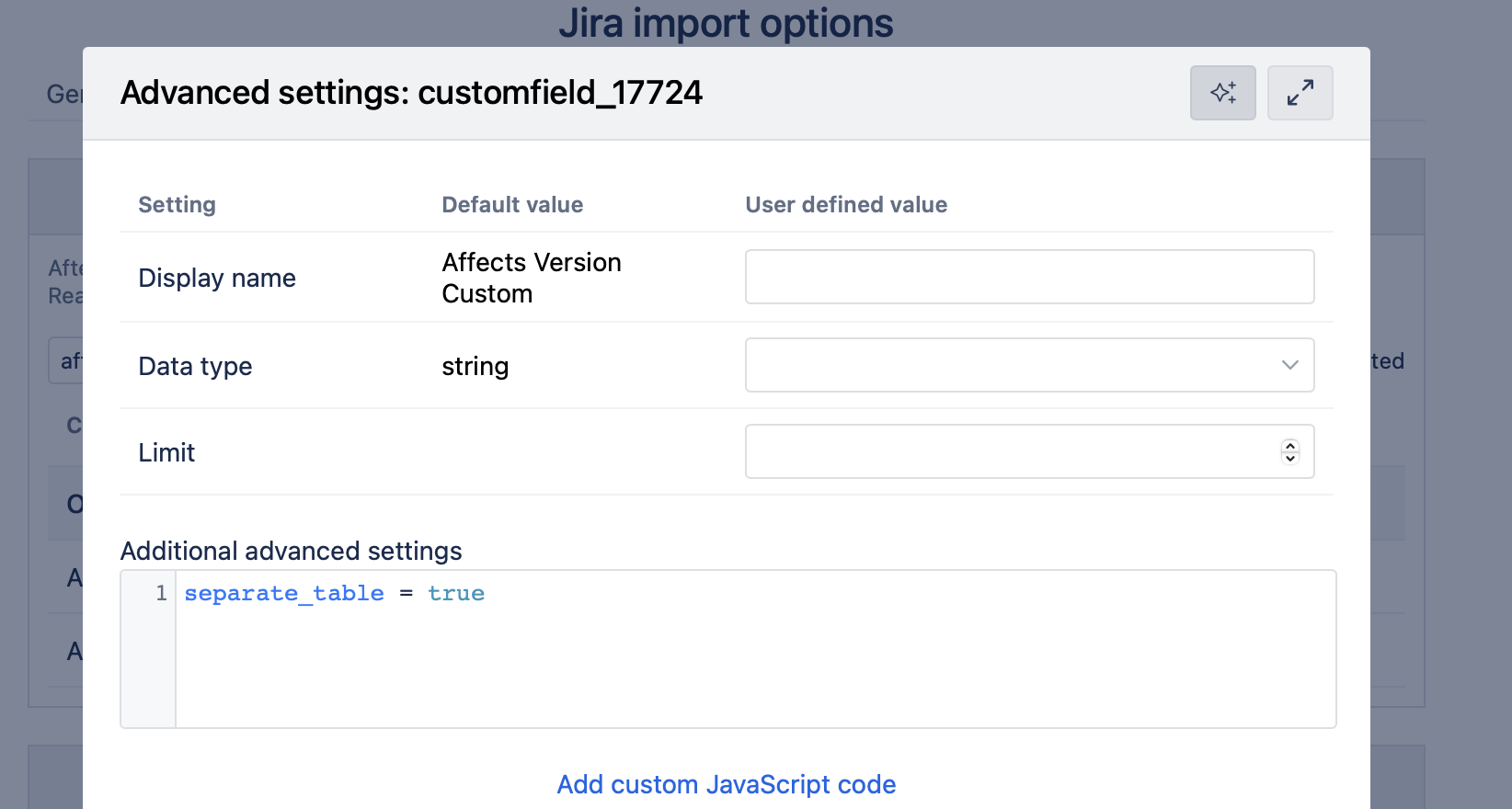
Before importing any data, you need to add the separate_table = true setting/configuration to your custom version field. Run an import after you have added these settings before you proceed to step 2.
Step 2: Create a reference report with Affects Version data
Create a new report in your eazyBI account
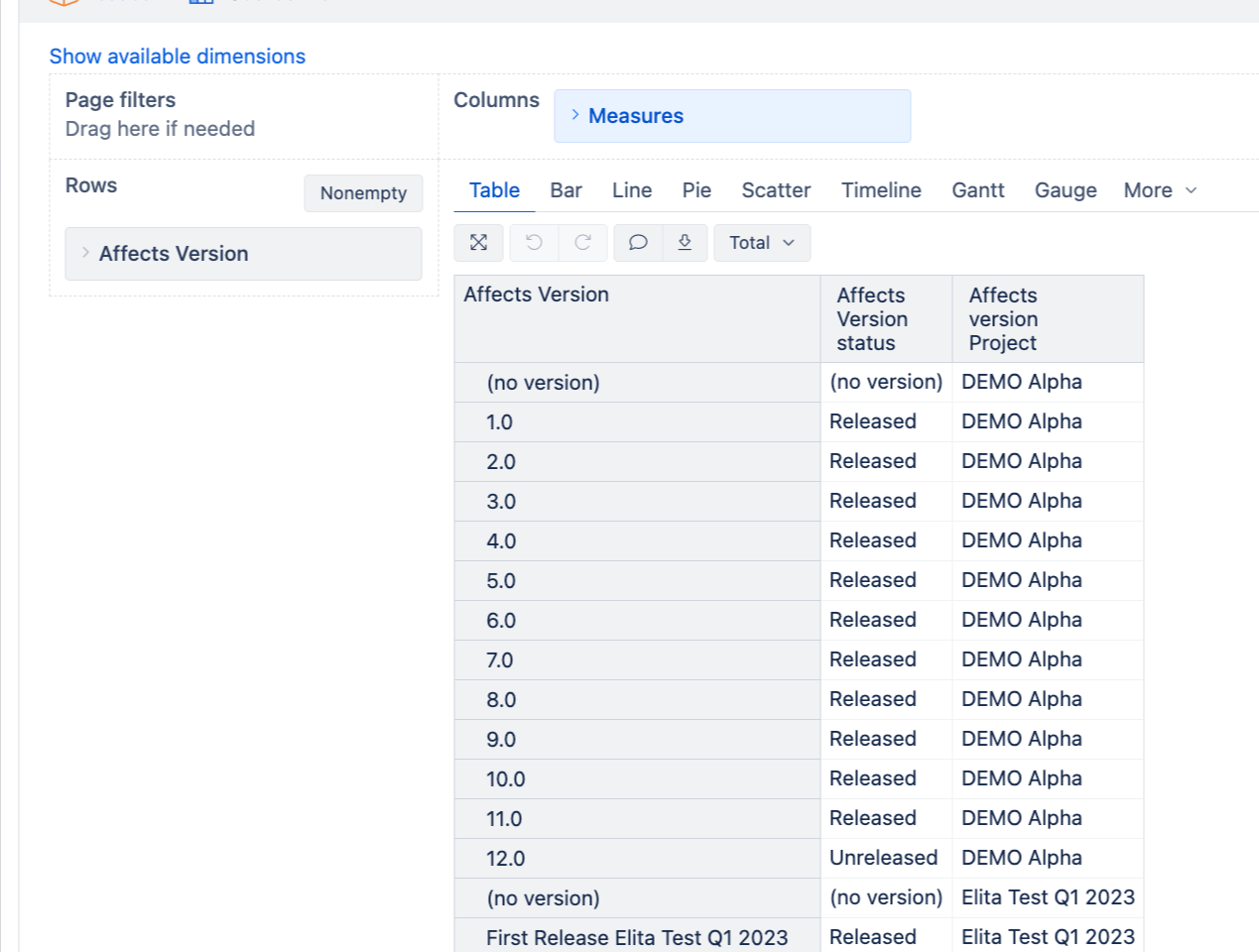
Add Affects Version dimension to Rows
Add the following properties as columns:
Status (from Affects Version properties)
[Affects Version].CurrentHierarchyMember.Get(‘Status’)
Project (you can get this through the parent hierarchy)
[Affects Version].CurrentHierarchyMember.Parent.Parent.Name
Any other properties you want to import
Make sure the report shows all versions you need
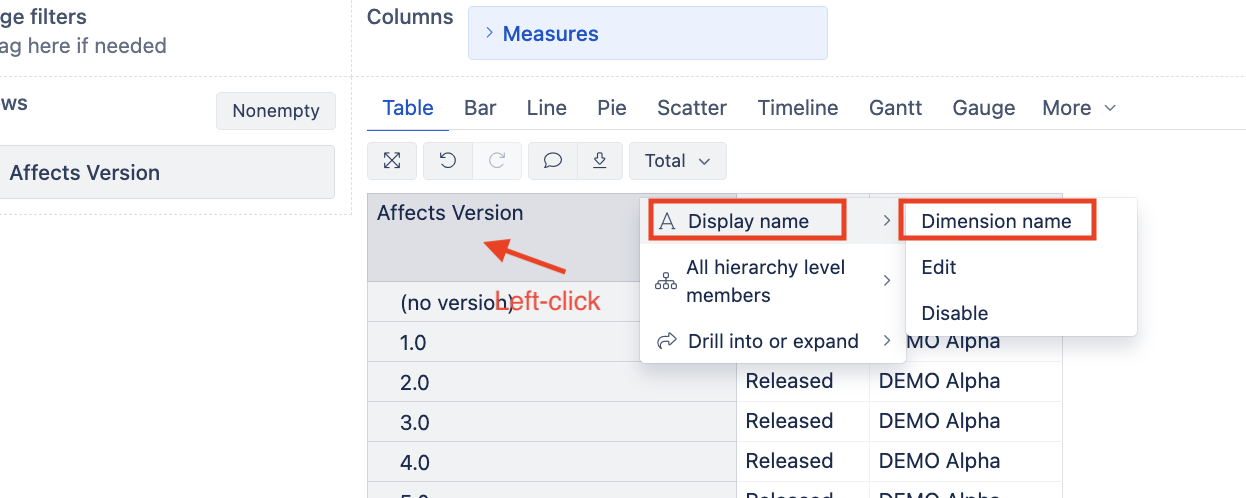
Add display name for the first Row (The Affects version)
Save this report
Step 3: Get the CSV export URL
Open the report you created
Use the export results API to get the CSV format URL. Follow instructions here - Report results export API
Test this URL to ensure it returns the correct CSV data (when you paste the URL, it should automatically download your saved report on Step 2 as a CSV file.
Step 4: Import Rest API
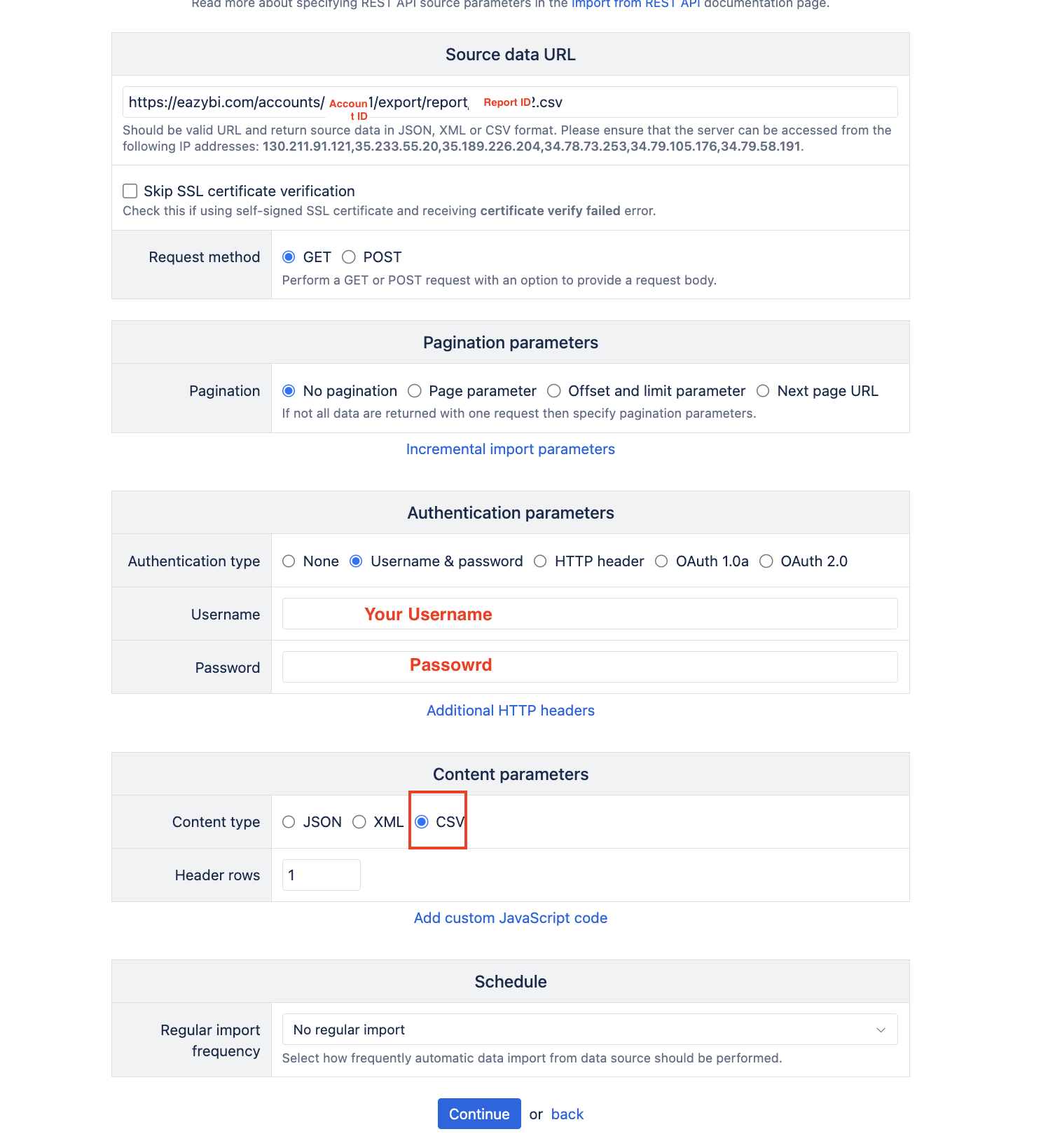
Go to Source Data → Add source - > Rest API
Configure the import options
Step 5: Map Data.
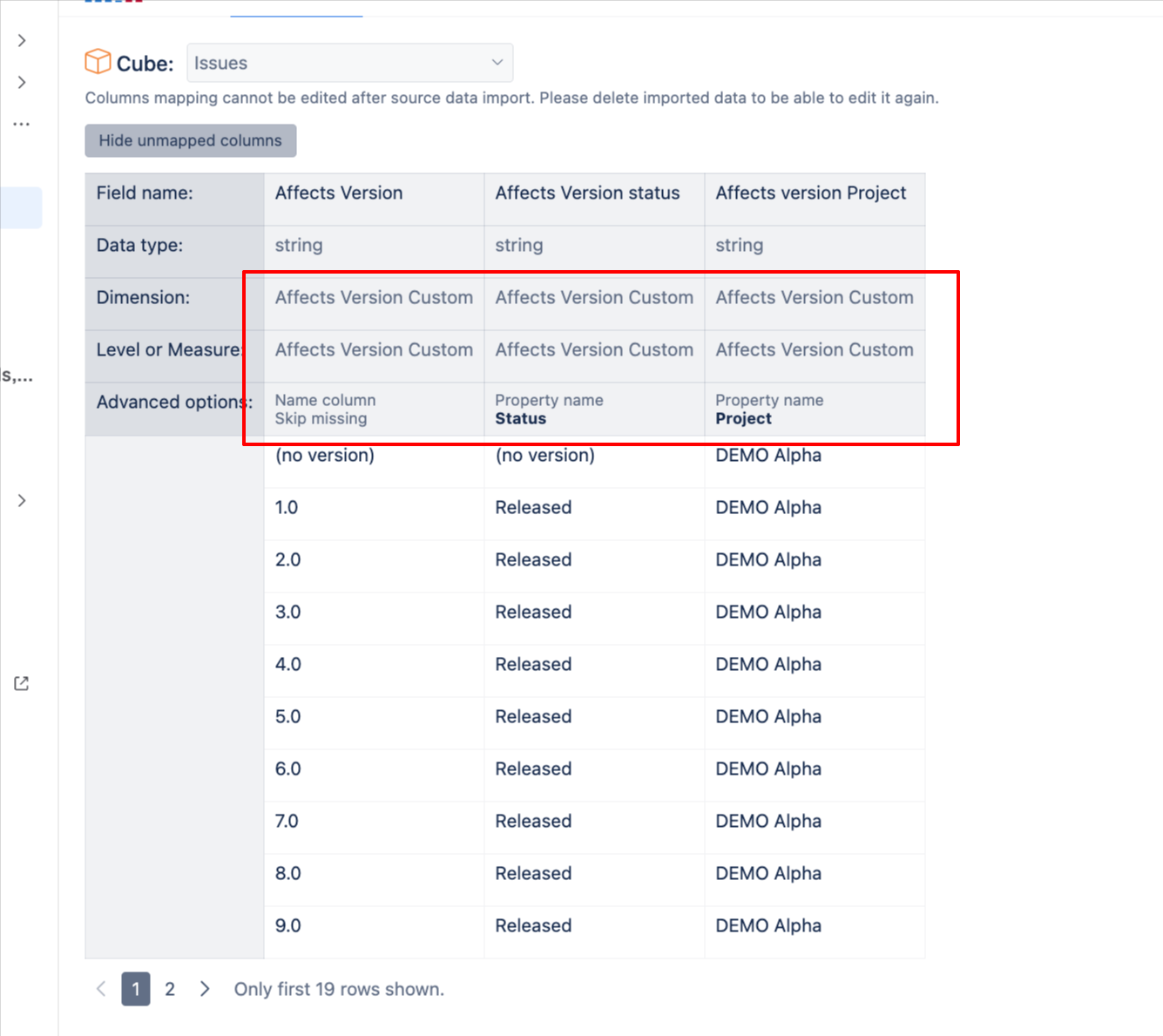
First Column Dimension should be your Affects Version Custom dimension. Make sure you enable skip missing and that it is a name column
Second, third and any additional data you would like to map should be mapped against the Affects Version Custom dimension and the property names should be added
Run the import
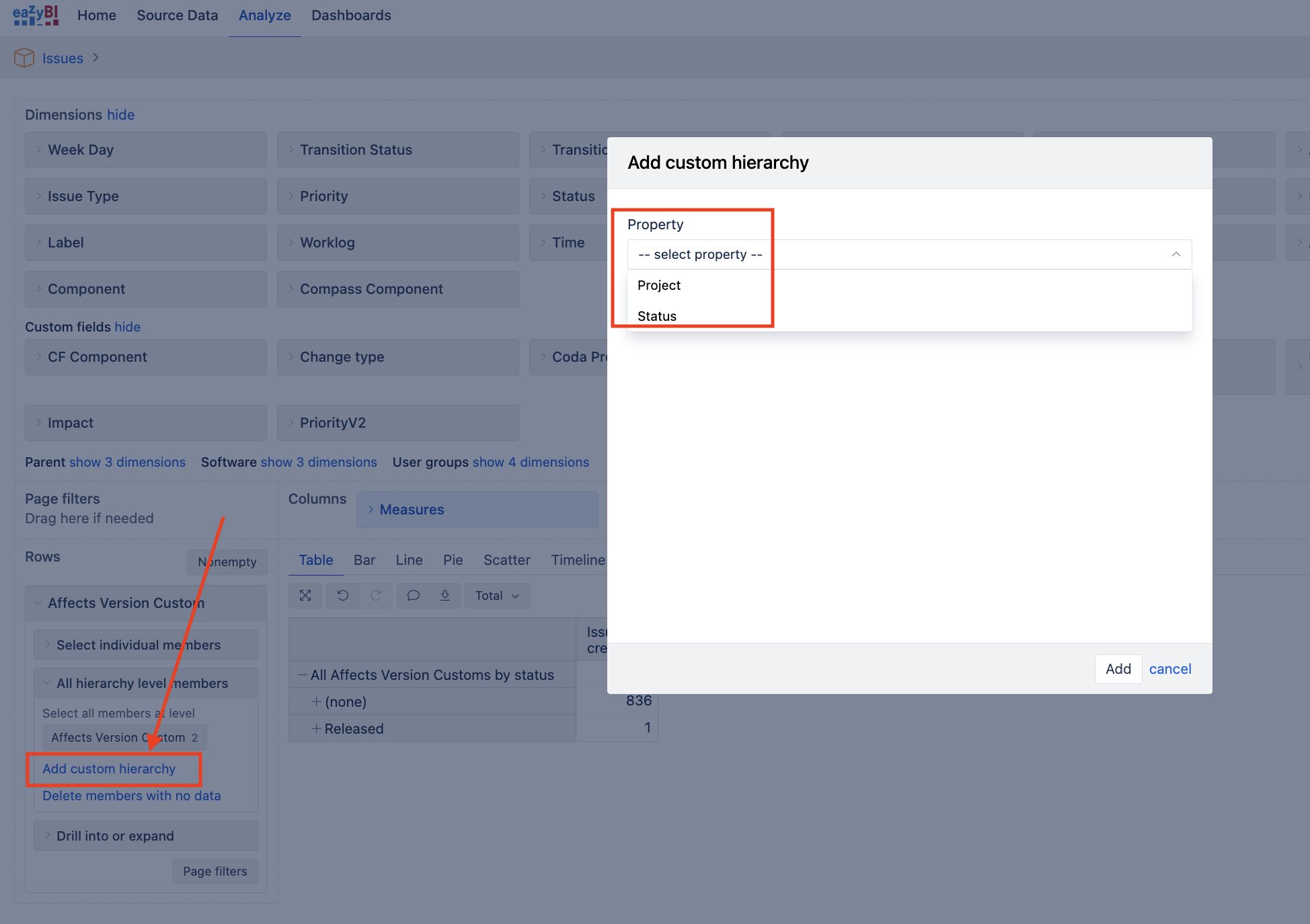
Step 6: Add the Custom hiearchy based on the new properties you have mapped against your Custom Version field.
Important note:
Let me know if you need help with any of these steps or if you encounter any issues during the setup!
See Additional data import into Jira Issues cube documentation
Elita from support@eazybi.com
Thanks Elita, I will try this and report back if we have problems!
Hi @Tim_O_Brien
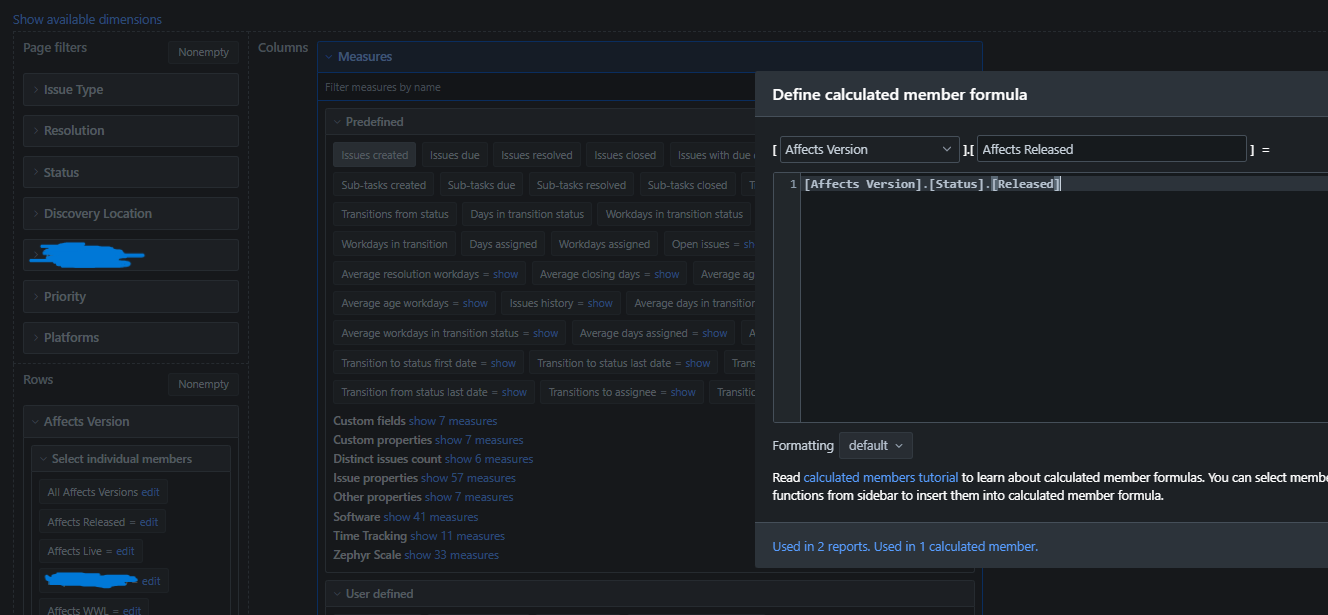
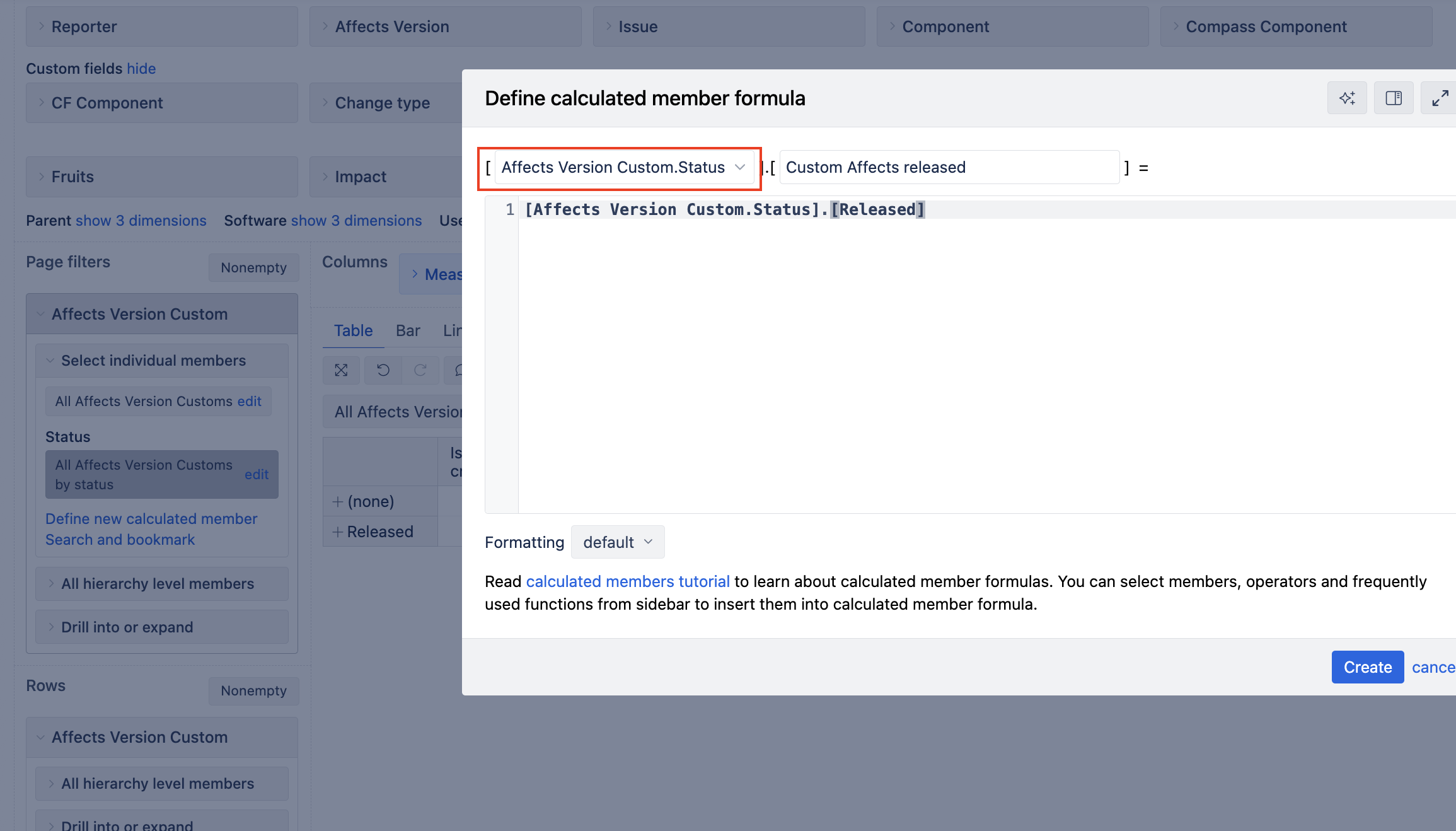
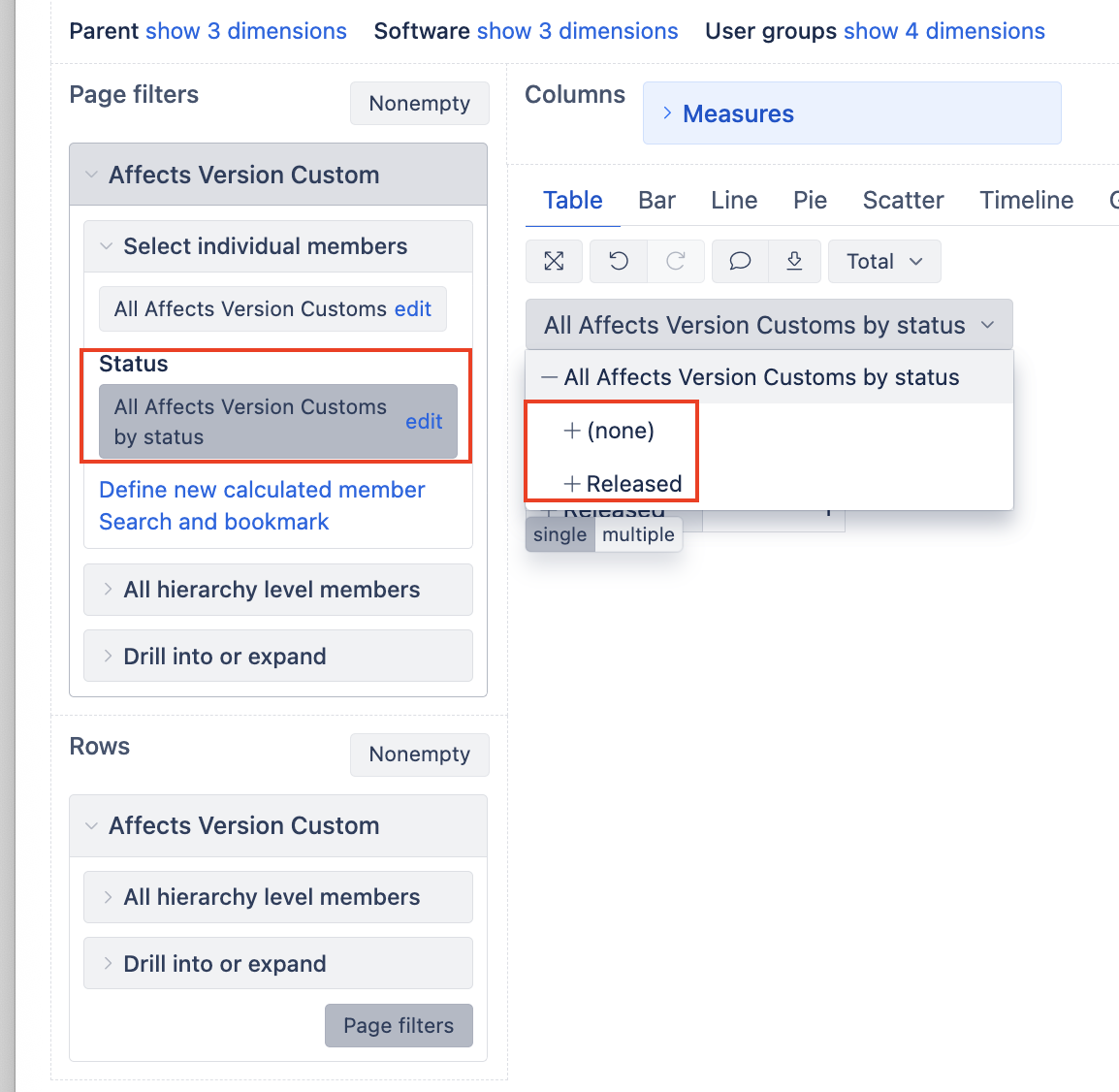
If you define your calculated member in the custom Status hiearchy, you will also be able to define a new calculated member with Released Statuses.
However, you can also select this custom Status hiearchy in Page filters and then filter your report directly by Released, without creating a calculated member:
Best wishes,
Elita from support@eazybi.com