Hello EazyBI Community!
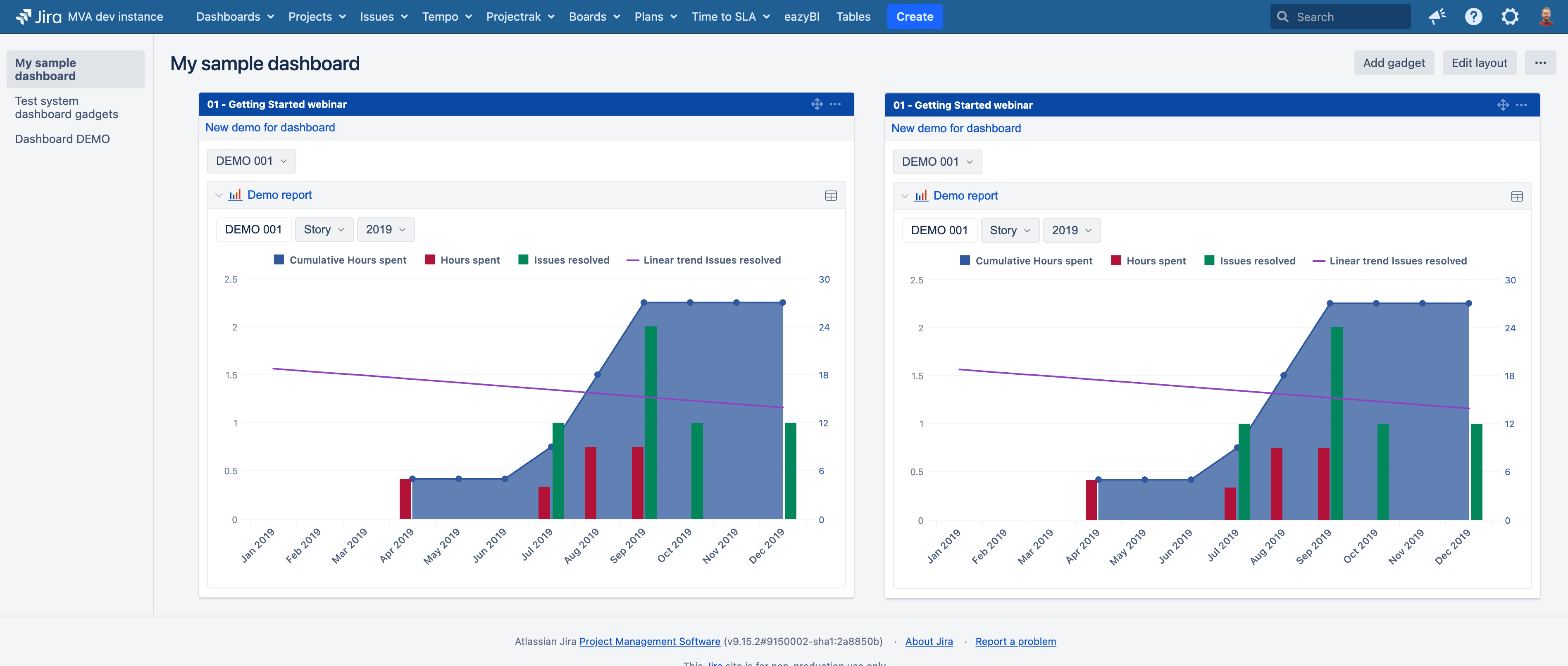
I have added an EazyBI Dashboard gadget to a Jira Dashboard and registered the corresponding EazyBI dashboard. The Jira Dashboard is configured with a two‑column layout, and each column contains an EazyBI Dashboard gadget.
Problem
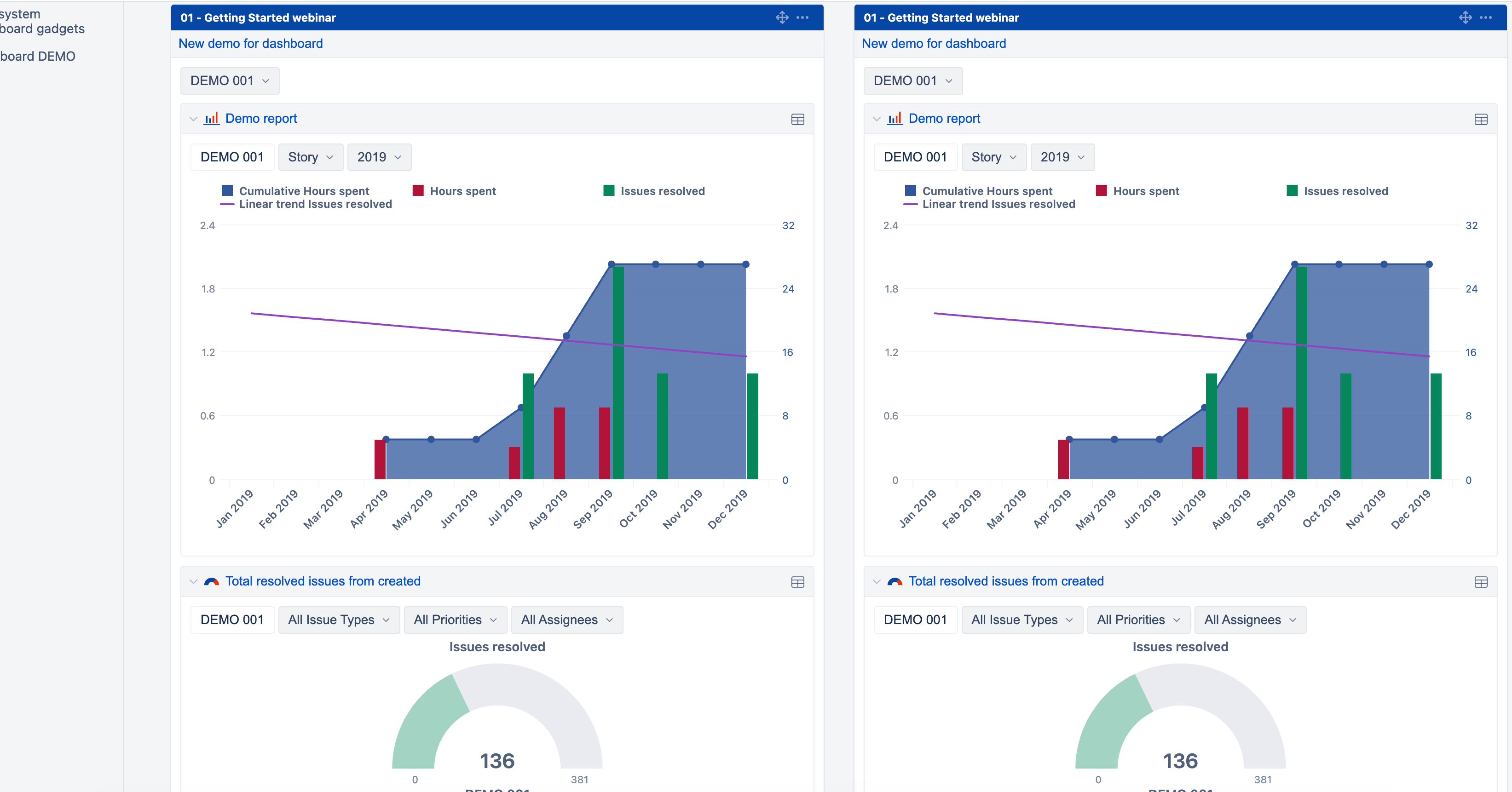
When the browser zoom level is set to 80 % (full‑HD screen), the two gadgets are displayed side‑by‑side on a single row as expected. However, at 100 % zoom the reports wrap onto separate lines, breaking the intended layout.
@media screen and (max-width: 1000px) {
    .dashboard_report {
        float: none !important;
        width: 100% !important;
        margin-bottom: 10px;
    }
}
Request
Is there a way to disable or override this rule so that the gadgets remain on a single line even when the browser is set to 100% zoom?
Thank you for your assistance.
@NextLife
How can I repeat this behavior? I tried on my local Jira DC instance, and everything seems as expected with 100% zoom.
What version of Jira Data Center and eazyBI do you use?
Martins / eazyBI
Hello,
I realize I didn’t mention that the eazyBI dashboard contains two reports. I have tried configuring the reports with a 50 % / 50 % split as well as a 66 % / 33 % split. However, when the browser is set to 100 % zoom the reports wrap onto separate lines, whereas at 80 % zoom they stay on a single line.
- Jira Data Center: 10.3.16
- eazyBI: 8.2.0
Hi,
I still can’t repeat this problem on my local DC.
At 100% zoom and a 50/50 split of reports on the dashboard, I still cannot see how they wrap one another. They are moved to a new line, expanding the height of the eazyBI gadget on the Jira dashboard.
Perhaps you can reach out to support and provide more details and screenshots of your issue.
Martins / eazyBI
Hello,
I’m sorry I can’t attach screenshots directly because of internal security policies.
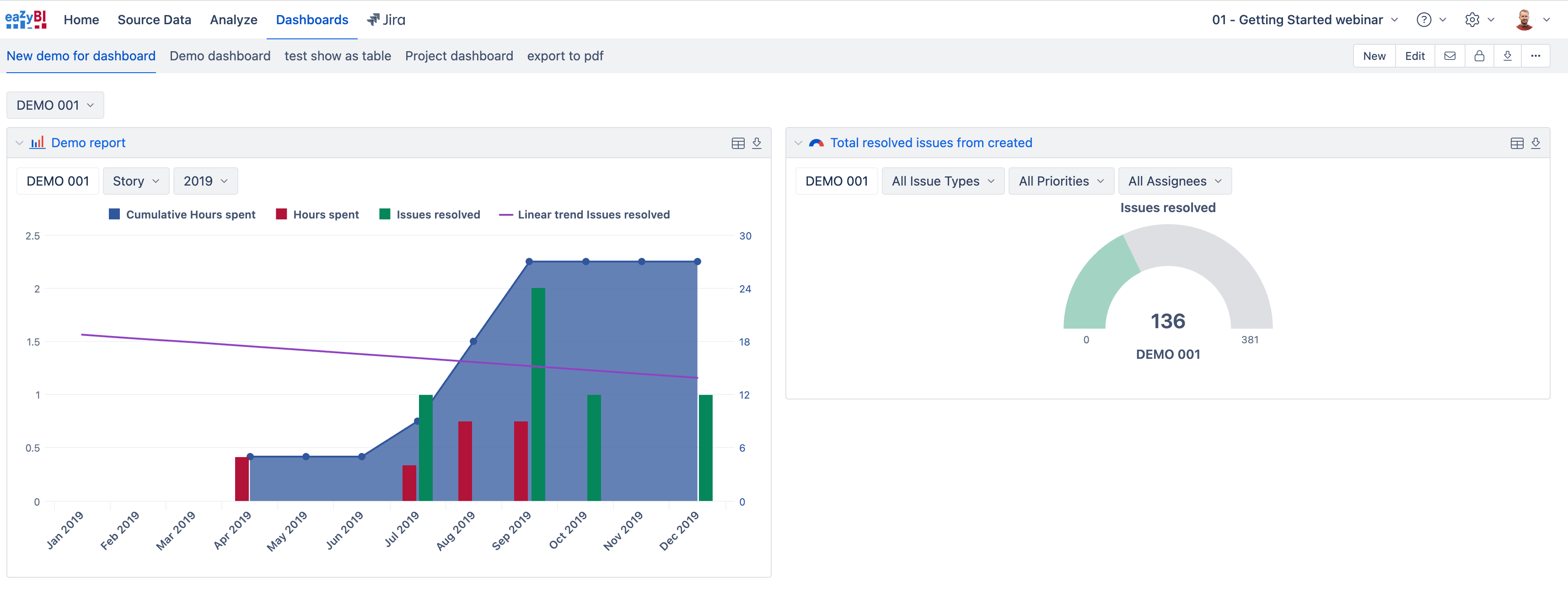
The second screenshot you posted shows the same issue I’m experiencing.
In the eazyBI dashboard the two reports appear on a single line, but the eazyBI dashboard gadget on the Jira dashboard appears on two separate lines.
How can I make the reports appear on a single line when the browser’s zoom level is set to 100 %?