Hello eazyBI Community everyone!
I am referencing the “Year-Month-Day hierarchy with different Month names” example from the eazyBI documentation (Custom Time hierarchies) to create a custom hierarchy in the Time dimension.
When I try to save the custom hierarchy using the following JavaScript code:
return {
  year: timeValue.getFullYear(),
  year_name: timeValue.getFullYear(),
  month: timeValue.getMonth() + 1,
  month_name: (timeValue.getFullYear() % 100) + "." + (timeValue.getMonth() + 1),
  day: timeValue.getDate(),
  day_name: strftime("%B %d %Y", timeValue)
}
I encounter the following error: JavaScript calculation for Jan 01 10000 does not return required values for level Year.
I have checked our Jira issues to see if any dates are set to the year 9999 or later, but I couldn’t find any.
Could you please advise on how to resolve this issue? I would appreciate guidance on the following scenarios:
- If there happens to be an issue with a date set to the year 9999 or later, how can we identify and handle it?
- If there are no such issues, what might be causing this error and what steps should I take to fix it?
Thank you in advance for your support.
Regards,
NextLife
Hi,
This error is likely related to the date member Jan 1, 10000, which already exists in your Time dimension and is blocking the creation of your custom hierarchy.
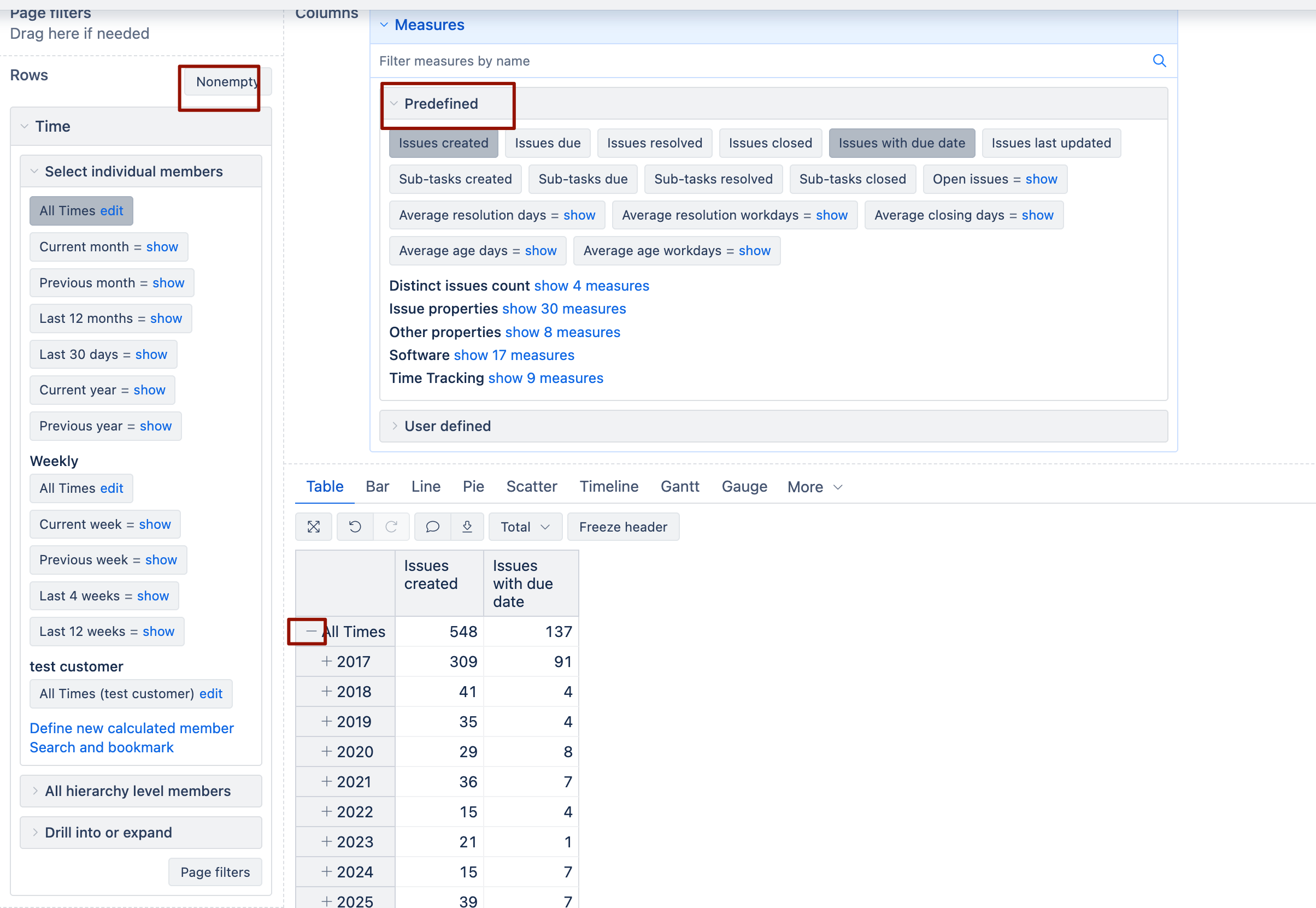
Do you see a year 10000 in the time dimension when you create a new report with “Time” dimension in rows (default hierarchy used) and “nonempty” rows filter disabled (see picture below)?
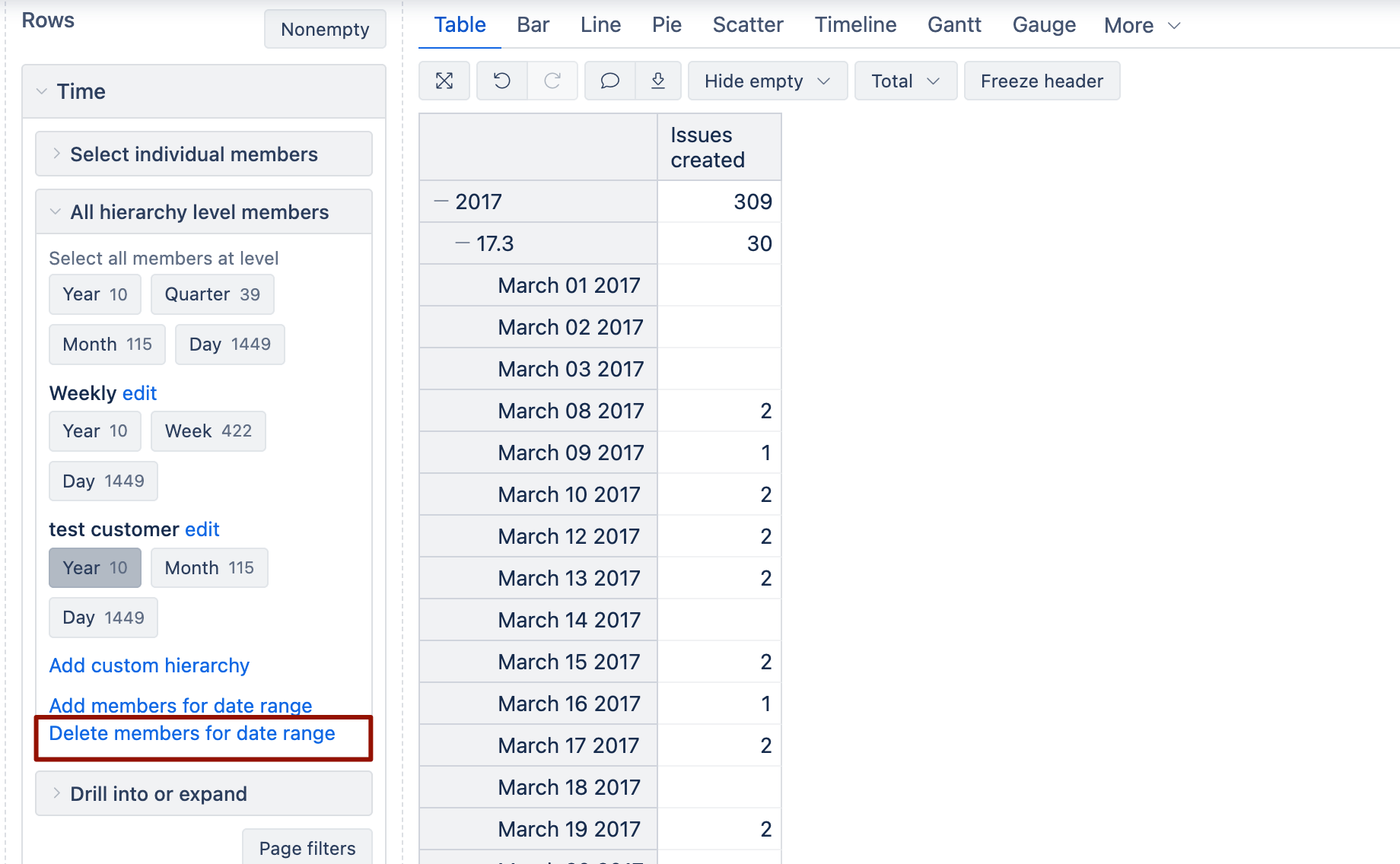
If you do see this year, likely this date (behind Jan 1, 10000) member is imported from some date picker field, because this date is entered for some of the rows (tickets, work items, issues etc), and it has to be fixed in the source application and then it has to be deleted from the “Time” dimension
To find the ticket behind the value, I recommend selecting all eazyBI predefined measures such as “Issues with <custom date>” in columns to identify which numerical measure returns values for this row.
Once you have found the measure that returns a value for this wrong date, you can use the drill-through issue feature from the cell to identify the ticket that has this date in one of the custom fields. Note that the drill-through feature might not be available for all eazyBI integrations.
Feel free to provide more details (here or via support ticket), and I will help you troubleshoot this problem with the custom Time hierarchy.
When you contact, tell me if you can repeat this error when you create a new eazyBI account from scratch and import data there and after that add your custom hierarchy.
Martins
eazyBI support