Hello @Alex_Zhivago
Thanks for reaching out to us!
In your scenario, I recommend importing your multi-list custom field as csv_dimension . This dimension will allow you to filter your issues by specific multi-list custom field combinations (including filtering on issues that have only one value). You can learn about csv_dimension settings here → Advanced settings for custom fields
Here are the steps to take:
- In eazyBI advanced settings, add a parameter
csv_dimensionfor the multi-list custom field to enable the creation of CSV dimension (Advanced settings for custom fields - eazyBI for Jira).
The settings might look like this, where NNNNN is the your multi-list custom field ID in Jira.
[jira.customfield_NNNNN]
csv_dimension = true
- Import data in eazyBI.
- Add the dimension “multi-list custom field name CSV” on report Pages to filter data.
For example purposes, I have imported a dimension “Fruits” as a csv_dimension.
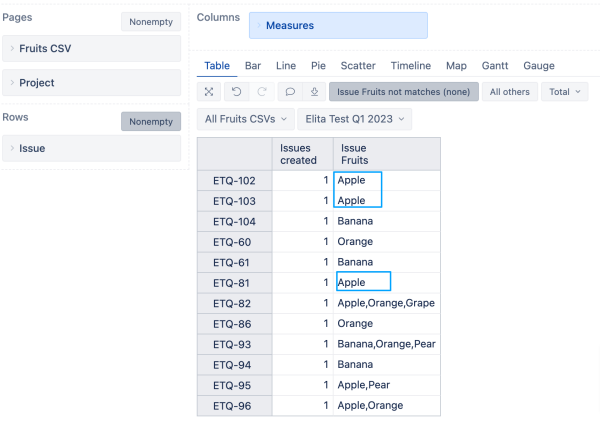
These are the properties of my issues, and my goal is to filter the report only by issues containing the Fruit dimension value “Apple”
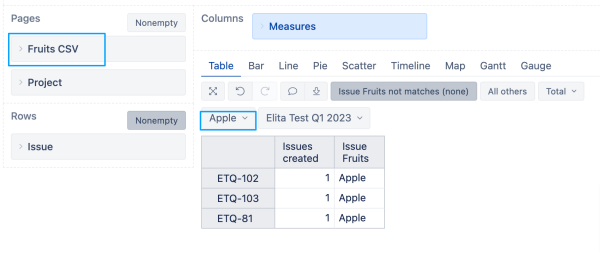
When filtering the report by dimension Fruits CSV value “Apple”, the report returns issues that contain a single value “Apple”
Best wishes,
Elita from support@eazybi.com