Is there a way where I can retrieve all the tickets of a specific ticket type, from all the epics under an initiative, and have a Gannt chart display them in time order?
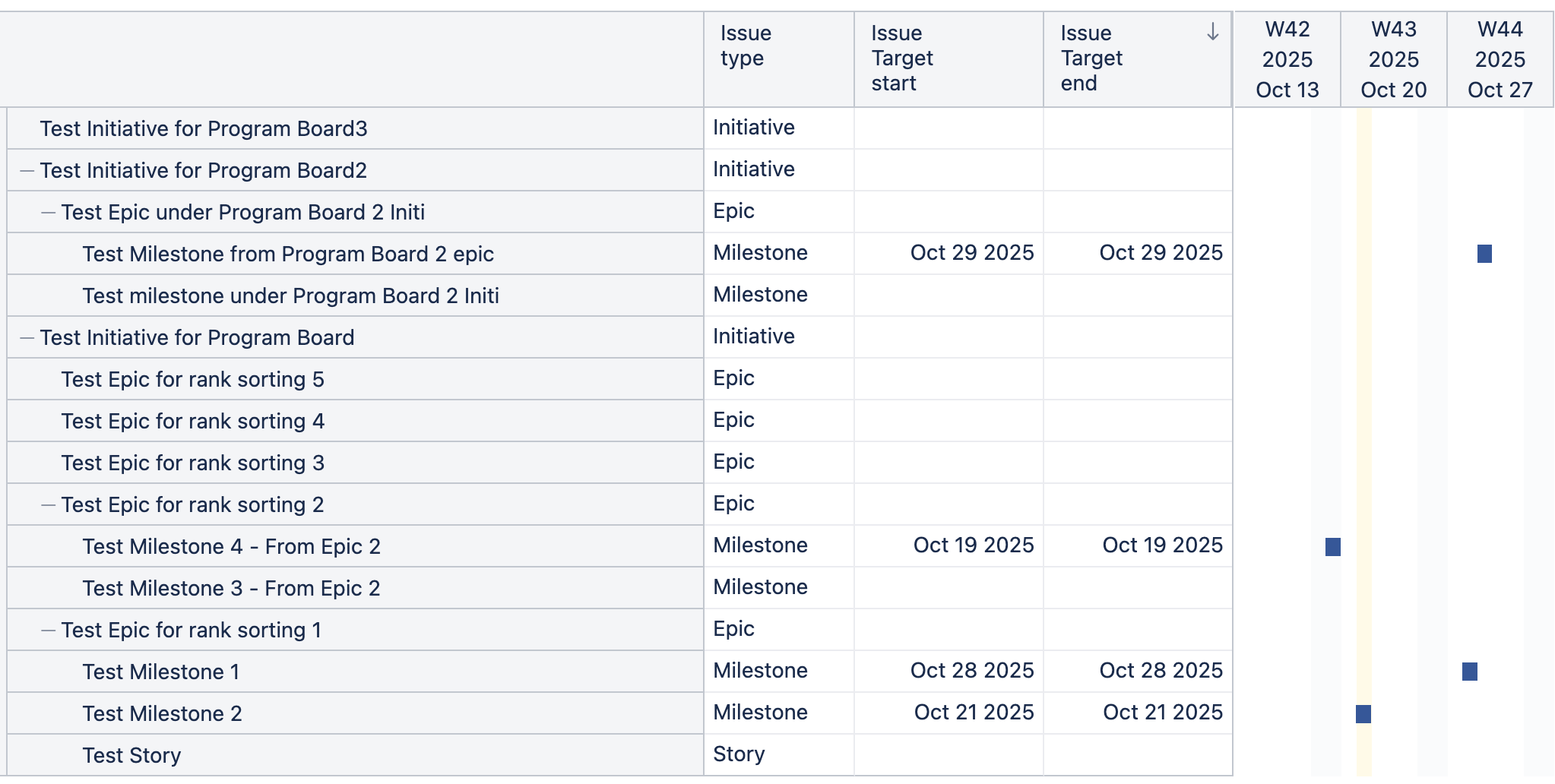
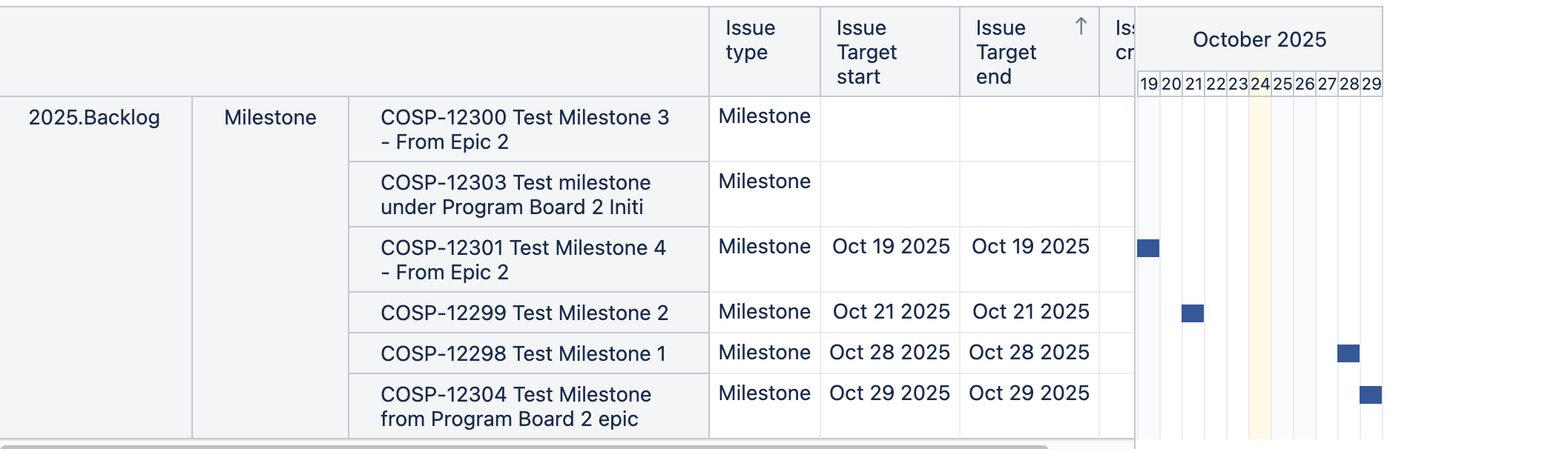
Right now, I can grab all the ticket types under the multiple Epics/Initiatives, but they’re shown under each epic, and then date sorting doesn’t work because it only sorts the date from the Milestones in each epic.
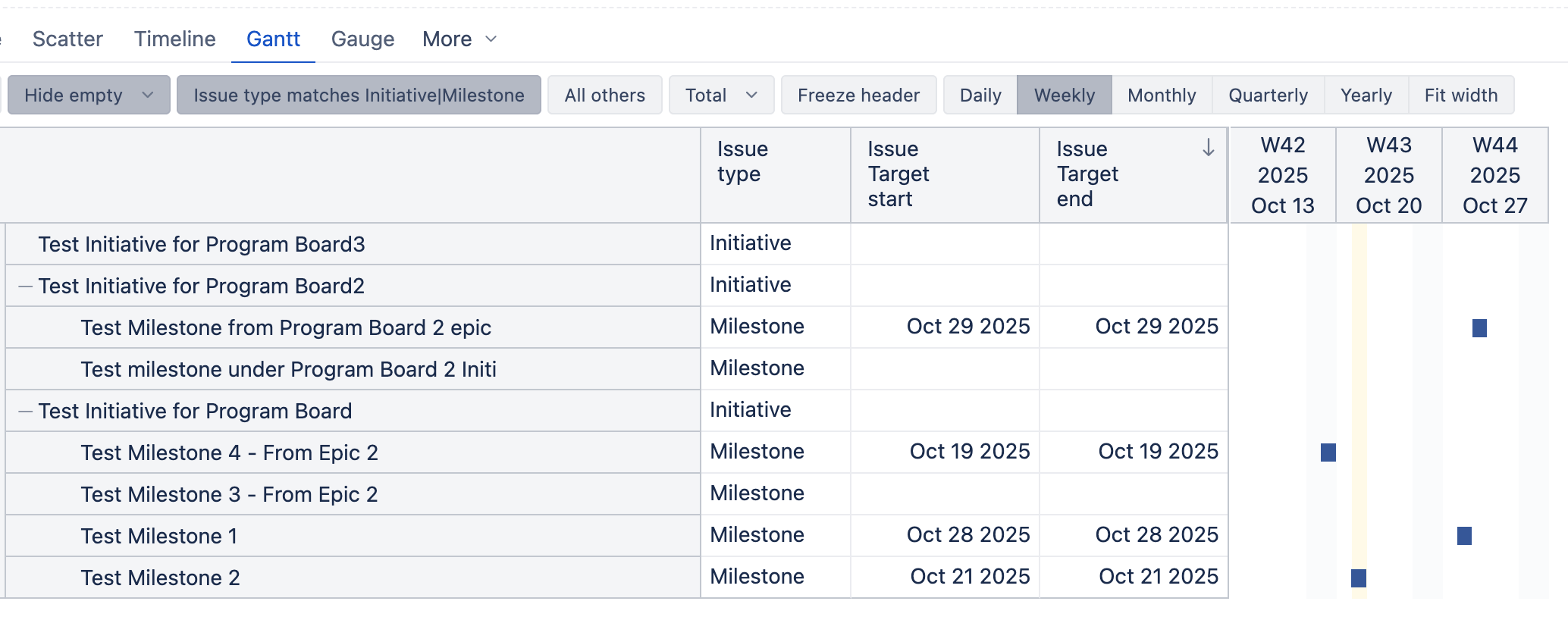
After I get this list, I filter by IssueType to only show Initiatives and Milestones
Ultimately, I’d love to see these in order of Target End, regardless of the epic they’re assigned to.
“Test Milestone 4” should display before “Test Milestone from Program Board 2 Initi”
Is this possible?
Hi @janedoe2
If you don’t care for the Initiative order, you can select only the Parent (Milestone) level from the Issues dimension to be displayed in Rows. You can then order the Milestones by “Issue Target end”.
If you wish to see the names of the Initiatives that the Milestones belong to, you can create a new measure with a formula like this:
[Issue].[Issue].GetMemberByKey(
  [Issue].CurrentHierarchyMember.Get('Plans Initiative') -- or 'Parent Initiative'
).Caption
Check the autosuggest for the property name to find which property exists for the milestone.
Let me know if this fits your use case or if you have any additional questions on this!
Best regards,
Nauris
Thanks @nauris.malitis!
I don’t have Milestone under the Issue dimension, only Issue Type. When I select Milestone from Issue Type - can then drill across “Issue → by Initiative”. Unfortunately - that displays the same result as my original problem.
Would you like the report to also display the Initiative level issues?
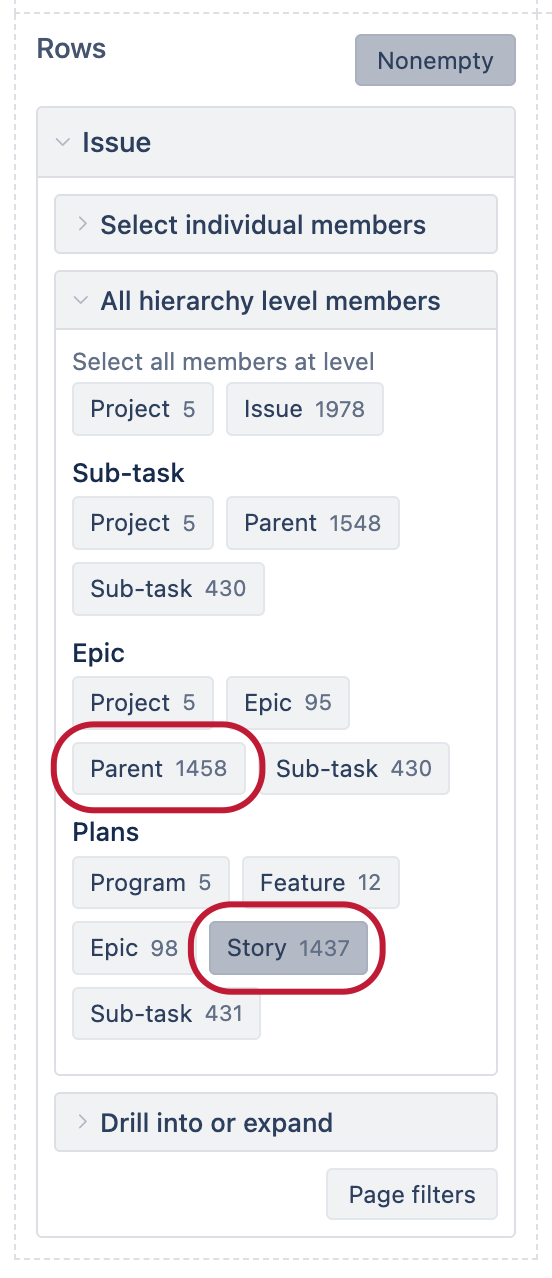
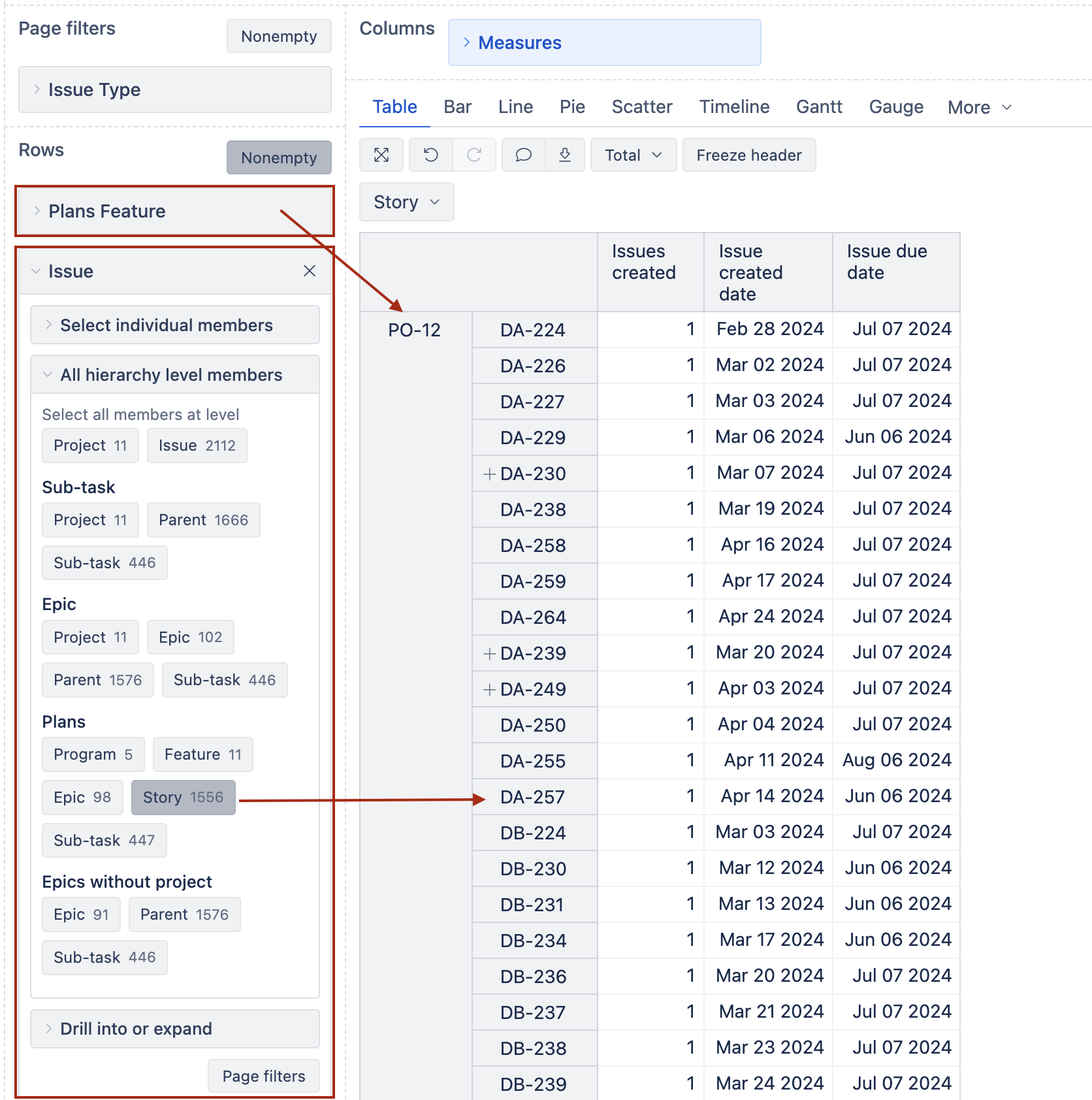
If in the Rows section, for the Issue dimension you select the level where the Milestones reside (next one below the Epic level), that would display only milestone level issues and you could order them by date.
The level would be one below the Epic level:
I do need the report to contain the Initiative, but not the epics underneath. Getting closer!
Hi @janedoe2,
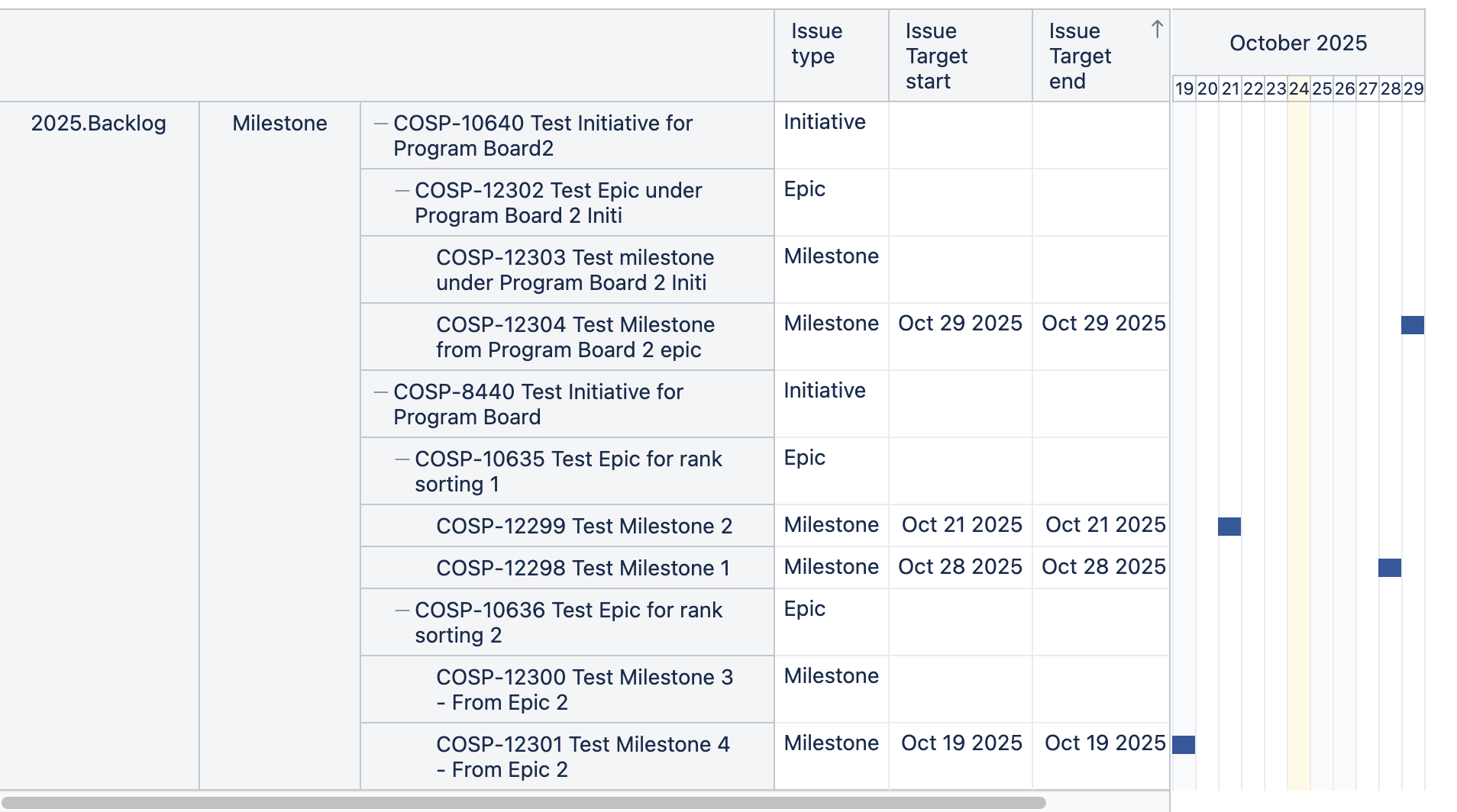
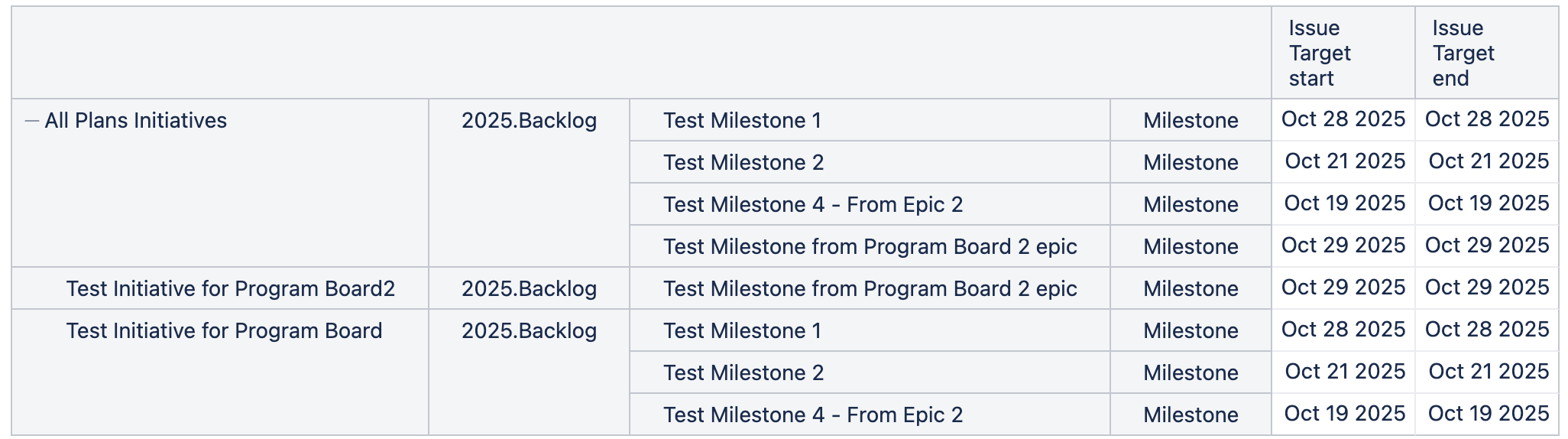
I am joining in. To view Initiatives, skip Epics, and display Milestones, I recommend using the Plans dimension representing the level for Initiatives, for example, Plans Initiative, and the Issue dimension to view the Milestones. The report could look similar to the one below:
Best,
Roberts // support@eazybi.com
Thanks @roberts.cacus
I had to add “Issue Type” so I wouldn’t get Stories as well as Milestones - but I think this works!
I wish there was a way to not display all the filter material - this is taking up a lot of screen real estate. Any suggestions for how to minimize this?
It may not be so much of an issue as once I select the single Initiative I want to highlight, I can remove the “2025.Backlog” column, but if I wanted to show all Milestones for 20+ initiatives, it’s a lot of non-essential information for people.
Marking this as solved, but if you have a solution, please reply 
Hi @janedoe2,
In my screenshot, the Issue Type dimension is moved to page filters. I recommend moving the other filtering dimensions there as well, selecting the members you need, and having a clean table. See more details on page filters here - Create reports.
Best,
Roberts // support@eazybi.com