Hi there,
I’m struggling to simply count the number of releases in a Jira Project. I simply have 3 unreleased releases in a current jira project and can’t seem to simply count them:
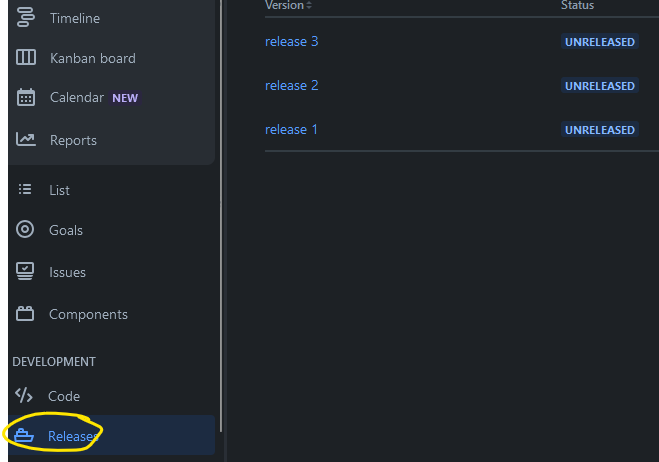
I have tried multiple calculations but they all end up just counting the issues underneath the releases. I just want a snapshot of the highest level to see how many releases have been completed.
Thanks
Hi @lumi-luke
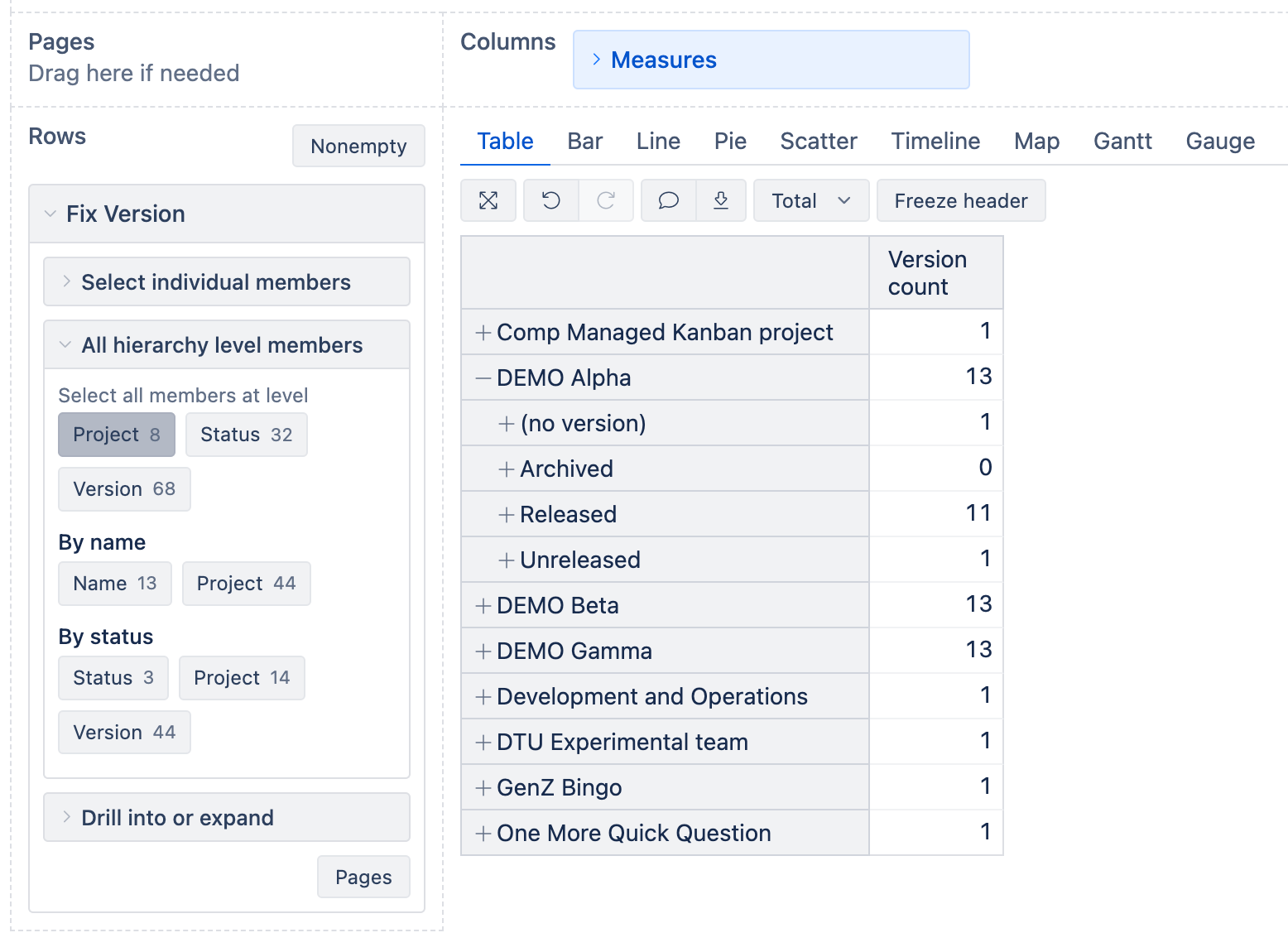
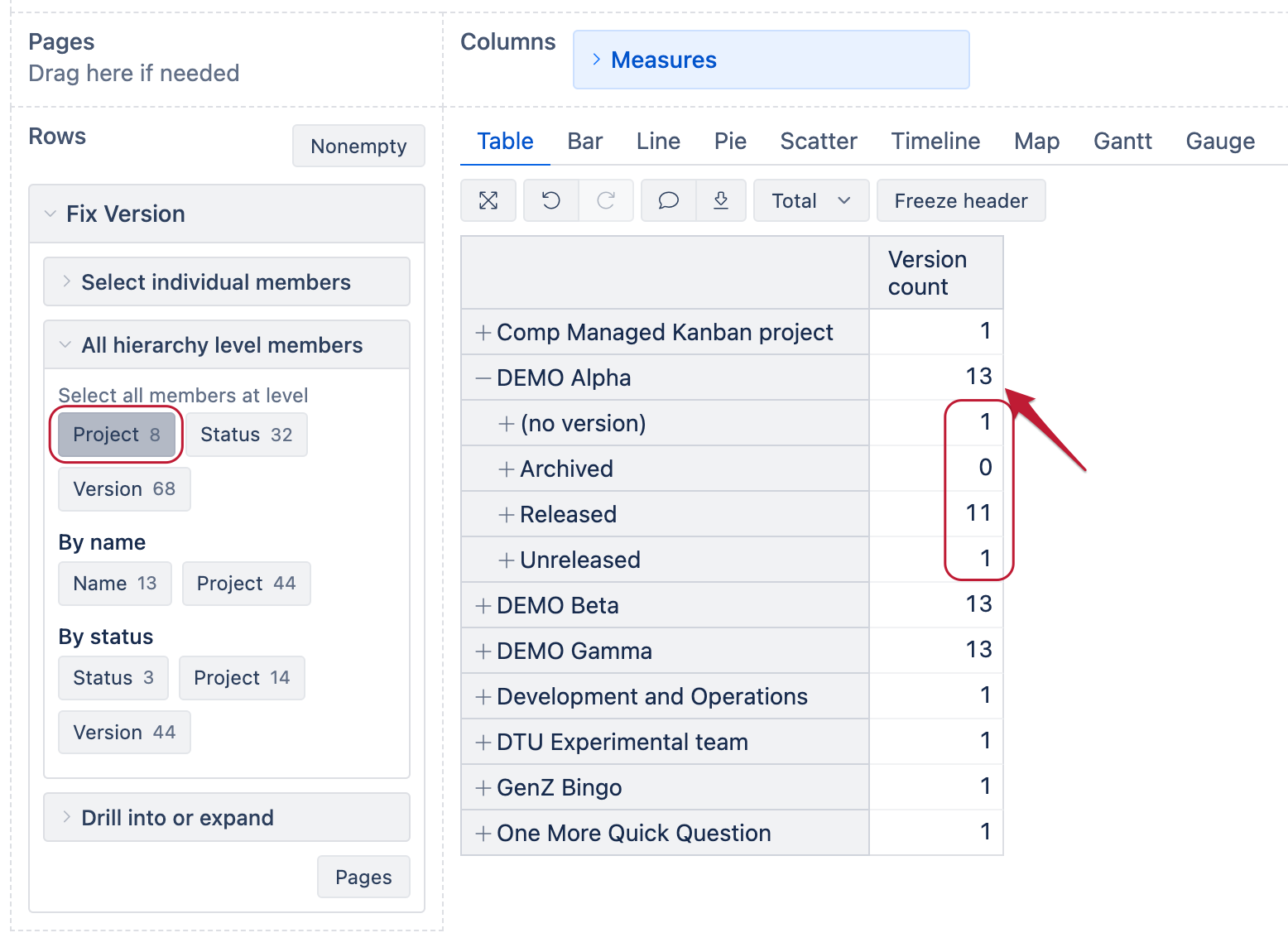
You can build a report like this:
In the Measures dimension, define a new calculated measure “Version count” with the following formula:
Count(
  Filter(
    Descendants([Fix Version].CurrentMember,[Fix Version].[Version]),
    [Measures].[Issues created]>0
  )
)
This measure will rely on issues associated with the versions and will roll-up the values.
Best regards,
Nauris
Hi Nauris,
This worked! Thank you. I couldn’t seem to see anywhere online, forums, or AI assistant in how to do this, so much appreciated.
Thanks
Hi,
Sorry to reopen this one. I have the below formula working to count releases that are currently sat in unreleased, but I need a formula that counts total releases regardless of status. The best I can do is count the issues within the releases so am unsure where else to look. Thanks
This is the current formula that counts unreleased (working):
Count(
  Filter(
    Descendants([Fix Version].CurrentMember, [Fix Version].[Version]),
    [Measures].[Issues created] > 0
    AND
    NOT ([Fix Version].CurrentMember.GetCaption MATCHES ".*\(no version\).*")
  )
)
Thank you 
Hi @lumi-luke
The formula from my previous reply already counts the total number of releases per project when you select the Project level from the default Fix Version hierarchy.
However, this formula will count only those releases that have any issues associated with it.
If a release is not attached to any issue in your Jira, then eazyBI does not import it, as most of the Jira data are extracted from the issues that are selected for import into the account and if the imported issues do not have this release attached, then it doesn’t exist in eazyBI Issues cube.
Let me know if I’m missing something!
Best regards,
Nauris
Thanks for the swift reply,
I think my issue will lie with wanting to use the gauge chart - won’t I need a total count to be used as the right hand number, while total released will then be used as the left hand.
Also, this measure shown by project just shows me 1 version as (no version), when I can clearly see 3 unreleased releases in the Jira instance (as i showed in my original post)
Thanks
Sorry just double checked and i can see the 3 releases. My main issue will be with use in the gauge chart - I want to show 0 of 3 released for example.
Thanks
Hi @lumi-luke
Got it!
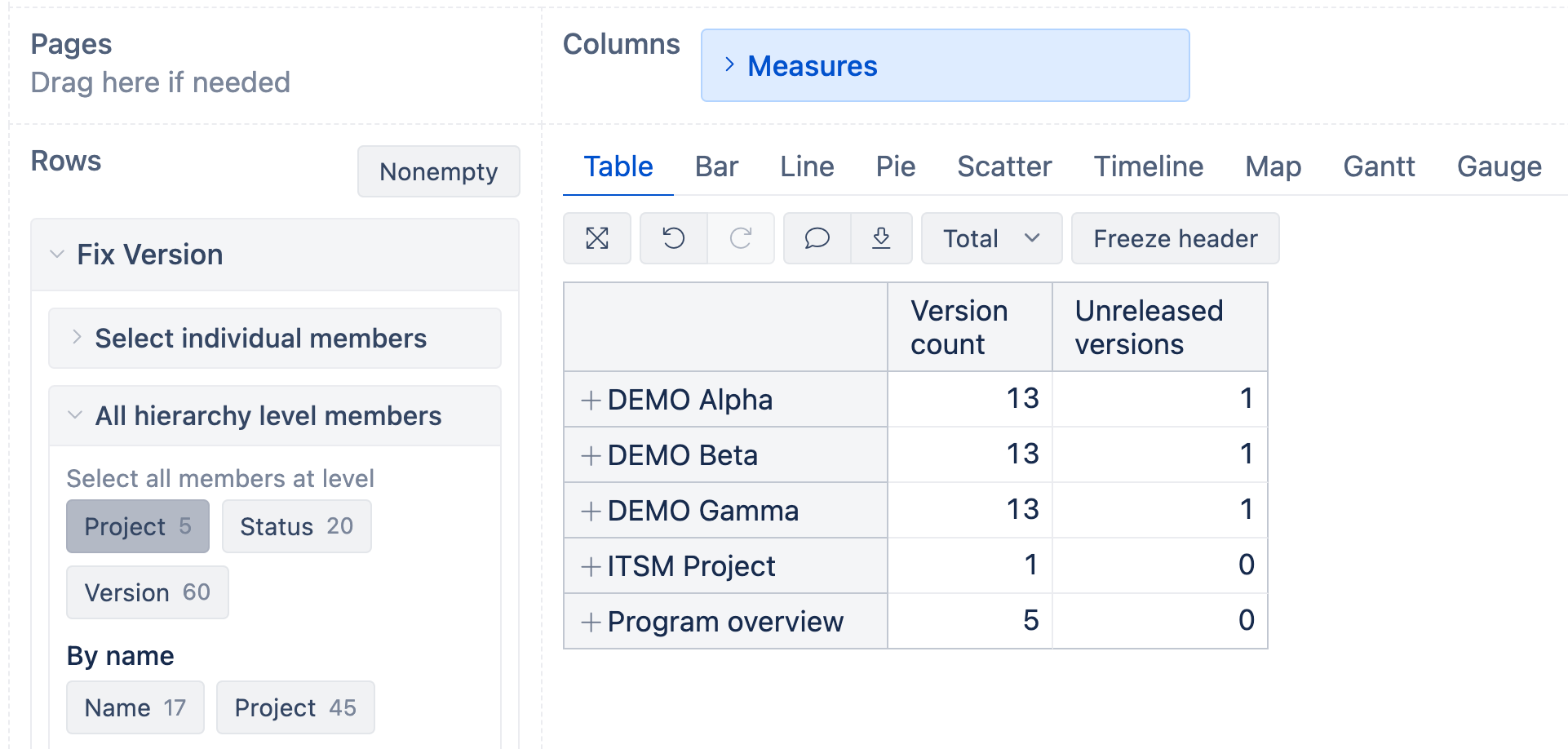
You can define a new measure “Unreleased versions” with a formula like this:
Count(
  Filter(
    Descendants([Fix Version].CurrentMember,[Fix Version].[Version]),
    [Fix Version].CurrentHierarchyMember.Parent.Name = "Unreleased"
    AND
    [Measures].[Issues created]>0
  )
)
Then you’ll have a report like this that counts the total number of versions and the unreleased ones:
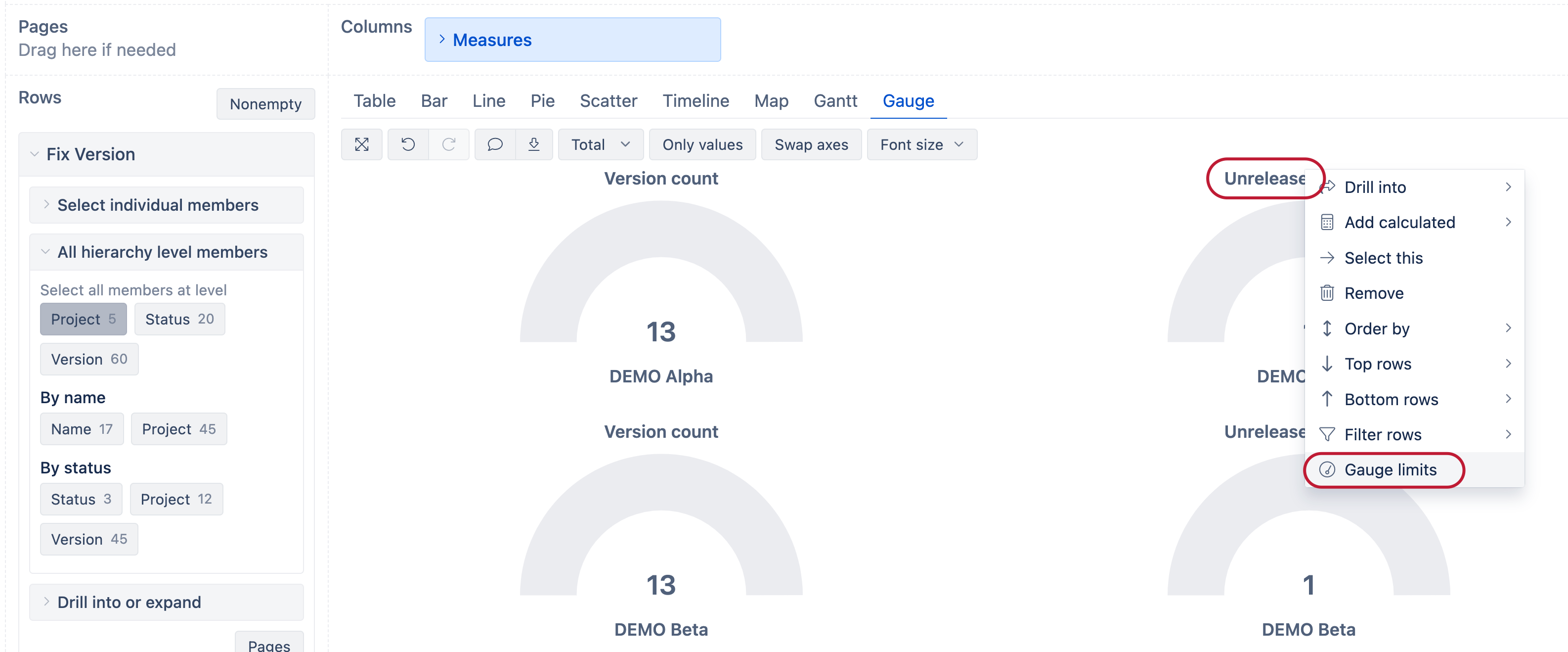
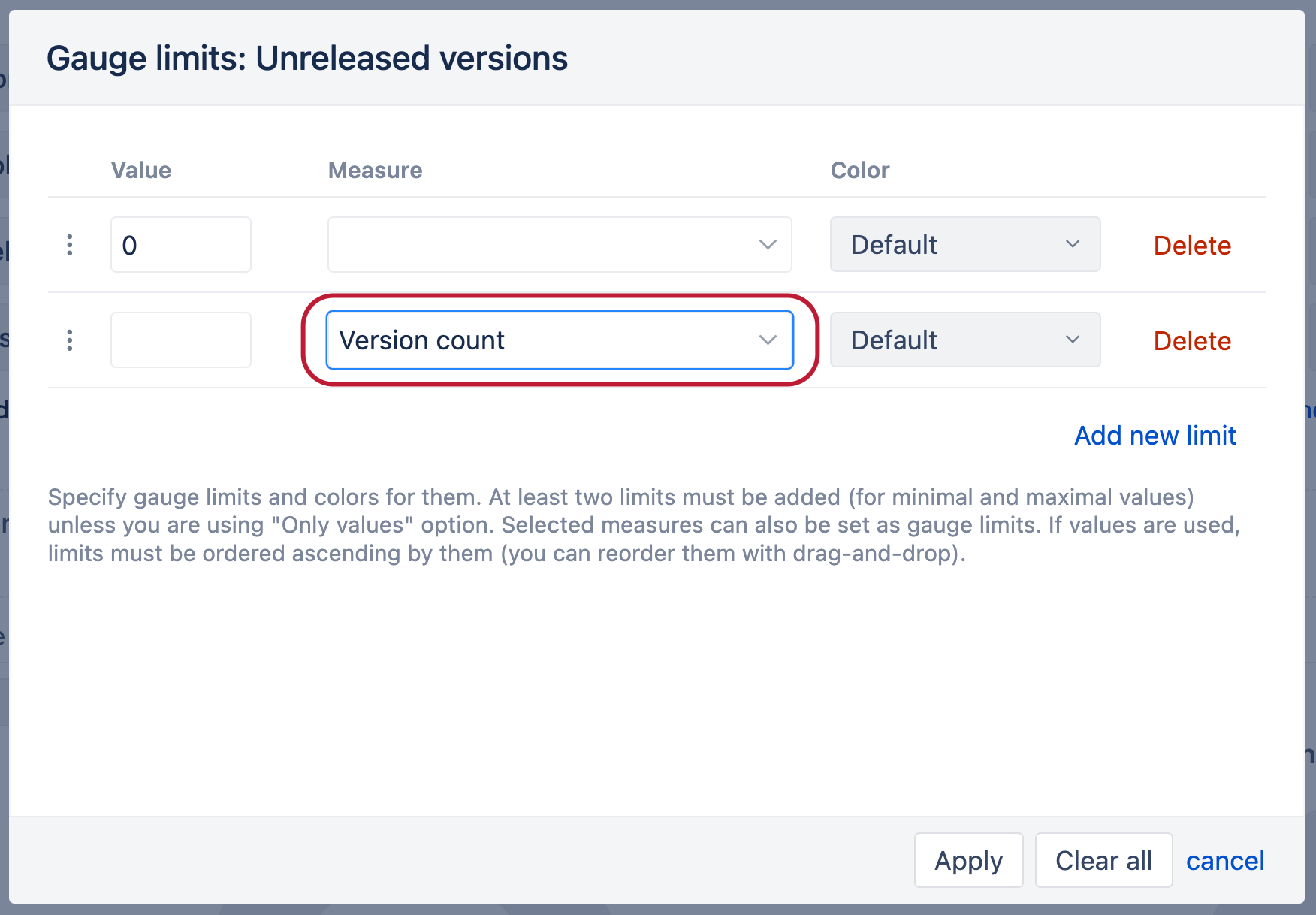
Next, switch to the Gauge chart and apply a gauge limit to the Unreleased versions measure:
And you should see a report like this that shows how many unreleased versions from all versions there are per each project:
Best regards,
Nauris
Perfect! Got it to work now. Thank you very much!!
Hi,
sorry for reopening this after almost 2 years but I wasn’t sure whether to create a new thread or reopen this one.
In my Jira, I have the structure that every epic is a seperate project and every epic has it’s own fixVersions. How can I count how many epics (fixVersions) I released every month?
I tried using Nauris’ custom measure from his first reply but it counts empty fixVersions and messes with results 
Hi @RobertR1234
If the previous formula works, you can add a filter condition to skip the (no version) members:
Count(
  Filter(
    Descendants([Fix Version].CurrentMember, [Fix Version].[Version]),
    [Fix Version].CurrentHierarchyMember.Name <> "(no version)"
    AND
    [Fix Version].CurrentHierarchyMember.Parent.Name = "Unreleased"
    AND
    [Measures].[Issues created] > 0
  )
)
Let me know if this works as expected!
Nauris