Hi!
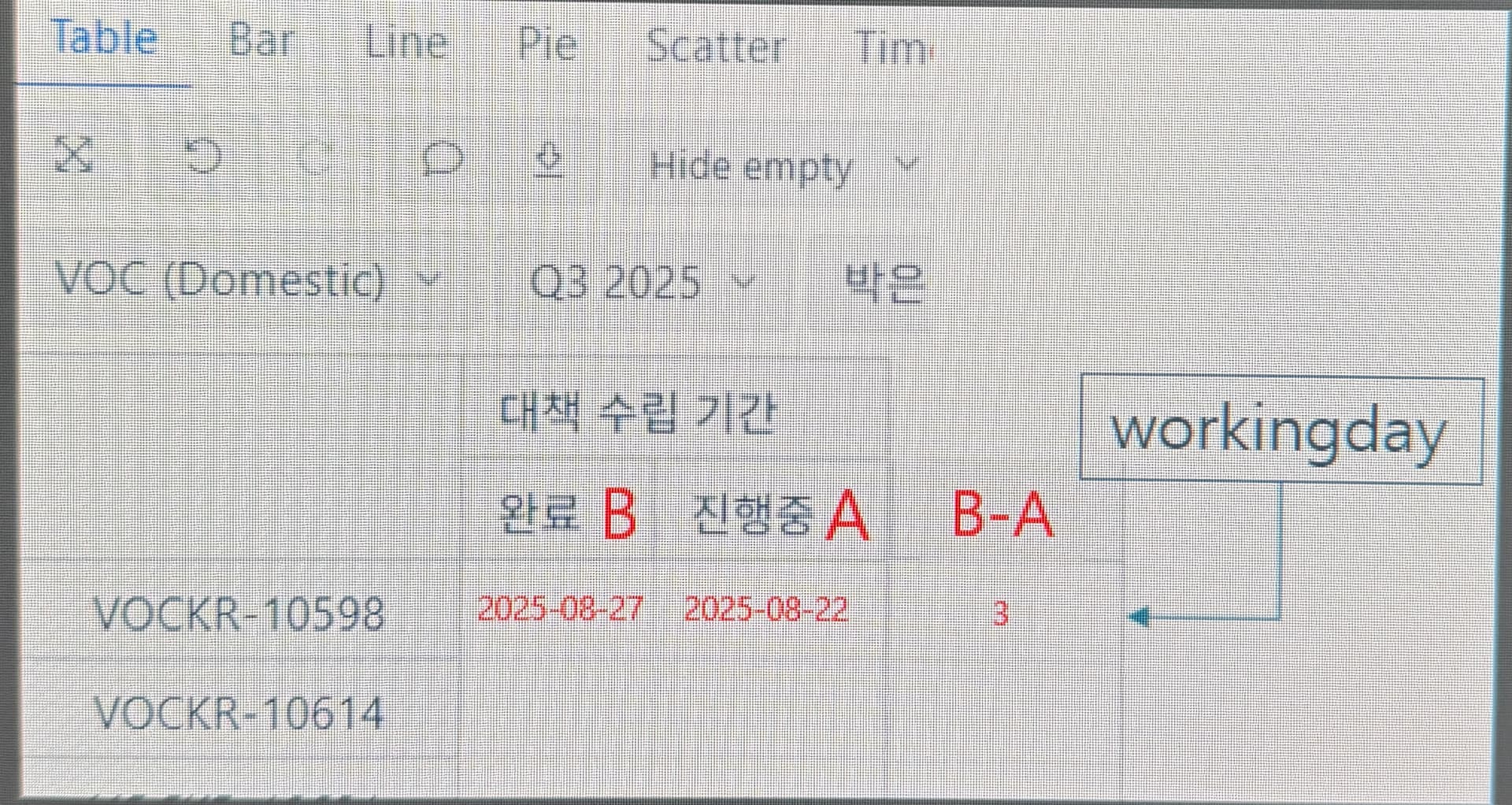
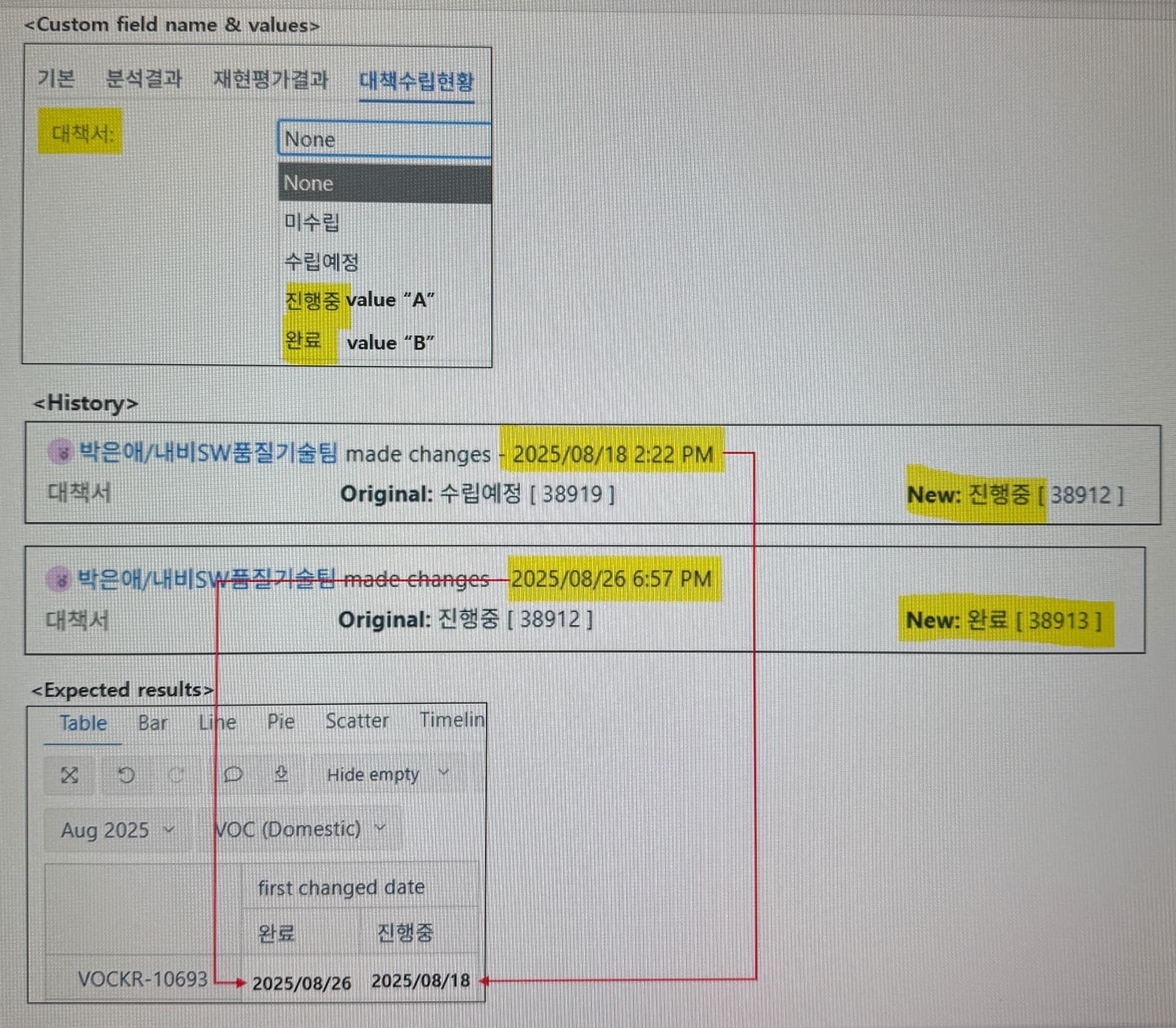
I would like to know how to display the date when values A and B were first entered in custom field.
Thanks.
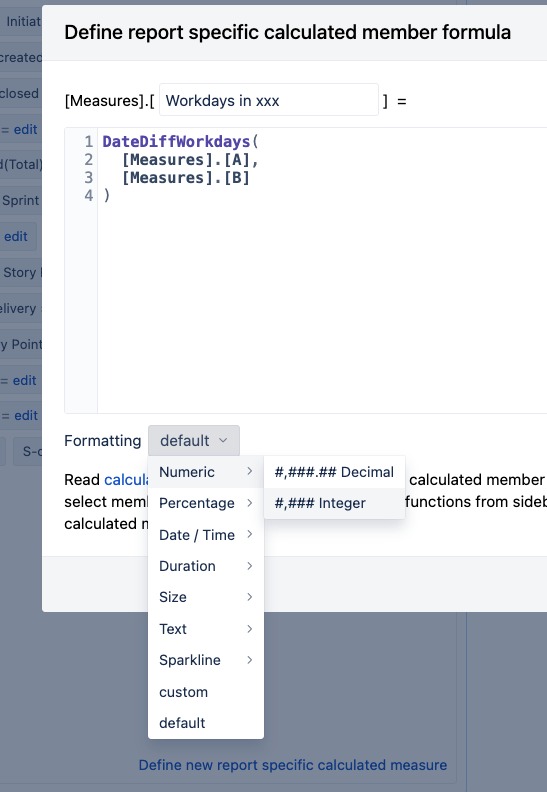
You can create a new custom formula in “Measures” to have something like this:
You can see it is using the DateDiffWorkdays (you can check here how it works)
DateDiffWorkdays(
  [Measures].[A],
  [Measures].[B]
)
is that what you are looking for?
or it is more using the “Formatting” part to display the info
aaaa.
Firstly, remember to have enabled in the configuration the option of “Import value changes”.
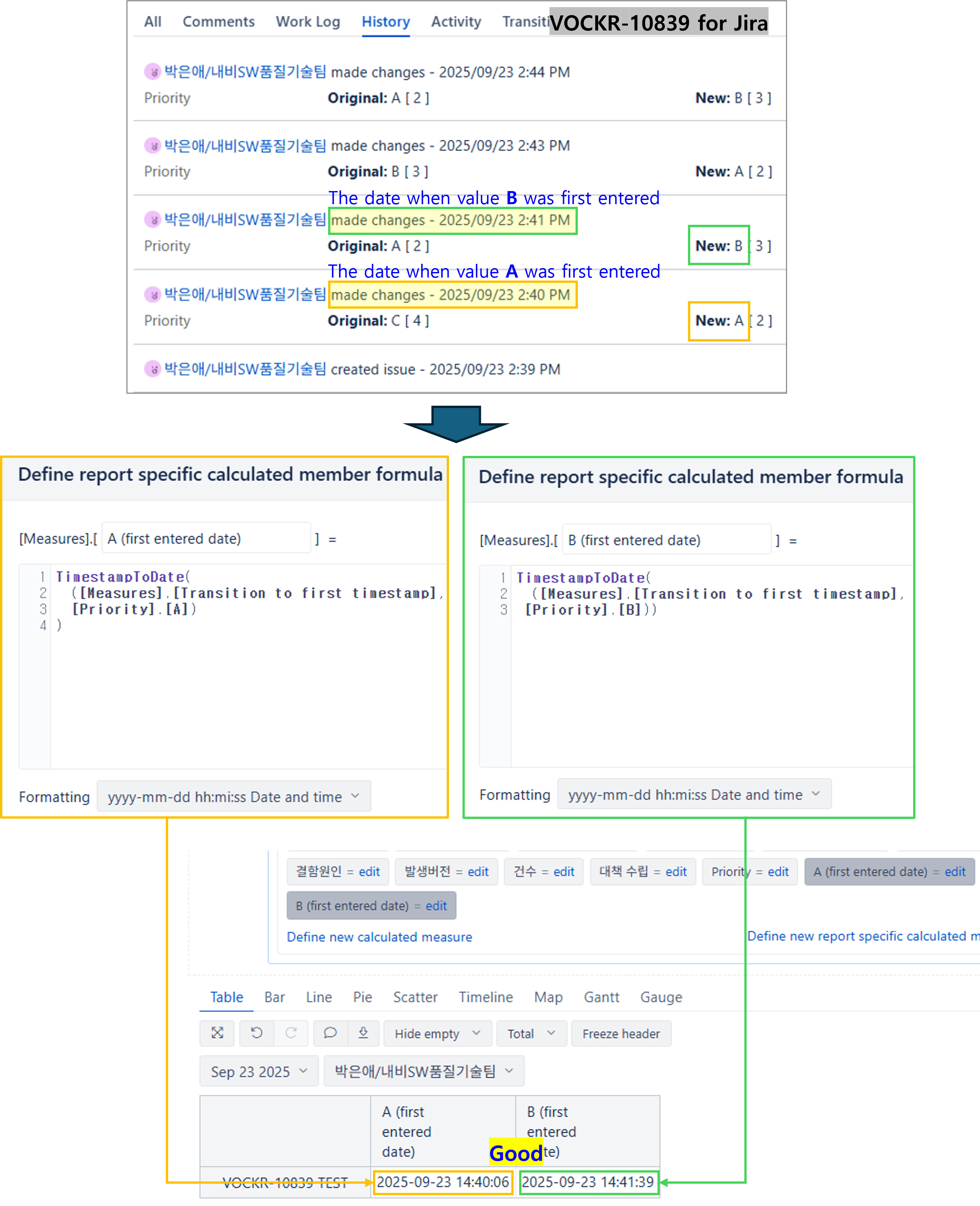
Then, for that you have the hidden measure Transition to first timestamp and the Transition to last timestamp.
IF that field is a standard one, it can be used together with standard fields in the Transition Field, like:
TimestampToDate(
  ([Measures].[Transition to first timestamp],
  [Transition Field].[Priority])
)
However, this case is a custom field. So you can use doing a tuple for the specific value you are looking for and providing a "Formatting with “mmm dd yyy Month Day Year”, like:
TimestampToDate(
  ([Measures].[Transition to first timestamp],
  [Custom Field Name].[Value of custom field])
)
Same case for the last time it was updated with the “to last timestamp”
TimestampToDate(
  ([Measures].[Transition to last timestamp],
 [Custom Field Name].[Value of custom field]))
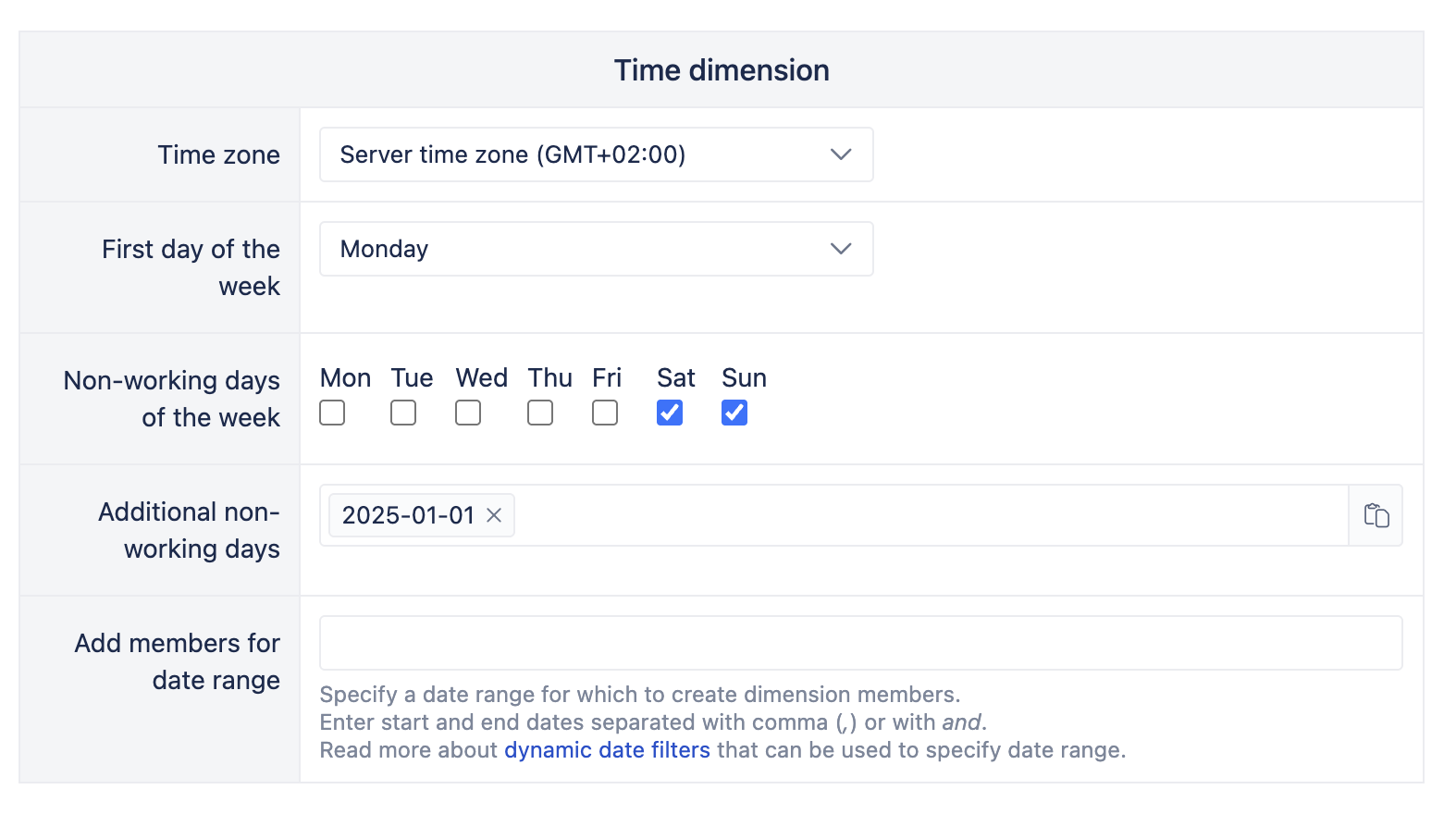
Difference of the time could it be on how it is configured inside JIRA and eazyBI account.
You can check in the “Source Data” Tab, then Edit and in the “Additional Options” tab, under the Time dimension part:
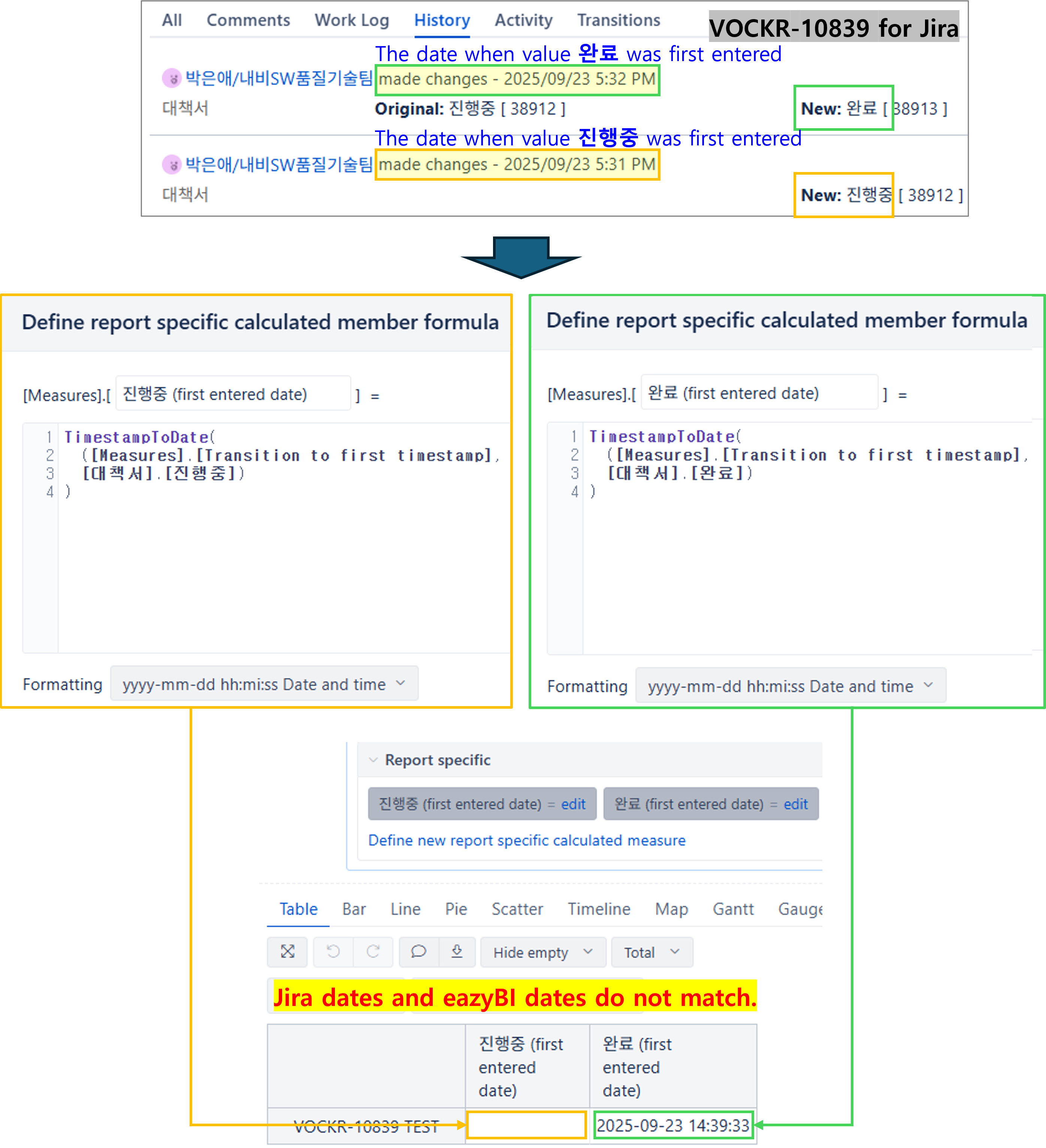
IF the “yellow” measure is empty. It could be due to the filters you are applying because it doesn’t fit into any of them. check it deselecting them and see what is shown
I said that, because the “Green” one is already displayed. So, the other one has to be there too and you have activated in the Source Data the import history option, like:
In the same environment, the dates in the priority field display correctly, but why don’t the dates in the custom field display correctly? Is there a way to make the custom field display properly as well? This issue absolutely needs to be resolved. 
For reference, if the “대책서” field value in Jira is “완료(Completed),” a random date is displayed in the “완료(Completed)” field in eazyBI. If the field value in Jira is “진행중(In Progress),” a random date is displayed in the “진행중(In Progress)” field in eazyBI.