Hi,
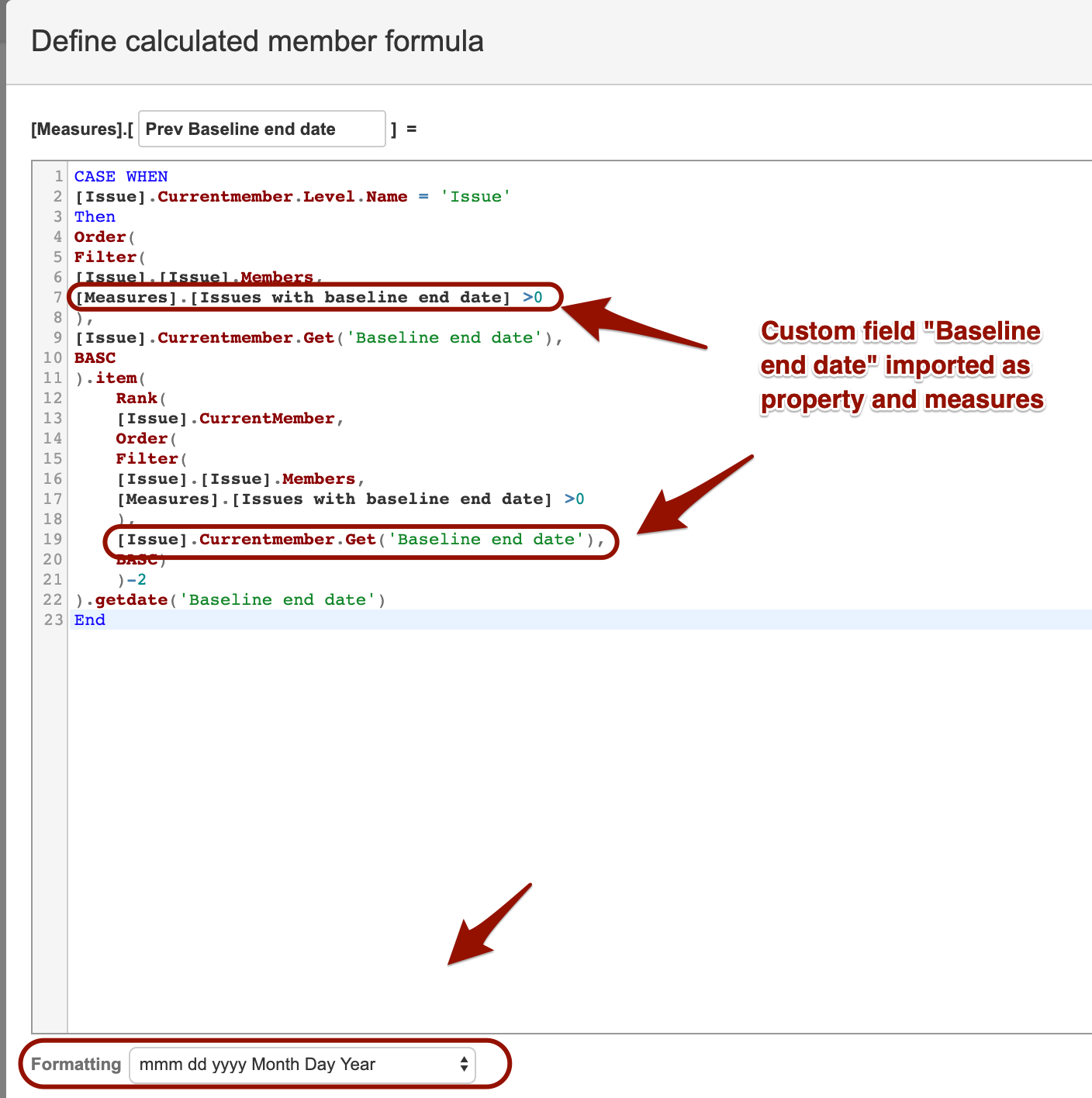
In that case, make sure that you have imported your date-picker Jira custom field as property and measures in eazyBI and then use this formula (make sure you adjust the correct name for your imported measures)
CASE WHEN
[Issue].Currentmember.Level.Name = 'Issue'
Then
Order(
Filter(
[Issue].[Issue].Members,
[Measures].[Issues with baseline end date] >0 --check the name of measure
),
[Issue].Currentmember.Get('Baseline end date'),--check the name of cf
BASC
).item(
    Rank(
    [Issue].CurrentMember,
    Order(
    Filter(
    [Issue].[Issue].Members,
    [Measures].[Issues with baseline end date] >0 --check the name of measure
    ),
    [Issue].Currentmember.Get('Baseline end date'), --check the name of cf
    BASC)
    )-2
).getdate('Baseline end date') --check the name of cf
End
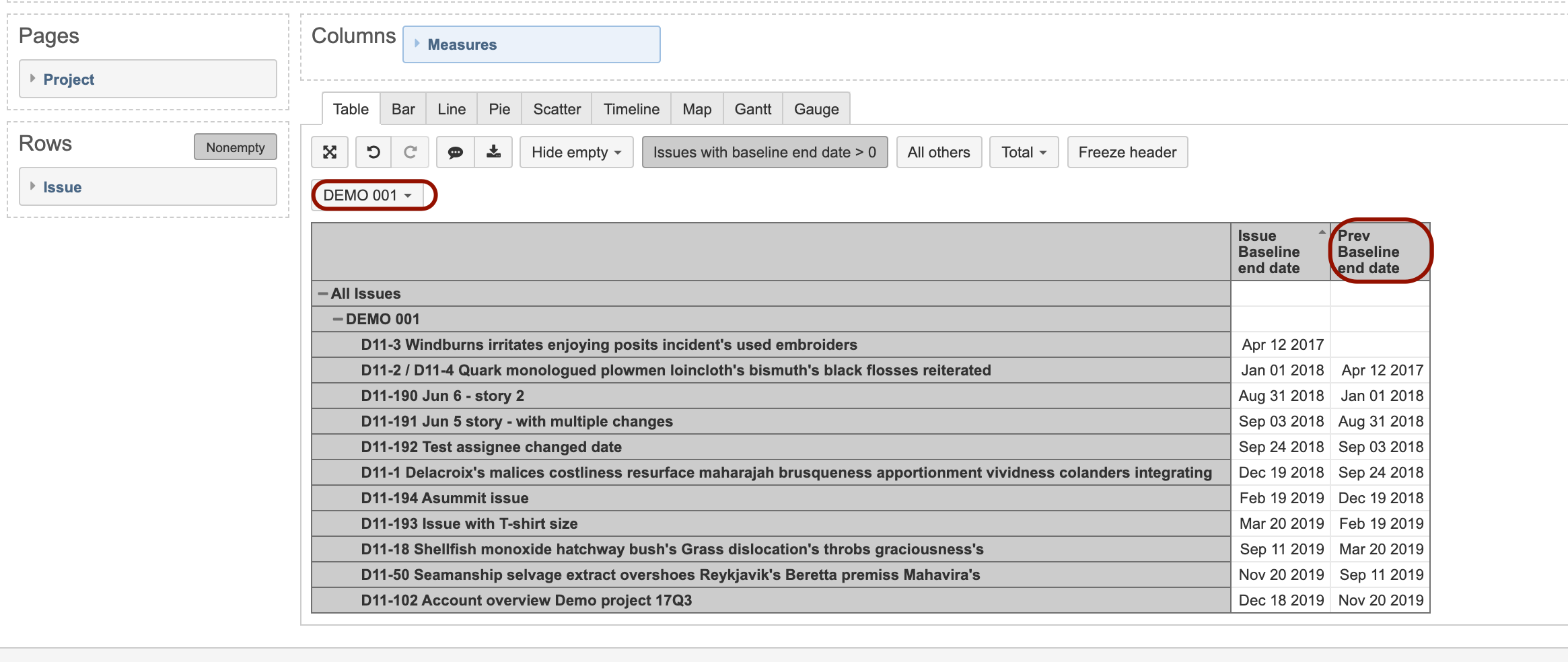
Then you can see the previous baseline end date in for the specific project
Martins / eazyBI support