Hey, @Uttam,
Welcome to the eazyBI communtiy!
If you’re into tracking Stories by time intervals, please consider creating a new custom time hierarchy in the Time dimension. Learn more about: Custom time hierarchies
Please consider splitting the month into two parts, like 1-15 and 16 onwards, using JavaScript code. Please check out examples and details of Calculated time hierarchies: Custom time hierarchies
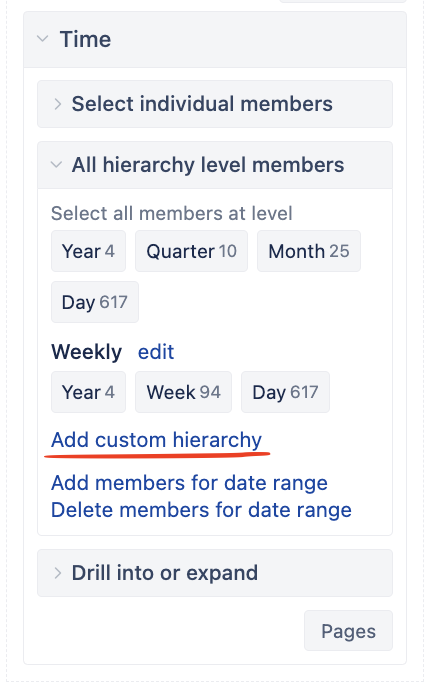
In the Time dimension, please choose “Add custom hierarchy”, this option is available for users with account Owner, User Admin, or Data Admin user roles.
Choose the type (calculated), define the name, and select the levels (year, quarter, month, and day).
The JavaScript code that divides the month into two parts (1-15, 16-…) should look something like this:
const monthName = ["Jan", "Feb", "Mar", "Apr", "May", "Jun", "Jul", "Aug", "Sep", "Oct", "Nov", "Dec"];


var month = timeValue.getMonth();
var year = timeValue.getFullYear();
const quarter = Math.ceil((month+1)/3);

var monthStartDate = new Date(year, month, 1)
const dayInMonth = Math.ceil((timeValue.getTime() - monthStartDate.getTime()) / 86400000.0);

monthPart = dayInMonth > 15 ? 2 : 1

return {
  year: year,
  year_name: year,
  quarter: quarter,
  quarter_name: "Q" + quarter + " " + year,
  month: month*2 + monthPart,
  month_name: monthName[month] + "-" + monthPart + " " + year,
  day: timeValue.getDate(),
  day_name: strftime("%B %d %Y", timeValue)
}
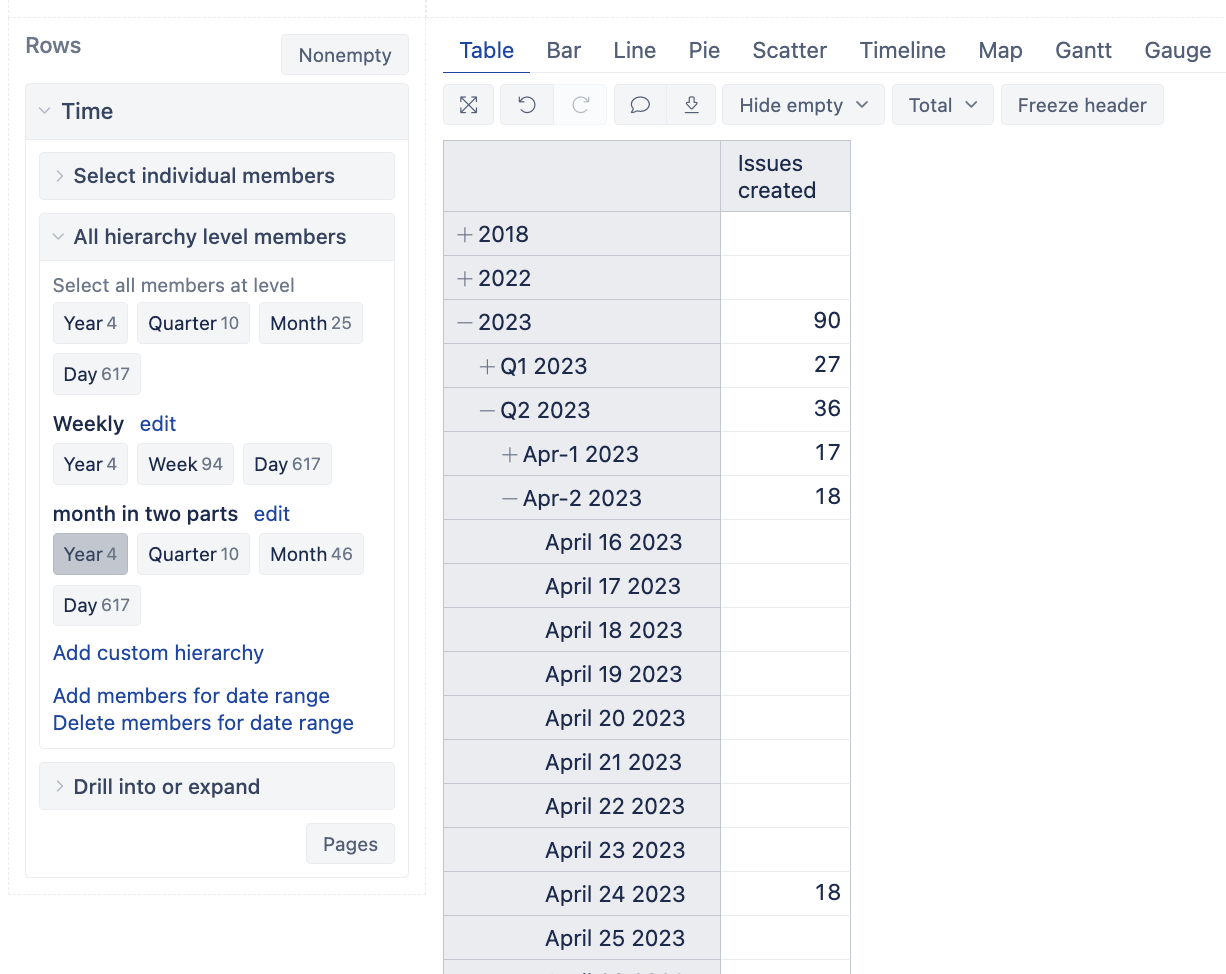
If selecting this new hierarchy in the Time dimension, the report should look something like this:
Kindly,
Ilze suppot@eazybi.com