How to make sure time filter only works for created date
Hi @iclalaslan
Normally the filters retrieve the information doing a JOIN, like the databases. So, all of the info of the issues “Created” at some specific range will be correctly retrieved. It could happen that you have a custom fields that are breaking your expectations for any specific reason, for instance labels are not straightforward or certain custom fields.
For testing it, you have to create a simple report.
At Page filters, the Time dimension, in this case the “last week”
At rows you display the Issue dimension, showing each issue.
At Columns, just the measure “Issue created date”
It will generate a report like this, only the tickets that were created this week and if I execute a JQL query to check it in JIRA, it would be like:
“project = xxx AND created >= startOfWeek()”
This is the same as you have this tuple:
([Measures].[Issue created date],
[Time].CurrentHierarchyMember)
With this you ensure that all of the issues are created only on the specified time dimension.
It will return
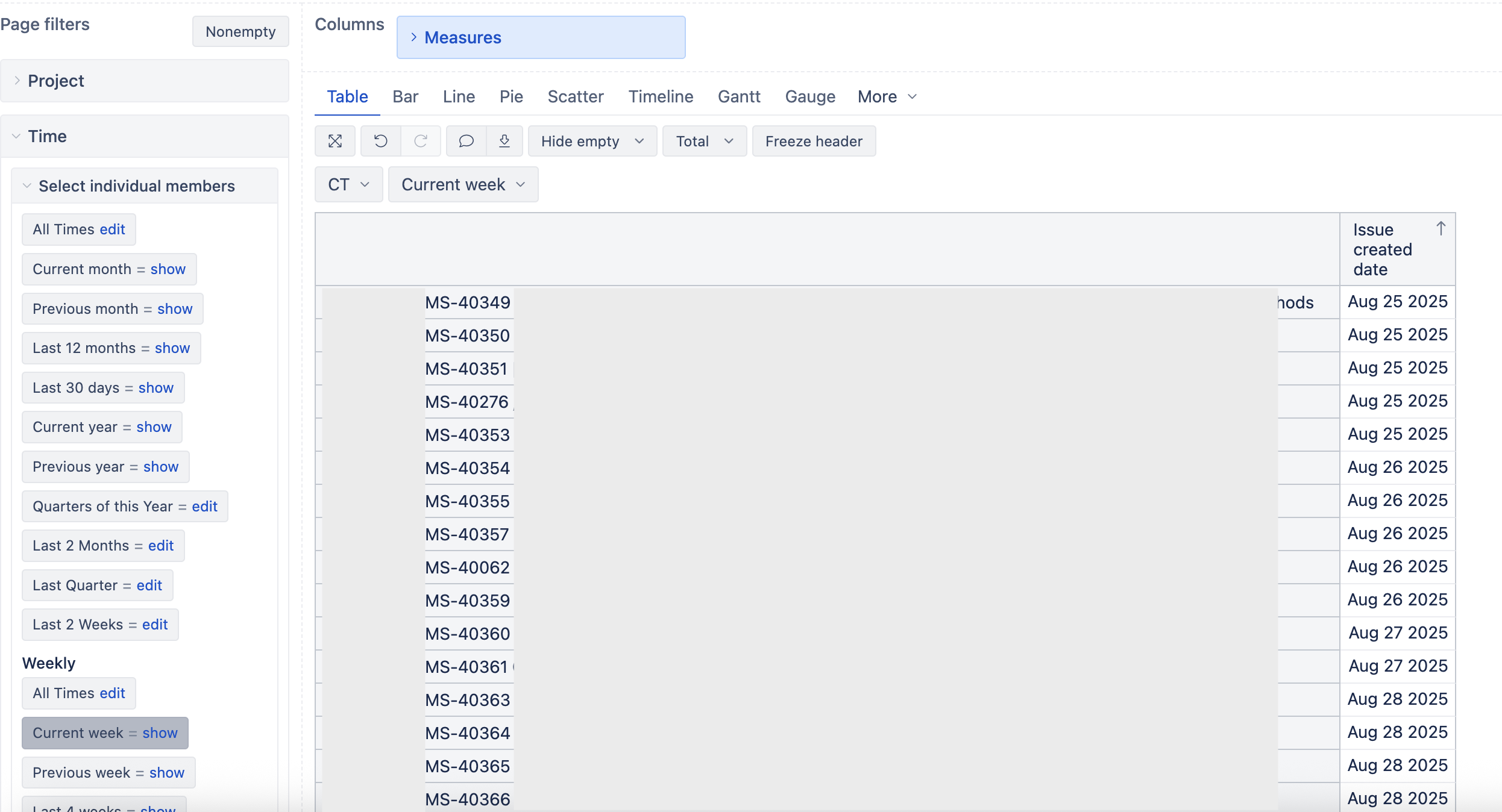
So, basically if you have any ticket that doesn’t match your report you have to do one testing:
- Create the same expected result in JIRA via JQL, with the same conditions (days, dimensions used, etc)
- Debug the formula you have, you can check this Troubleshooting section or debugging you filter part by part, slicing in minor parts to check the results given. Like this Testing your MDX section
Last but not least, what happened to me time ago, it was that I created a specific Time dimension dynamic and I eazyBI wasn’t reading correctly the end date.
I refer to have something like this (wrong)
[Time].[Quarter].DateMembersBetween('first day of the year', 'last day of quarter')
Hello,
I ried everything you said but still can not make sure that the time filter I choose is only for created date.