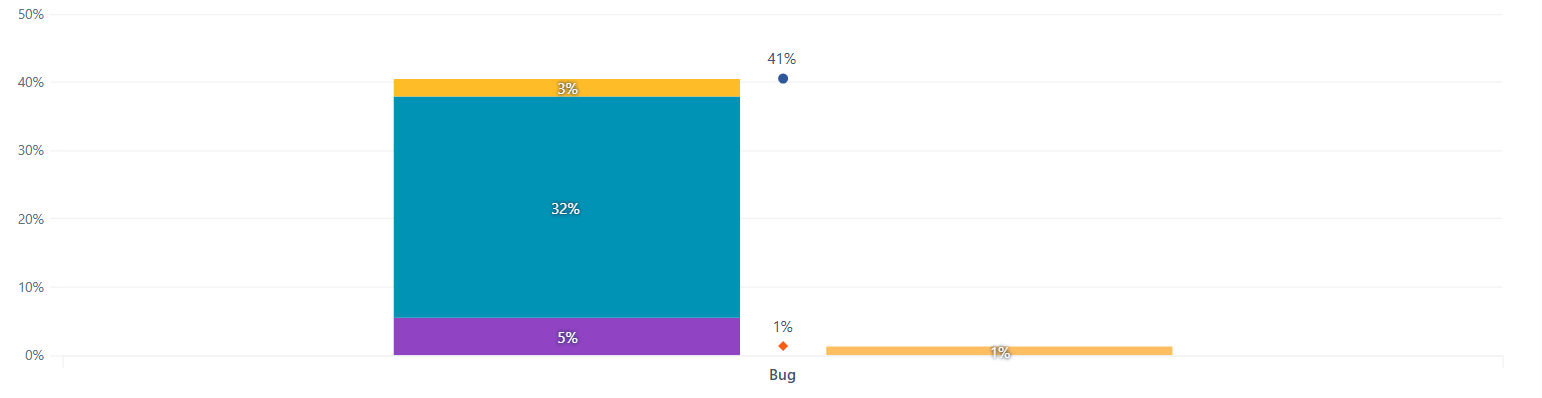
I have created a stacked bar chart with two measures in it. Results in the chart are good but the display is not as per my expectation. Total percentage is not displayed above each stacked bar chart.
Please suggest how this can be achieved. I want the total percentage to be displayed above each stacked bar chart. Its is currently showing in between both the stacked bar charts.
Currently, there is no straightforward way to display totals on top of stacked bar charts when more than two measures are used in the report. We do have this improvement idea in the backlog & I have added your vote to it. We will keep you posted if there are any changes.
That being said, there is a workaround you can try. I’m not sure which Dimensions you are using in your report, but I recreated a report using a few sample Dimensions, and hopefully it works for you as well.
Here are the steps:
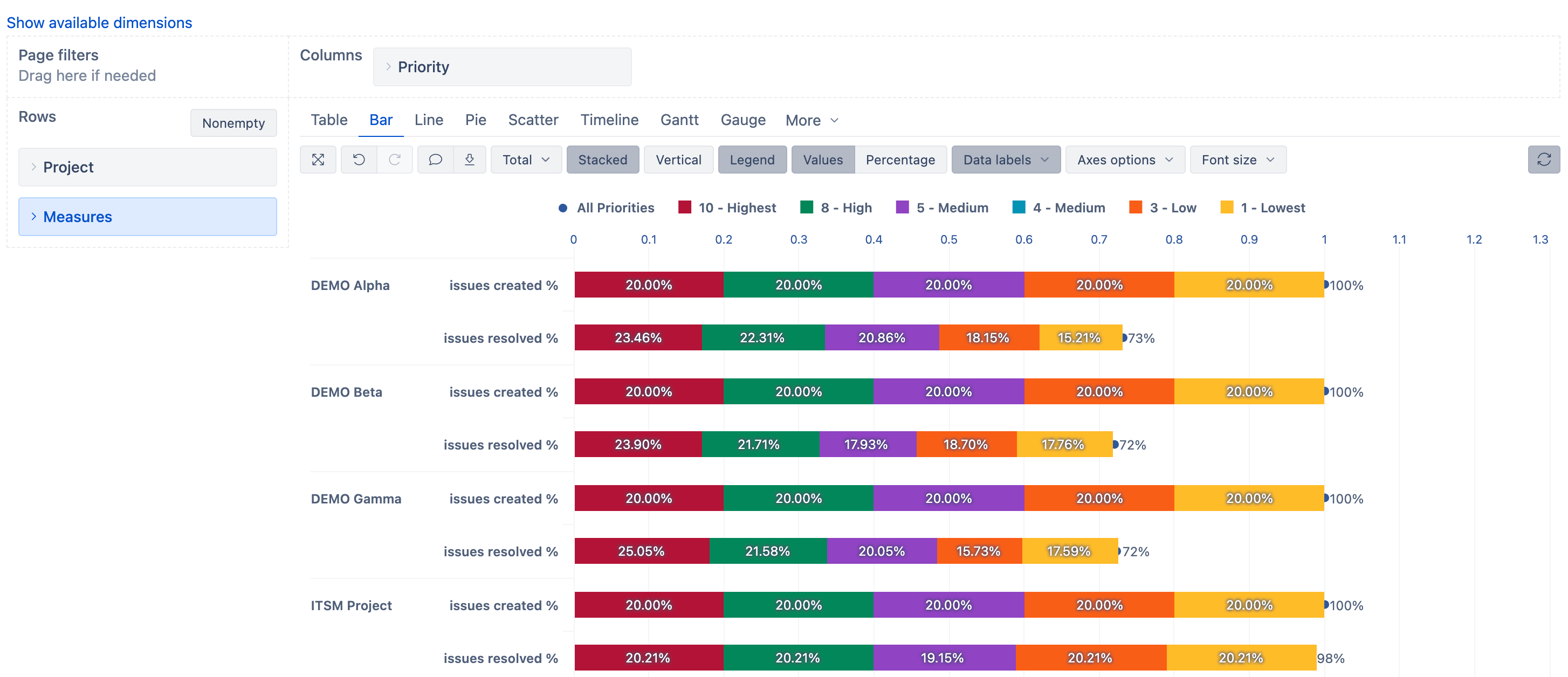
Move “Measures” to Rows and place them below the dimension you are already using in the Rows
Leave the other dimension in the Columns
disable “Vertical” chart, so it is displayed horizontally and it’s easier to read the %
select “All” level member as type → scatter and place it on a separate axis