Hi Team,
-
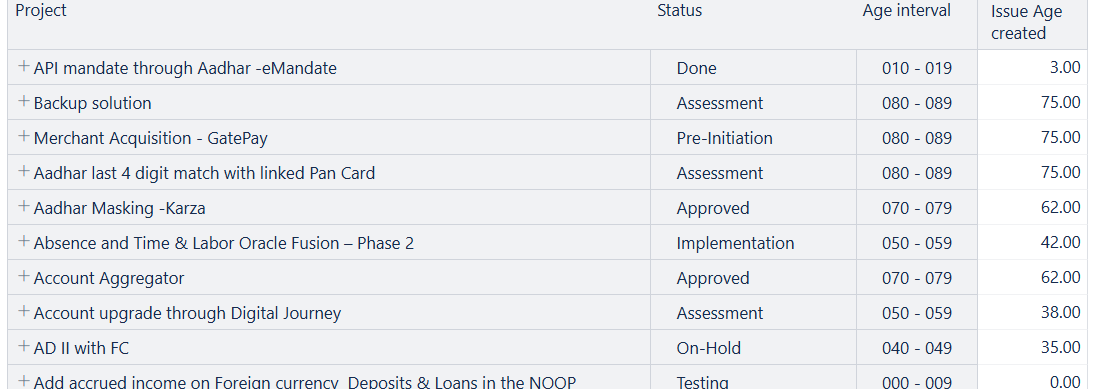
Please find the attached screenshots.
I have imported " Age Interval" as a dimension but there is no option to import that as a measure so I’m facing issue in sorting like order by Asc/Desc
Is there any possibility in sort the table based on “Age Interval”?
-
How to remove the Decimal digits in the last column(Issue age created) in the first screenshot?
Example: It should be 75 but not 75.00
Thanks & Regards,
Suchithra S
Hi Team,
Looking forward to your responses.
Regards,
Suchithra S
Hi @Suchithra
I noticed that your question has not been answered. I hope you have already found the solution; however, I am adding a few ideas in case someone else is looking for something similar.
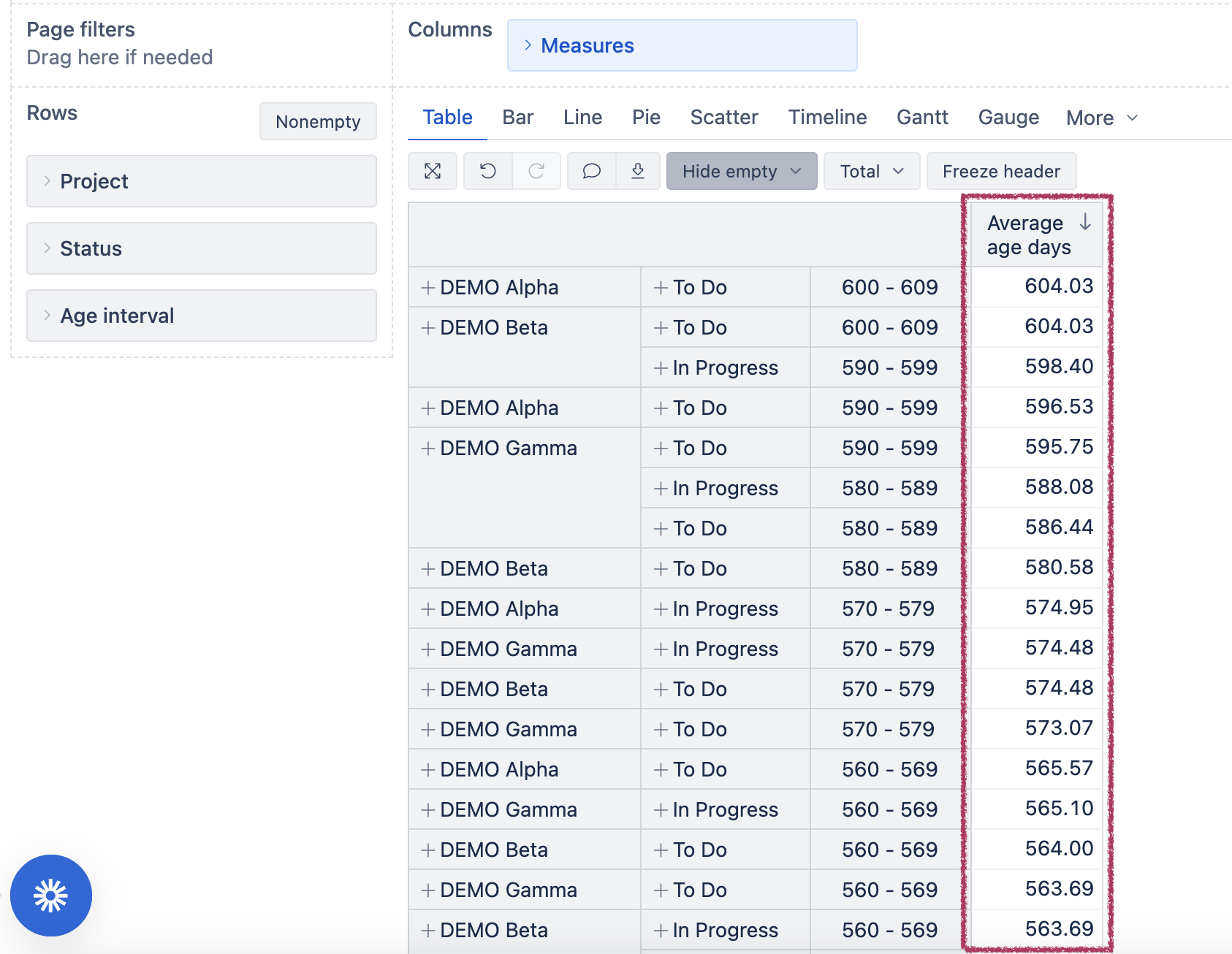
- To group by age interval in ascending order and only then by projects and statuses, you may want to move the Age interval before the status or the Project dimensions.
If you want to keep the existing dimension sequence and still order by intervals, you may use the default measure Average age days - it calculates average age days within the given project/status/age interval, thus becoming a valid option for ordering.
-
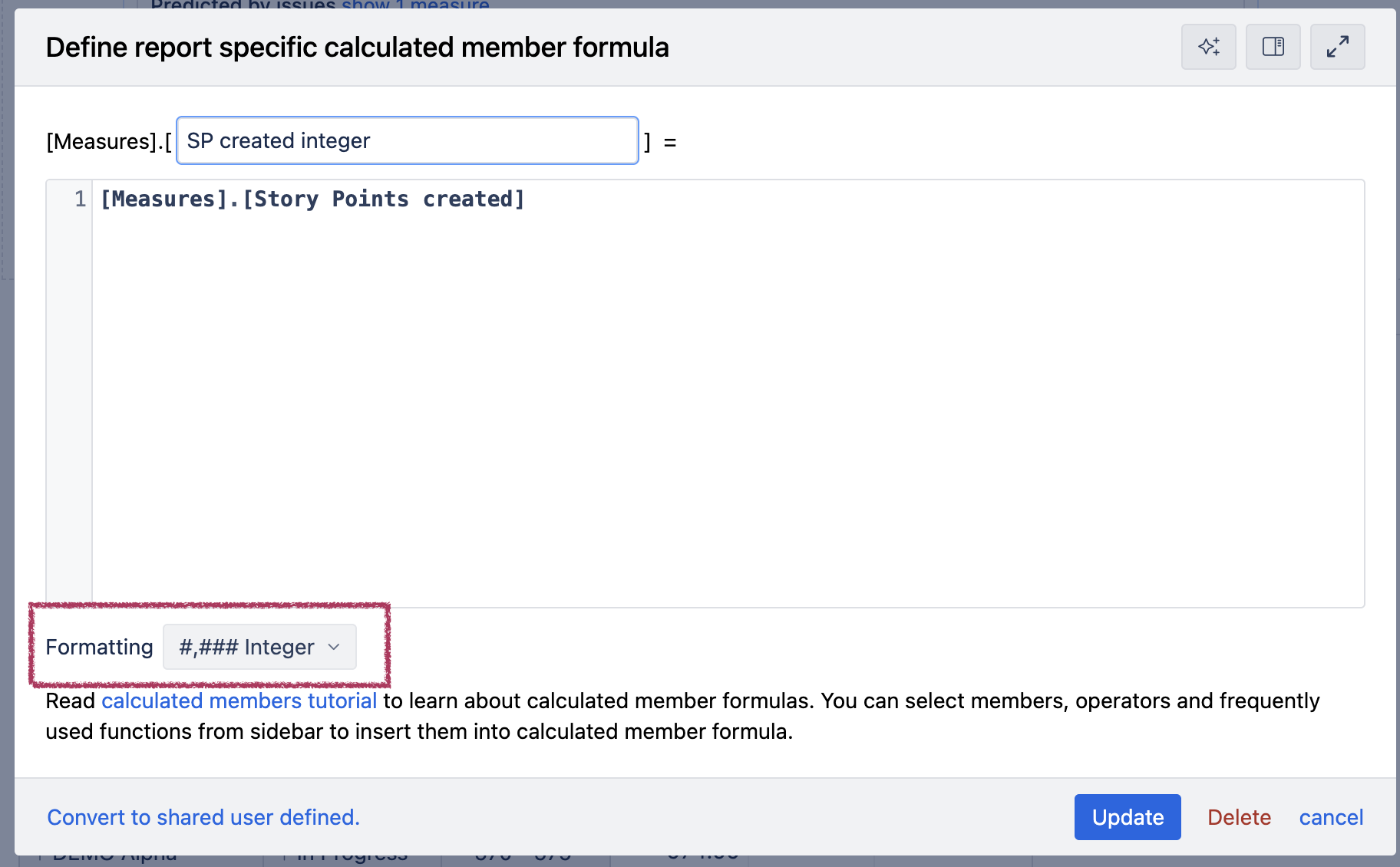
To show the value of the measure without decimal parts, open the measure and change the formatting to Integer.
Best,
Ilze, support@eazybi.com