it would be a nice feature to be able to schedule the import at specific times rather than a repeating frequency. An example of this would be the ability to start a schedule of every 30 minutes from 7am PST to 1pm PST and then after that, every 3 hours.
Hi Chuck,
Thank you for your input! I will add your vote to a similar idea in our backlog (which awaits for further consideration; no particular plans to implement this yet).
Currently, import options regarding import frequency are quite simple, though, you may want to consider using/combining currently available options. Check out another community thread regarding that: https://community.eazybi.com/t/cron-expression-for-import
Best,
Ilze / support@eazybi.com
Hi @Chuckcox12,
I wanted to let you know that we’ve implemented a custom cron schedule for data imports in eazyBI Cloud & Data Center (starting from version 9.0) :
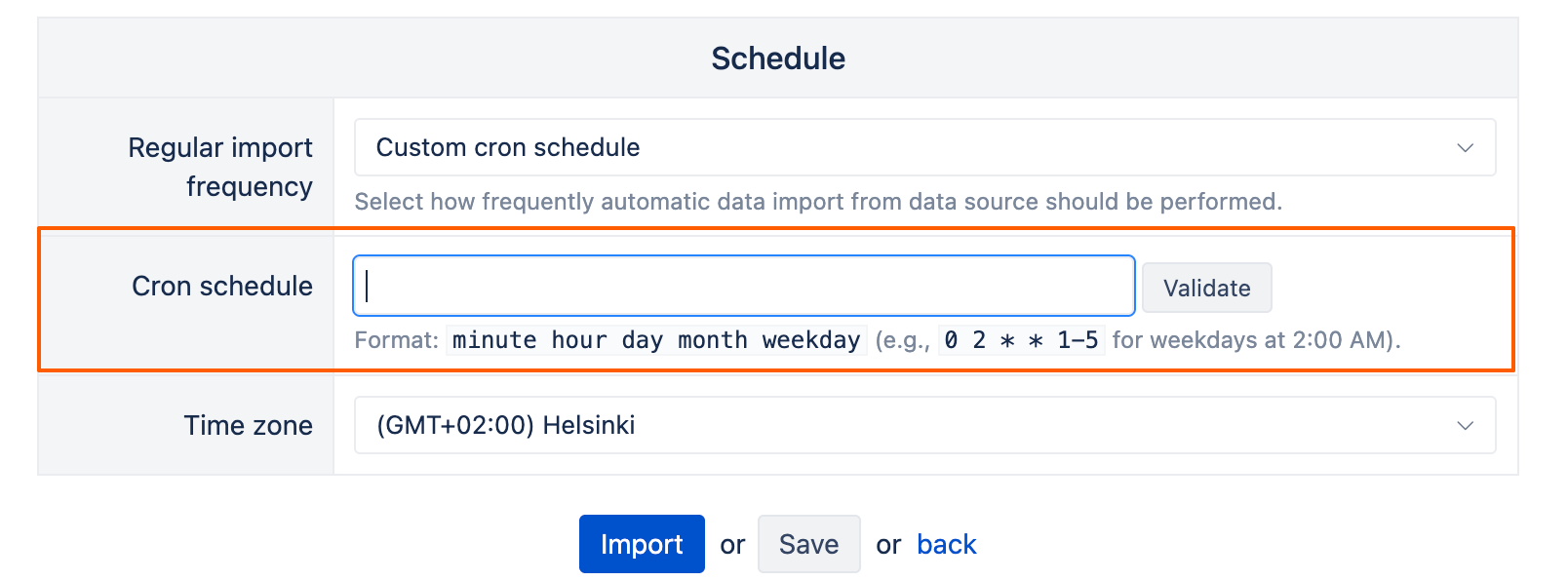
You can now schedule regular imports to run at specific hours of the day (for Data Center), on specific days of the month, or on selected weekdays (for Cloud and Data Center).
There are still some limitations, e.g., you can’t have two different frequencies (every 30 minutes during specific hours and every 3 hours outside of these hours).
Another thing to note is that the cron job can’t override the minimum import frequency on Cloud — so while Data Center lets you set imports for specific hours on a daily basis, Cloud imports are still limited to once a day.
For more details, please check our documentation: Data from Jira
Best regards,
Marita from support@eazybi.com