Hi @Eduardo_Mejia_Vizcar,
Thanks for posting your question.
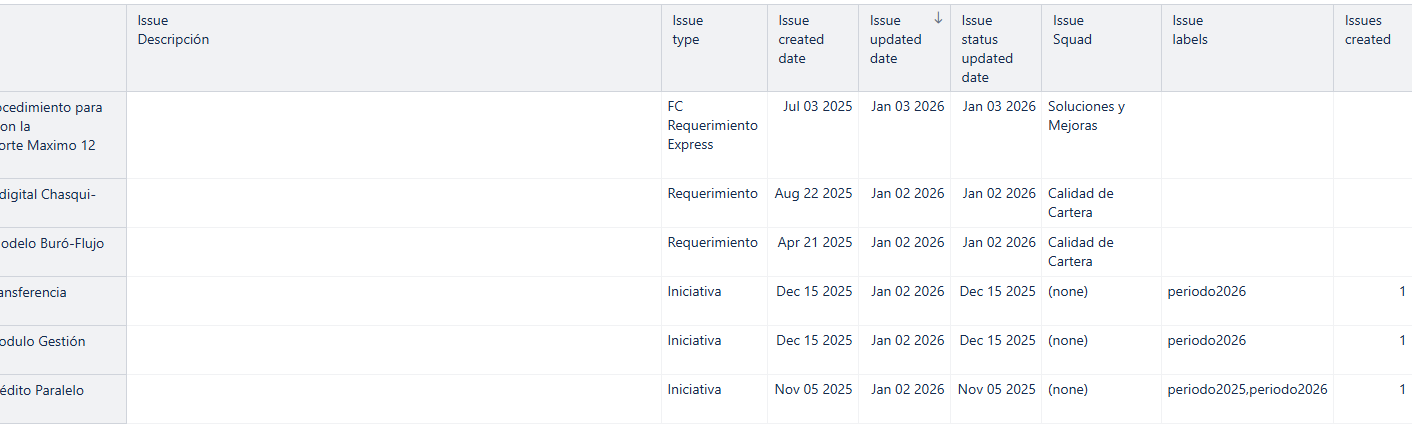
From your screenshot, I can see that your report is built using properties, and the only measure you have added is Issues created.
To explain why you’re seeing this behavior, it helps to understand the difference between properties and measures.
Properties are descriptive values that provide information about an issue (e.g., issue type, created date, labels). They don’t contain any quantitative data, and, on their own, they don’t create a reporting context. When you add properties to a report, you can see their values for each issue, but they don’t define what is being counted or calculated.
This is where measures come in. Measures represent quantitative values and provide the context for the report. Without a measure, filtering can produce unexpected results because there’s nothing defining which issues should be included. Once you add a measure, the filters start working as expected — for example, filtering by 2025 will then show Issues created in 2025.
Since you started building your report using properties, you need to “enforce” the measure by applying a filter. You can do this by clicking on the Issues created measure and applying Filter rows > 0. This will remove all rows where the measure value is empty.
After that, you can remove the measure from the report by clicking on it and selecting Remove. The measure context and the applied filter will remain in the background.
As a general tip, it’s best to start building reports by adding a measure first and then adding in properties. This ensures that the properties are shown only for issues that match the measure (for example, Issues created in your case).
Best,
Marita from support@eazybi.com