Hi,
I am trying to create a page filter for the Issue dimension. My goal is to display only Initiatives that have a specific label on the issue filter.
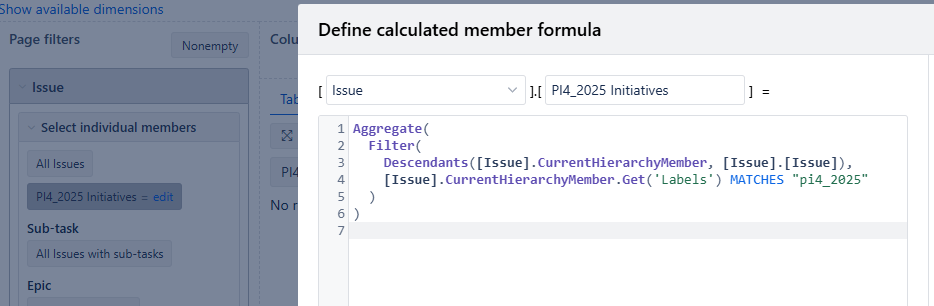
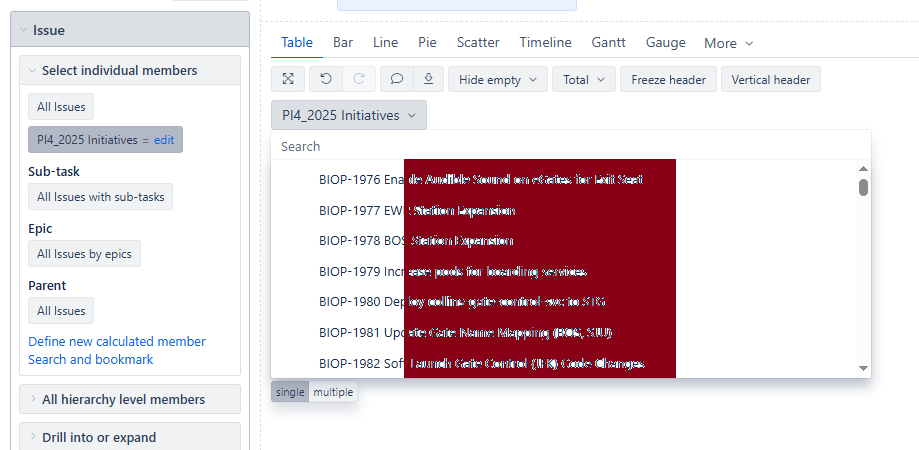
To test this, I created the following calculated measure. However, this measure is currently populating the Issue filter with Stories that have the specified label, rather than Initiatives. I’m unable to determine how to adjust the logic so that the filter is populated with Initiatives that have the label instead of Stories.
Additionally, I am not allowed to use [Issue Type] inside the calculated measure.
I would appreciate any guidance or suggestions you can provide on how to achieve this.
Thank You.
@Mike_Blue
I would recommend adding this code to eazyBI advanced settings
[[jira.issue_link_field_dimensions]]
name = "Iniative Label"
source_dimension = "Label"
issue_key_column = "jpoh_parent_3"
group = "Linked issue dimensions"
It would let you import issue link field dimension “Initiative Label” that would copy the label from the initiative down to all issue.parent hierarchy levels below the initiative. Just make sure the Parent hierarchy is imported in eazyBI.
Later, you can filter the children of the initiative by the label of the initiative using standard measures when selecting or filtering report by dimension “Initiative Label” page filter
Martins / eazyBI