I am noticing a strange behaviour difference between a couple of eazyBI accounts that we have. For this example, both accounts are using the same workflow and (as far as I can tell), both have the same standard import settings.
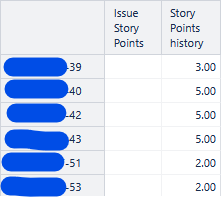
In one account, the measure ‘Issue Story Points’ works as expected. In the 2nd account, ‘Issue Story Points’ is empty for all issues but the measure ‘Story Points history’ works as expected.
When I look at the ‘Story points’ property directly (using [Issue].CurrentMember.AllProperties), I see that the property is empty in the problem account and set as expected in the other.
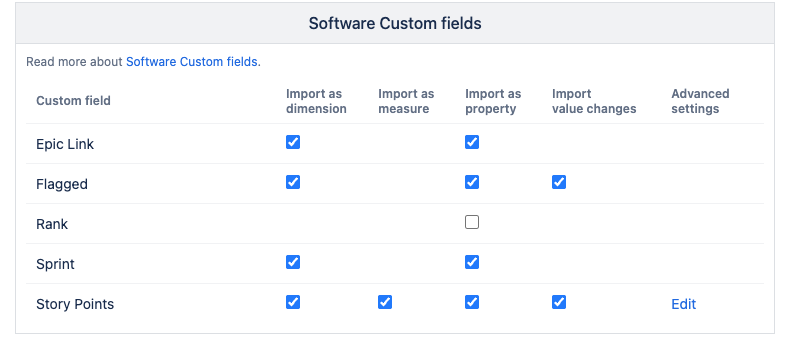
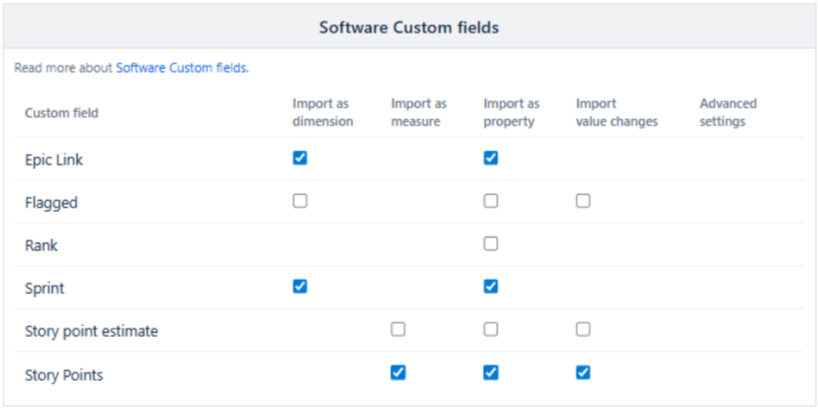
For some reason, I have no check-box to allow adding Story Points as a dimension in my import settings but I do see there are separate lines for ‘Story point estimate’ and ‘Story Points’.
That said, both projects have the same import settings settings for Software Custom Fields but exhibit the different behaviour with the Issue Story Points measure.
I don’t know of any additional Javascript options set up or custom additional fields. Both projects share the same workflow.
Can you try this?
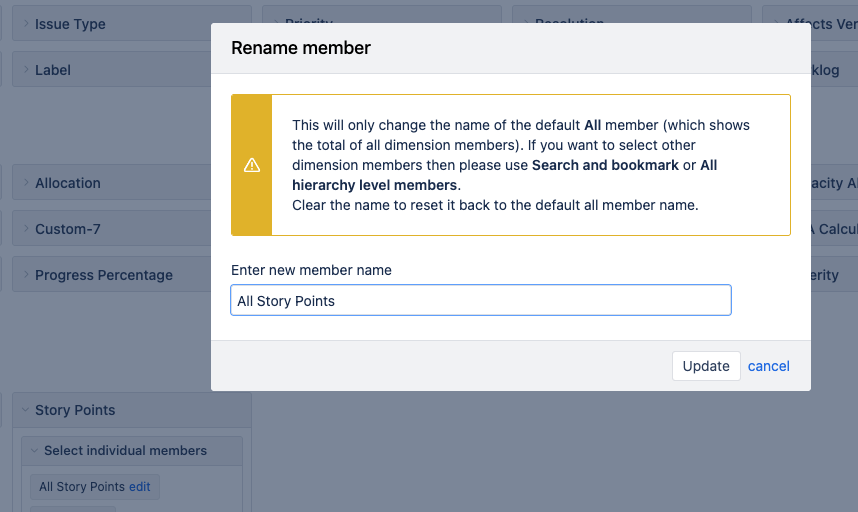
If you want to have it as Dimension:
On that page: Click on “Edit”, on the advanced Settings for it. So, a pop-up appears
Then, check the checkbox Dimension.
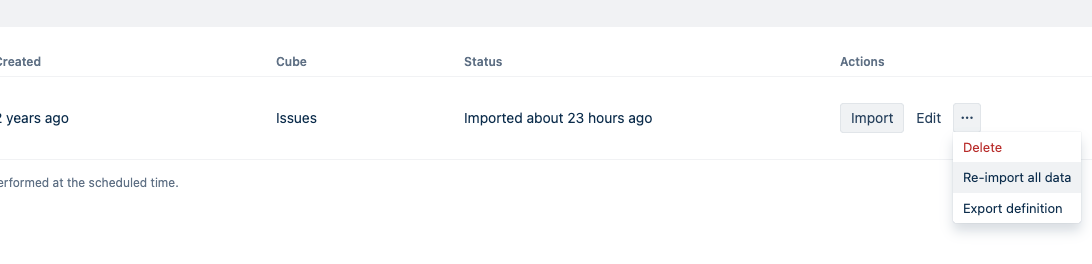
Save it and then reimport all data, with the option:
That is a weird outcome - no value in “Issue Story Points”, and value in “Story Points history”. I suspect something is going on in the background, during the data import. Please export and share the definition of the Jira source application where the “Issue Story Points” values are empty - Data from Jira . You can share the definition here or at support@eazybi.com. If you choose the latter, please reference this conversation.