All teams in our org follow the same sprint scheduled:
Name Start End
Sprint 25.1.1 8-Jan-25 21-Jan-25
Sprint 25.1.2 22-Jan-25 4-Feb-25
Sprint 25.2.1 5-Feb-25 18-Feb-25
Sprint 25.2.2 19-Feb-25 4-Mar-25
Sprint 25.3.1 5-Mar-25 18-Mar-25
etc
Each team has it’s own jira project.
Since Jira doesn’t have a concept of global sprints, each team makes these sprints in their agile boards with the same date ranges, and almost always the sprint name contains “25.1.1”.
I’d like to make a table in EazyBI where:
- I have a page filter to filter for an initiative (parent of epic)
- rows for jira projects (which would give me team)
- columns for each future sprint
- original estimate in the cell as my measure
Essentially I want to filter for an initiative and see a table that shows which sprints teams scheduled work in for it.
Hi @alex.xm
Thanks for posting your question!
After reviewing your requirements, it seems to me that the most convenient approach would be to create a custom sprint hiearchy and add weekly sprint cycles. In the documentation page here, we have instructions on how you can achieve that (let me know if you hit any roadblocks when imoprting this) - Sprint reports for sprint week cycles (Sprint custom hierarchies)
Here is also an example with the Current Week cycle filter -Sprints by weeks current cycle story points burn-down - Issues - eazyBI Demo Training - eazyBI
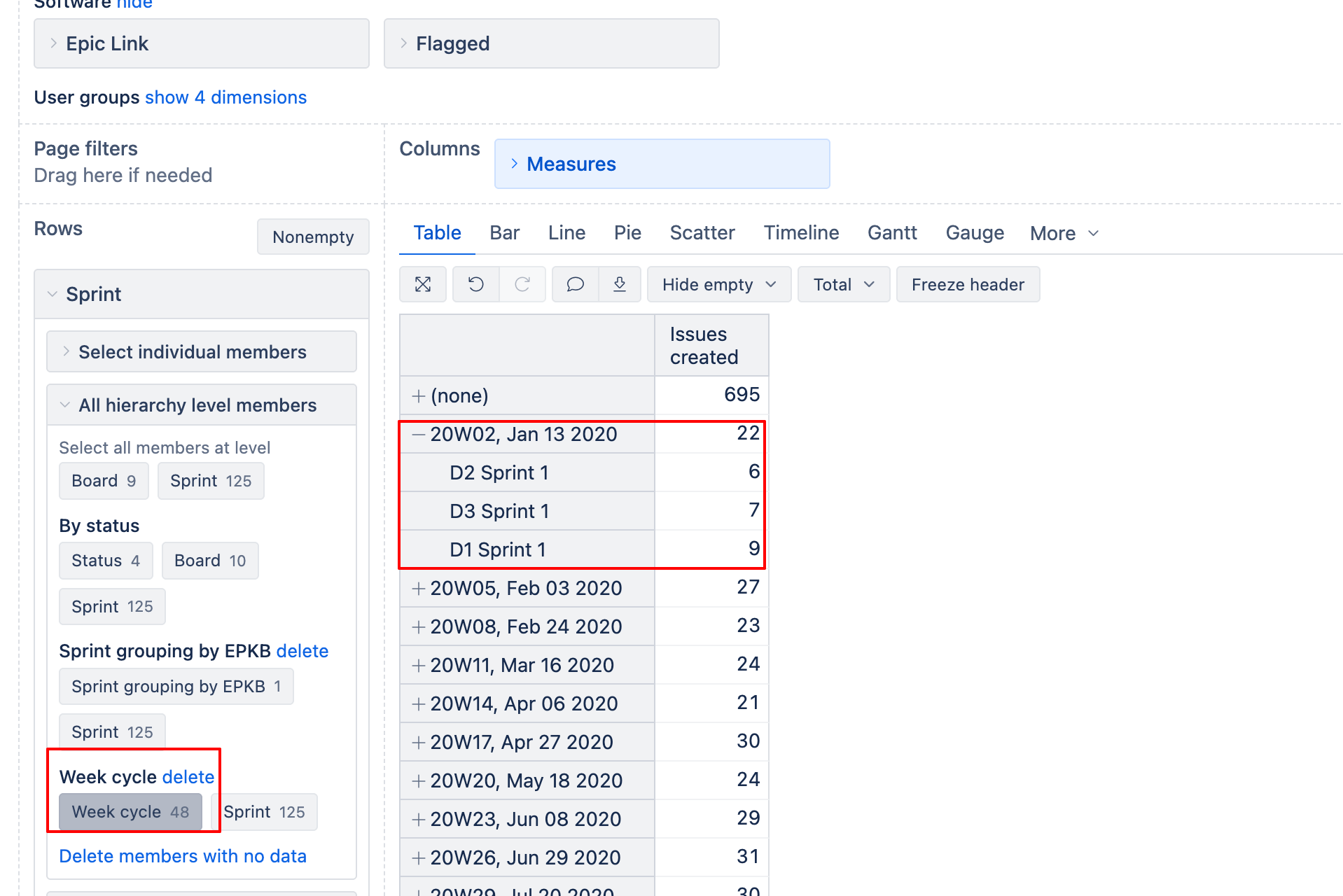
When you create the custom hierarchy, you will see that sprints from multiple boards aggregate under the same week cycles. You can then add all other necessary measures based on your requirements.
Please let me know if you have any follow-up questions regarding this!
Elita from support@eazybi.com
Hi Elita,
Sorry for the long delay. I’m trying the steps. I’m getting the error “script exceeded timeout: 60 seconds” when trying to do “Import Sprint property Week cycle” from the link you shared. I’m guessing thats because I have too many boards? Maybe there’s a way to exclude boards that I dont need to be pulled?
Hi @alex.xm
Thank you for following up! The timeout error you’re experiencing is indeed likely caused by the JavaScript trying to process too many boards in your Jira instance.
When importing the REST API definition from the documentation, you can modify the JavaScript code to filter boards before processing their sprints. Here’s how to adjust the code:
// retrieves all sprints within one board and will go from the last sprint and rank decreasingly closed sprints
var sprints = [{
  board_id: null,
  sprint_id: null,
  sprint_week: null
}];
var allSprints = [];
var allSprintsLoaded = false;
startAt = 0;
maxResult = 50;

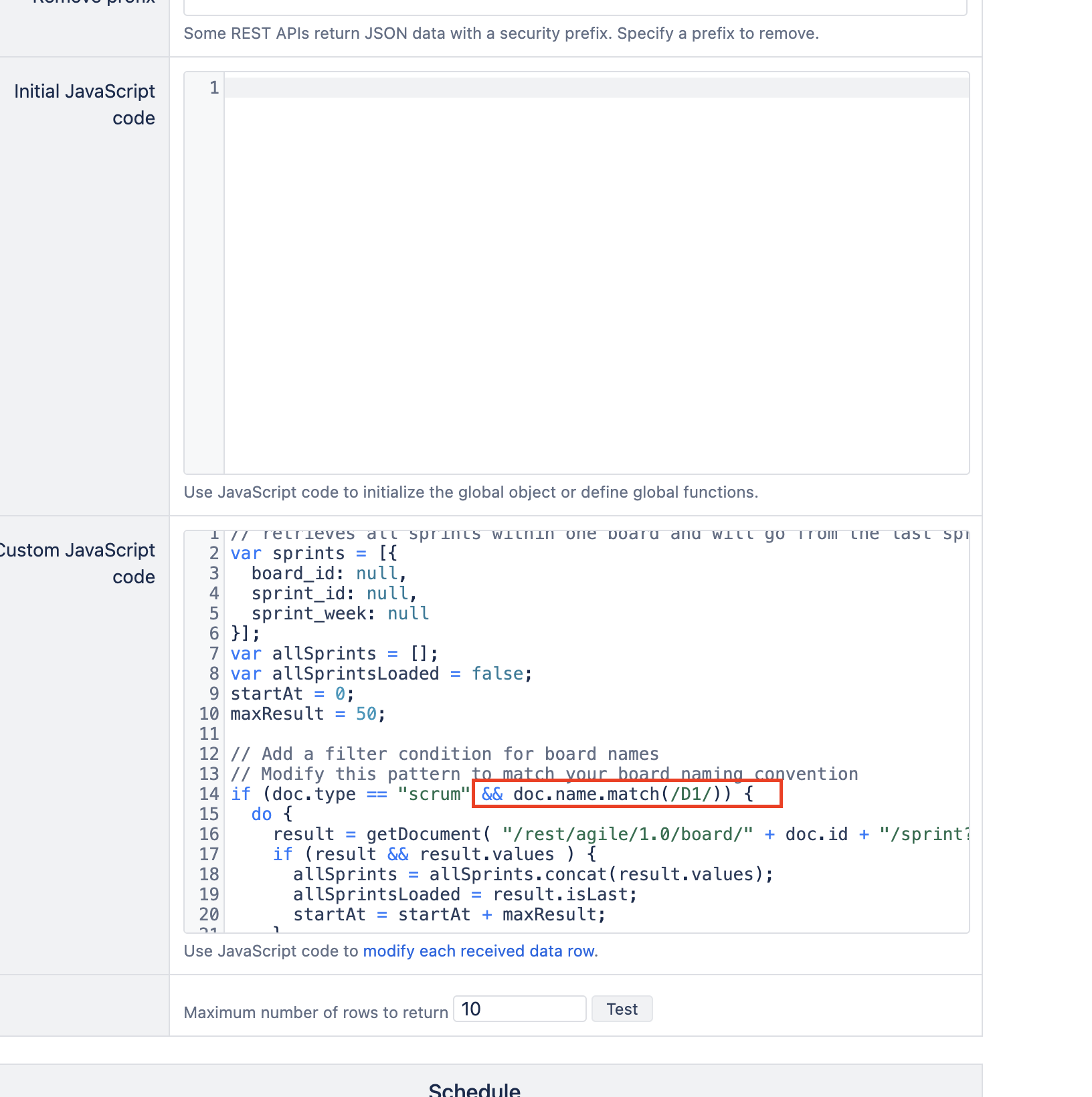
// Add a filter condition for board names
// Modify this pattern to match your board naming convention
if (doc.type == "scrum" && doc.name.match(/YOUR_BOARD_PATTERN/)) {
  do {
    result = getDocument( "/rest/agile/1.0/board/" + doc.id + "/sprint?startAt=" + startAt + "&maxResults=" + maxResult, {ignoreErrors: "404"});
    if (result && result.values ) {
      allSprints = allSprints.concat(result.values);
      allSprintsLoaded = result.isLast;
      startAt = startAt + maxResult;
    }
  }
  while (!allSprintsLoaded);

  if (allSprints ) {
    for(var i = 0; i < allSprints.length; i++) {
      var sprint = allSprints[i];
      if (sprint && sprint.originBoardId == doc.id ) {
        if (sprint.startDate) {
          date = new Date(Date.parse(sprint.startDate));
          date.setUTCDate(date.getUTCDate() + 1 - (date.getUTCDay()||7));
          sprints.push({
            board_id: doc.id,
            sprint_id: sprint.id,
            sprint_week: strftime("%yW%W, %b %d %Y", date)
          });
        }
      }
    }
  }
}
return _.uniq(sprints);
Replace YOUR_BOARD_PATTERN with a pattern that matches your team boards. For example:
-
If your boards start with a specific prefix: doc.name.match(/^TeamBoard/)
-
If your boards contain specific text: doc.name.match(/Product Team/)
-
For multiple patterns: doc.name.match(/Team A|Team B|Team C/)
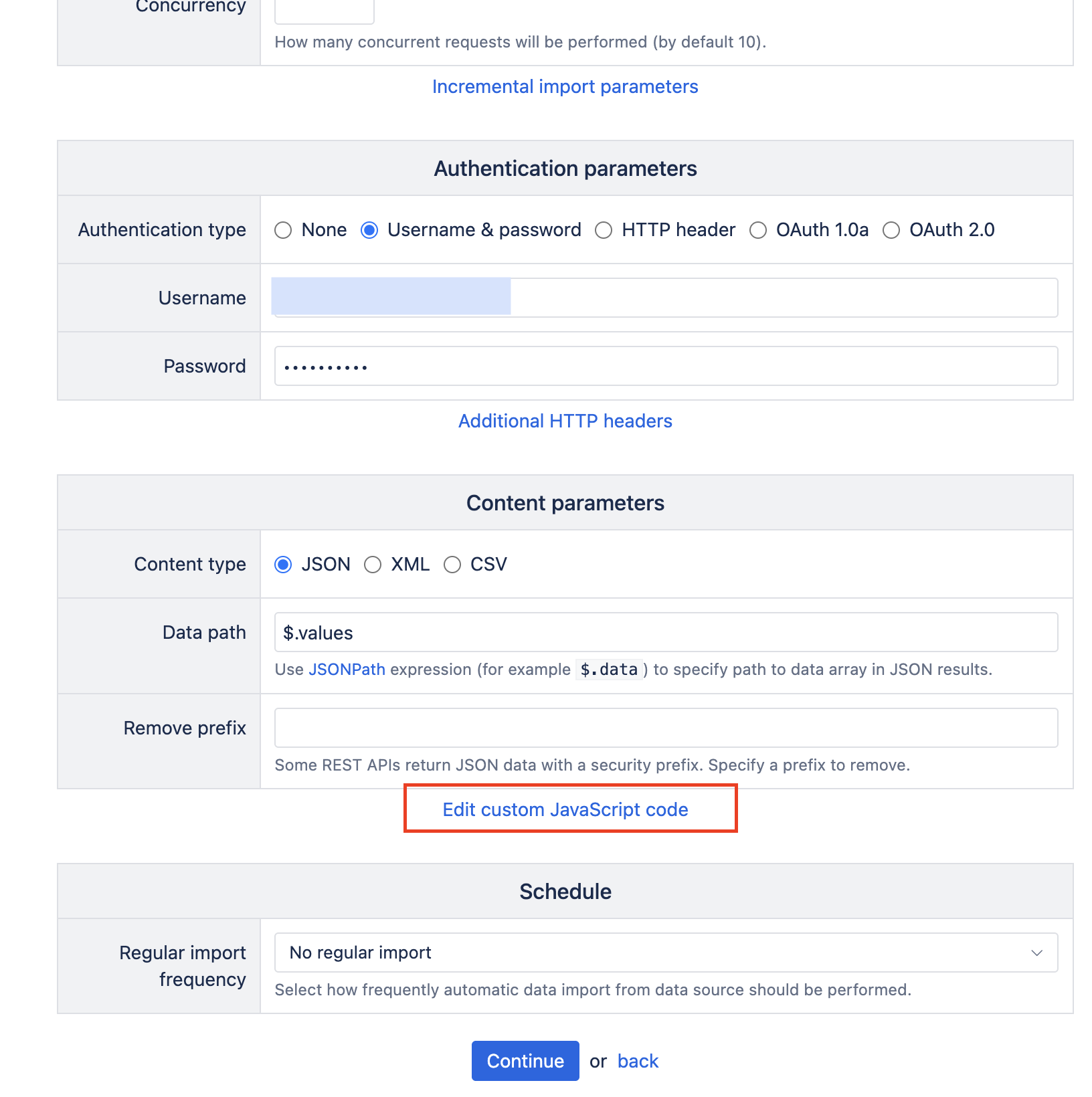
Here’s where to do it. Click on “Edit custom Javascript code” and replace it with the code above adjusting it according to your use case
In my case, I’m looking for a pattern “D1”
Best wishes,
Elita from support@eazybi.com
Thanks Elita. It seems I was able to filter out enough boards to get it to work, but I worry that I am right on the cusp and if we add more projects (and thus more boards) we’d see the issue again. Are there any other tricks we’d be able to do? Even extending the script timeout.
Hi @alex.xm
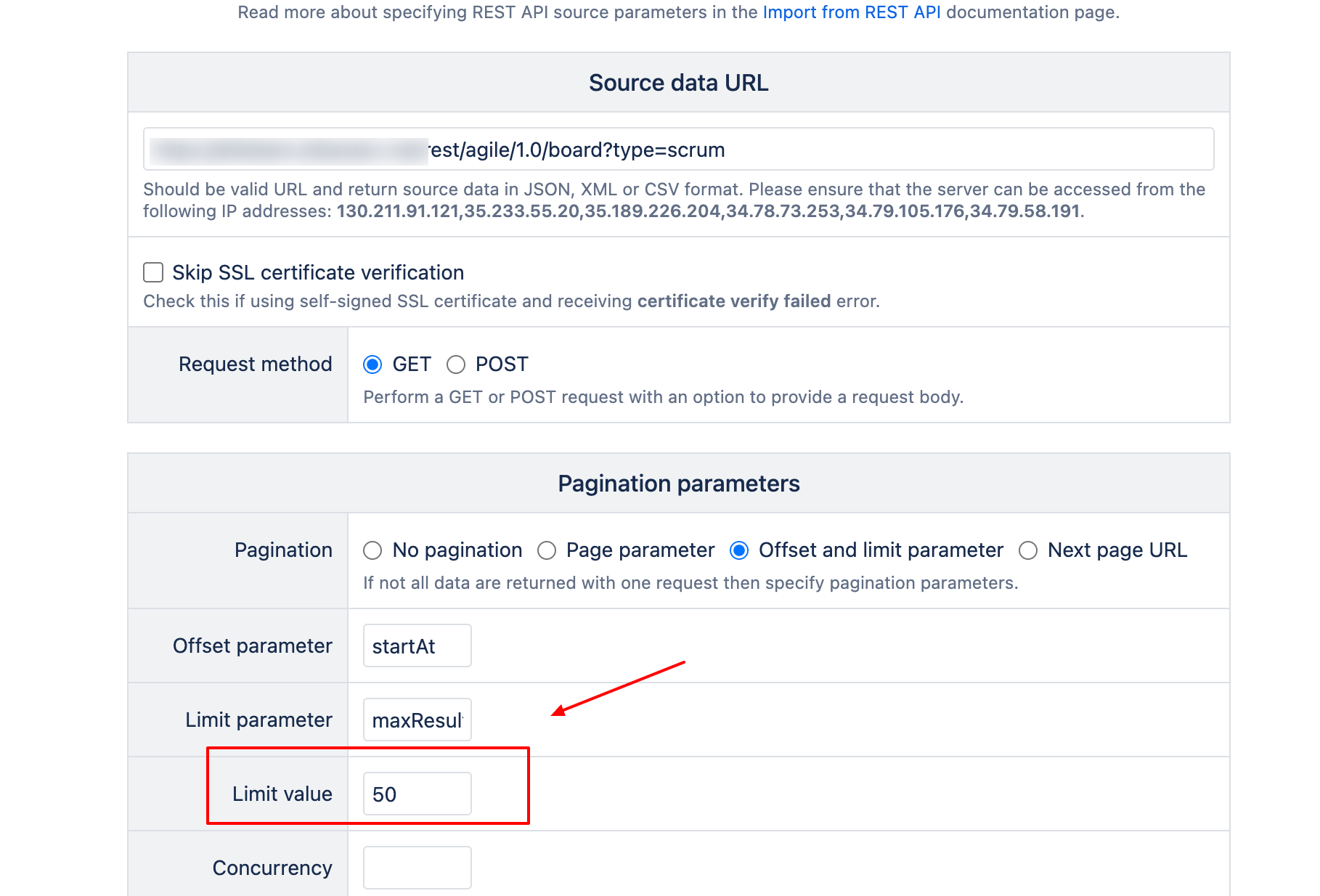
Before increasing the timeout, try reducing limit_value from 50 to a lower number. If needed, you can reduce it even to “1”. This should help with the timeout!
Best wishes,
Elita from support@eazybi.com