Hi team,
I’m trying to create a stacked bar report based on the feature/parent’s completion based on the child stories “status” (not resolution).
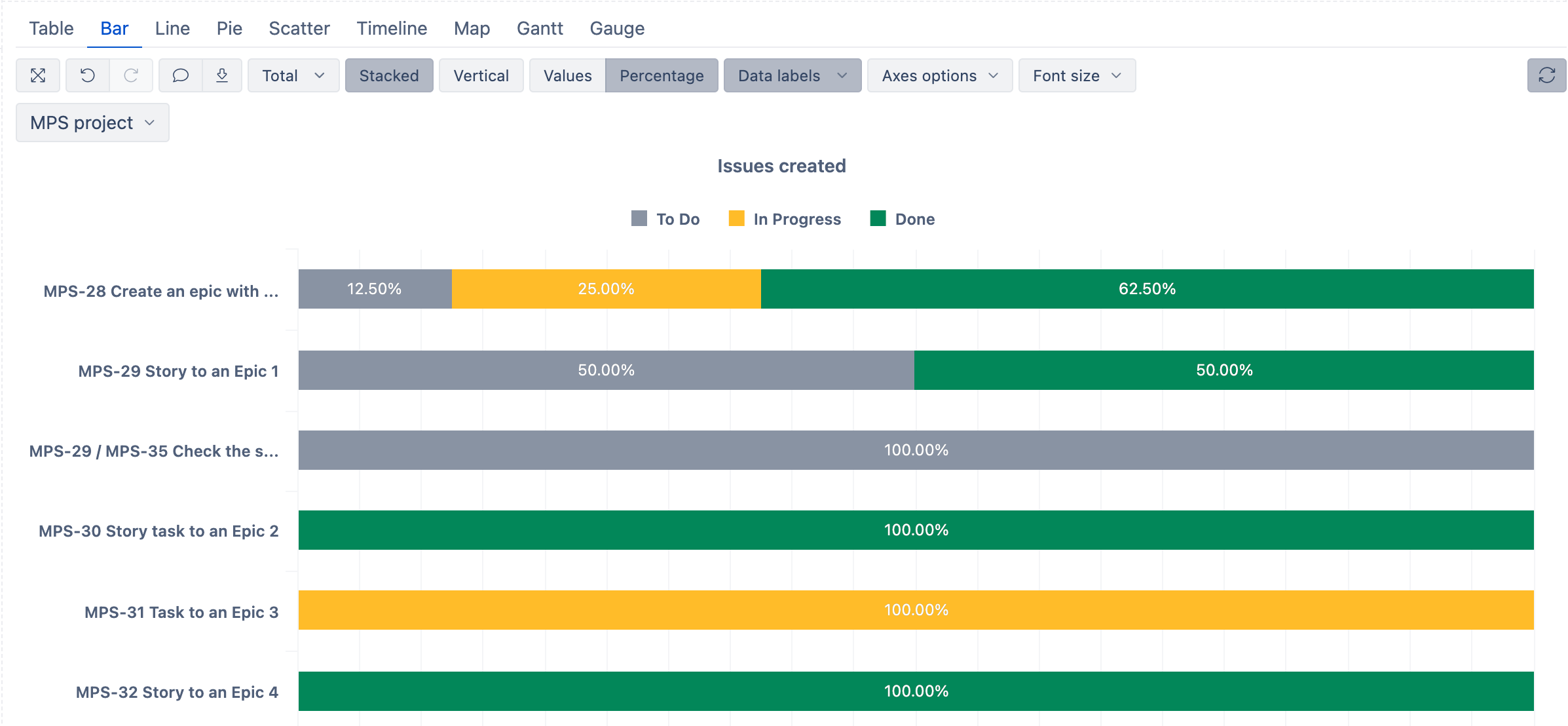
In the end it should look something like this. Child issues will have 10-12 different statuses but I want to aggregate them in 3 main groups.
Any help would be appreciated. I have the advanced roadmap, parent link imported.
Hello @gokayorsel,
Thanks for posting your question!
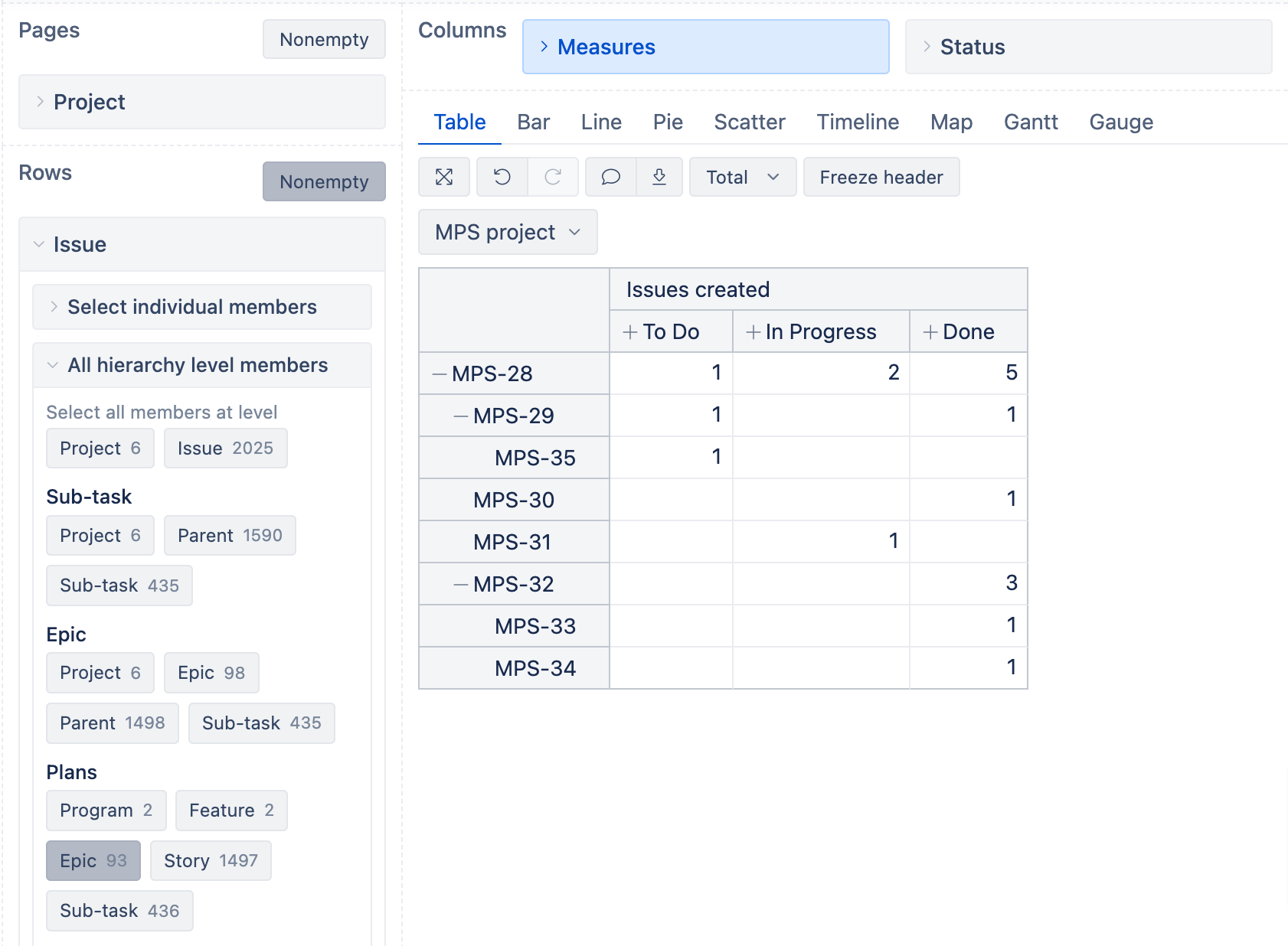
Based on your description, you can build the following report in eazyBI:
-
add Issue dimension to Rows, select the “Feature” level member in the Plans hierarchy. (In my example below, I am showing an example with Epics)
-
keep the “Issues created” measure
-
If you have already defined all the statuses by Categories ("To Do, “In Progress”, “Done”) in Jira, you can just add Status dimension and select a “Category” level member:
- If your statuses are not defined in Categories in Jira, you will need to create new calculated members in the Status dimension, following the example below. Once you have created the necessary members, select them for your report instead of categories.
Aggregate(
  [Status].[To Do],
  [Status].[Waiting for approval],
  [Status].[Started]
)
Please refer to our documentation here on how to create a new calculated member in a dimension: Calculated members in other dimensions
After your report has been done in the Table view, you can switch to Bar chart and select the following options:
I hope this helps!
Best,
Marita / support@eazybi.com