Hi,
Im new to EazyBI and something we are trialling at present.
We currently record resolution targets for our support agents outside of Jira Service Management, but we’re trialling eazyBI to track these targets more effectively.
Each agent has a daily resolution target (e.g. 10 tickets per day but not all targets are the same). As an example, over a 10-day working period, we’d expect them to resolve 100 tickets. However, we’d like to adjust these targets when an agent has logged internal activity (via Clockwork Pro) such as:
-
Annual leave
-
Internal meetings
-
Medical appointments
-
Training
For example:
-
Agent daily target = 10 tickets
-
Working days in the period = 10 days
-
Expected target = 100 resolutions
-
If the agent logged 5 days of leave/internal time, the adjusted target should be 50 resolutions
Question:
Is it possible in eazyBI to calculate adjusted targets in this way — i.e. reducing the expected resolution count for each agent based on their logged internal time (from Clockwork Pro) over a given time period?
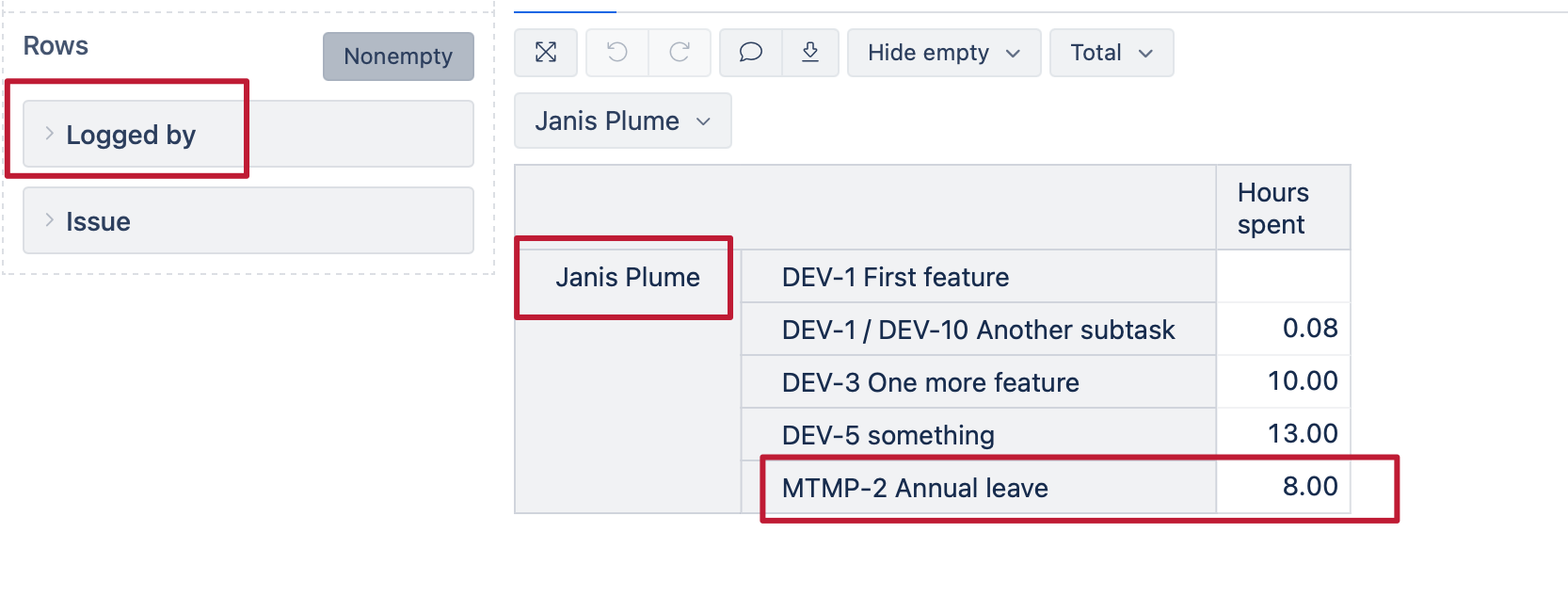
An issue i’ve run into is how Clockwork Pro Time Cards are structured. They’re created once as static tickets (for example, an “Annual Leave” card), and then multiple agents log their time against that same card.
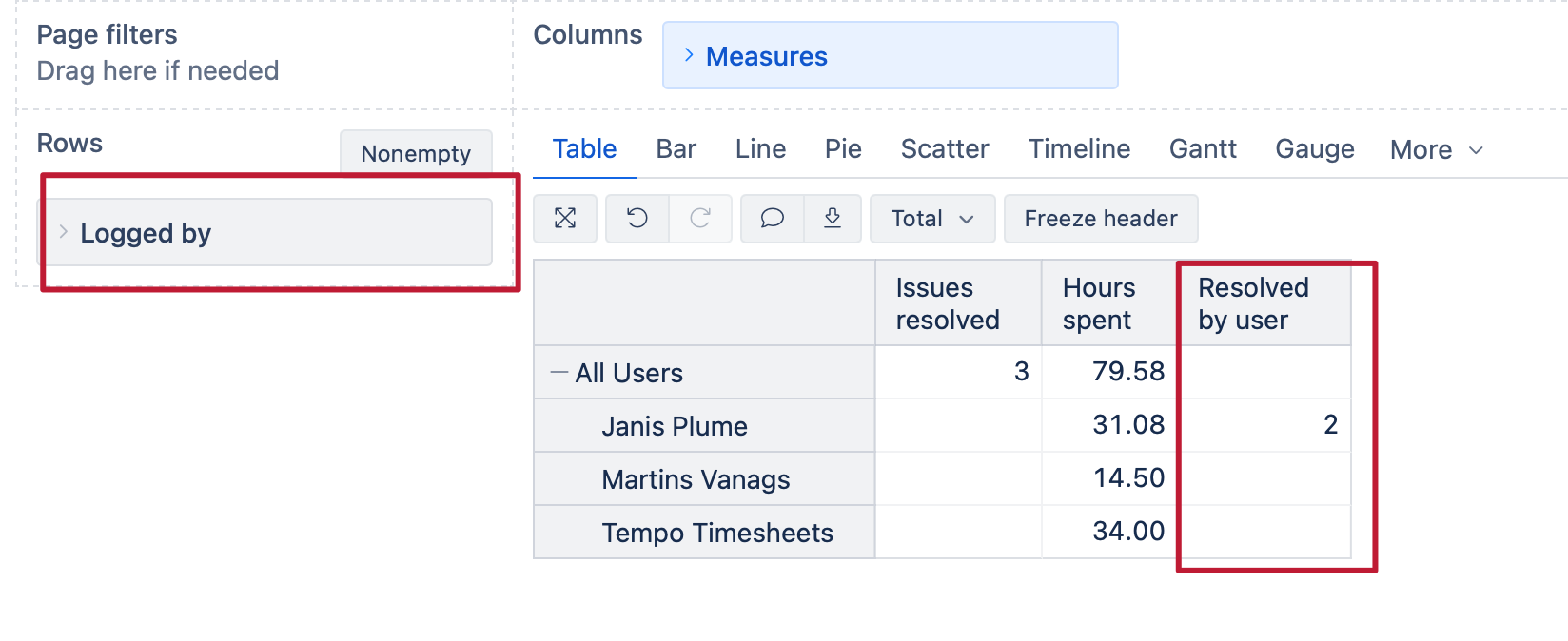
This means we often end up with many time entries from different users on a single time card. The challenge in eazyBI is then trying to correctly represent:
-
Who logged the time (from the time entry / worklog)
versus -
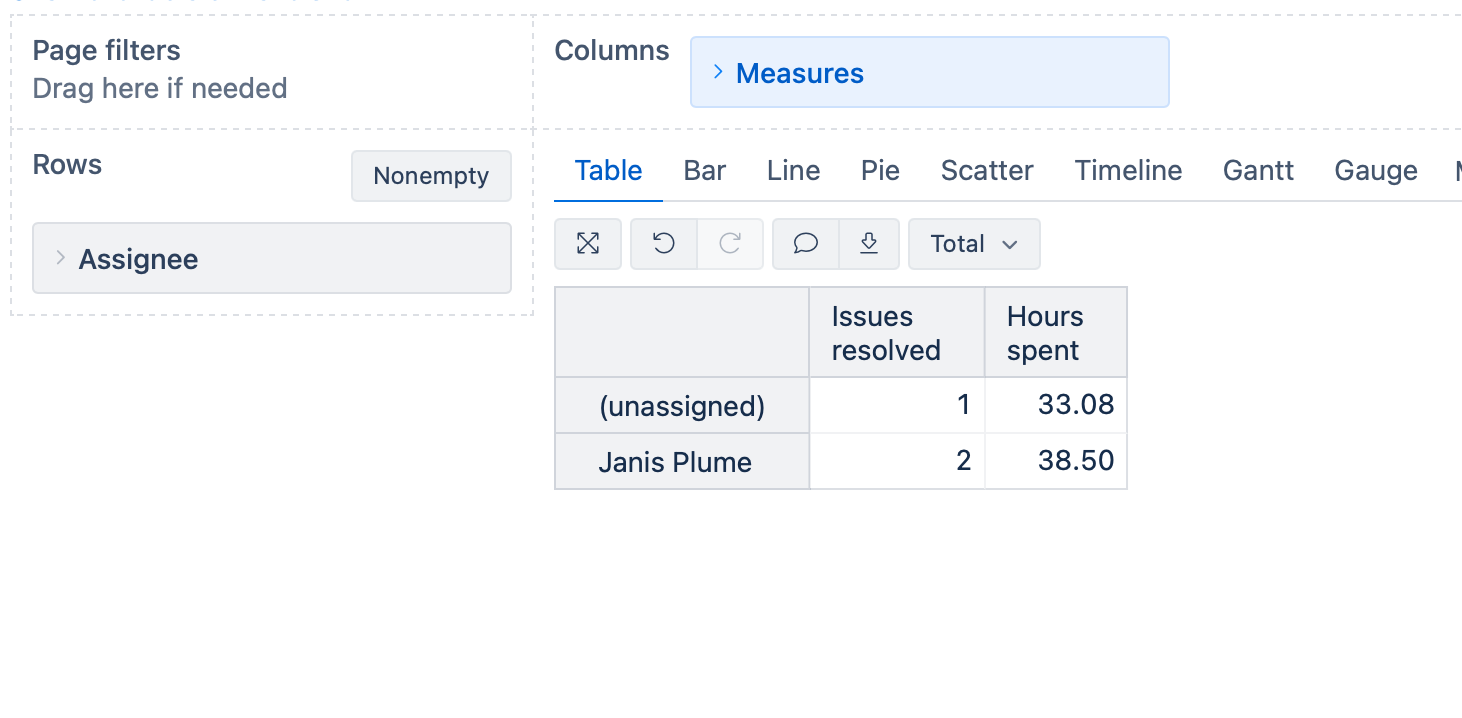
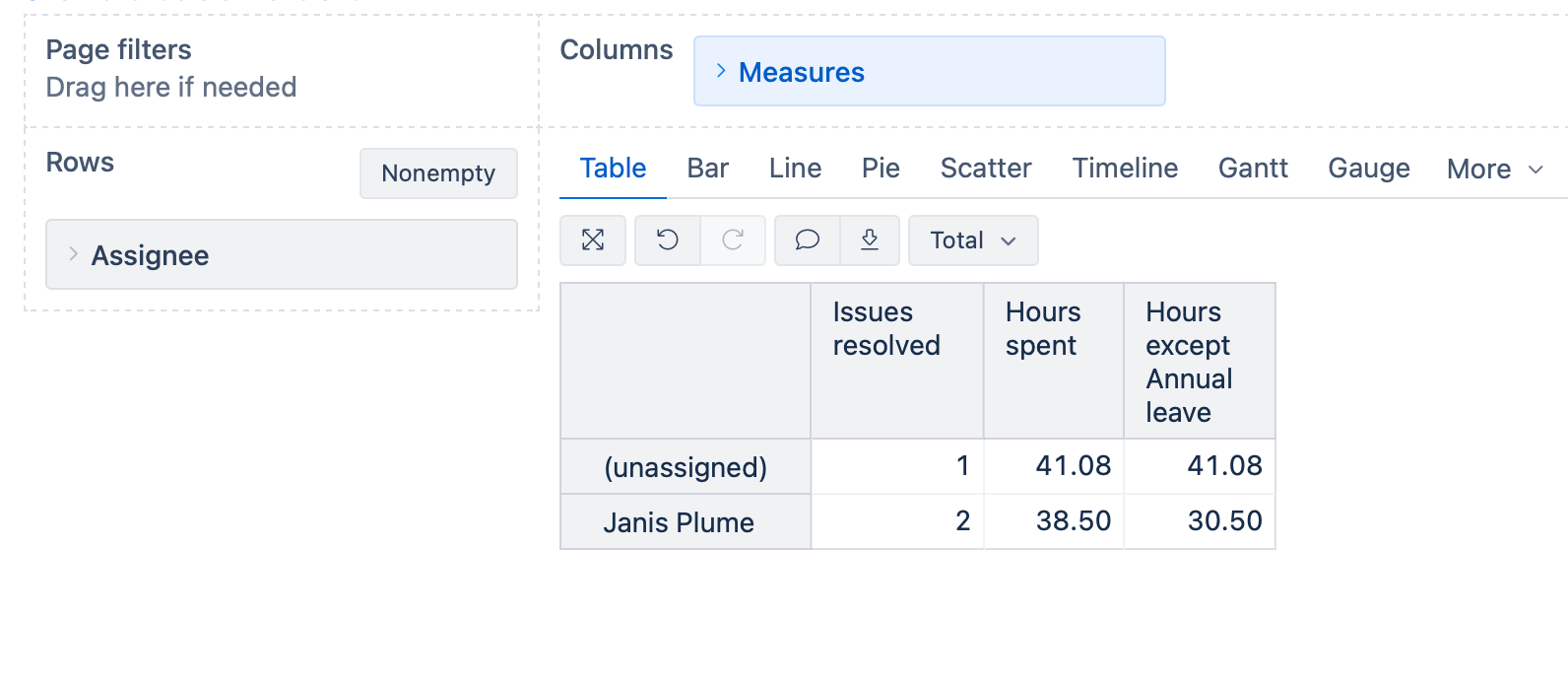
Who resolved the issue (or the issue assignee in JSM)
Because the time card itself doesn’t get reassigned per user, there’s a mismatch between “logged by” and “resolved by/assignee” that makes per-agent reporting tricky.
Any guidance on how to set this up (calculated measures, best practices, or examples) would be much appreciated.