Show only the initiative with the highest "No Tri" value per Team

Hi everyone,

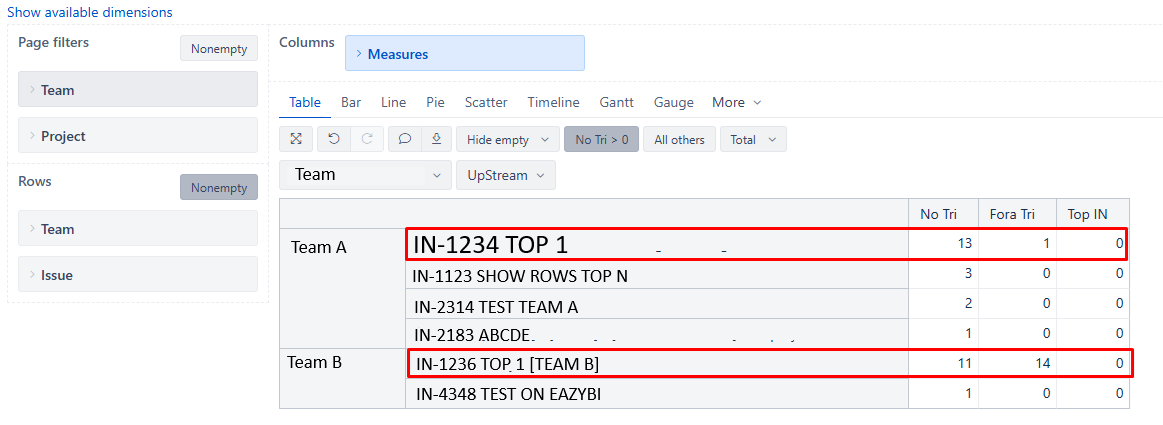
I’m trying to display only the initiative with the highest value of a custom measure called “No Tri” (which uses [Measures].[issues created], [Fix Version].[T3.25]) for each Team.

The report rows are structured as Team > Issue.

I tried using Rank, Max, and Generate + Head, following this post:

But none of the solutions worked — the measure returns empty values.

How can I show only the top initiative (by “No Tri”) per team (The issues with red line)?
Thanks in advance!

Hi @Roniel_Flegler_Reic1

There is no straightforward way how to do this with the Issue dimension being present in the Rows, but here is a workaround:

  1. Remove the Issue dimension from Rows
  2. Create a new measure “Max No Tri” with a formula like this:
    (be sure to specify whichever Issue hierarchy you’re using)
Max(
  Descendants([Issue.Epic].CurrentMember, [Issue.Epic].[Epic]),
  [Measures].[No Tri]
)
  1. Create a measure “Issue name” with a formula like this:
[Issue].[Issue].GetMemberByKey(
  Order(
    Descendants([Issue.Epic].CurrentMember, [Issue.Epic].[Epic]),
    [Measures].[No Tri],
    BDESC
  ).Item(0).Key
).Caption

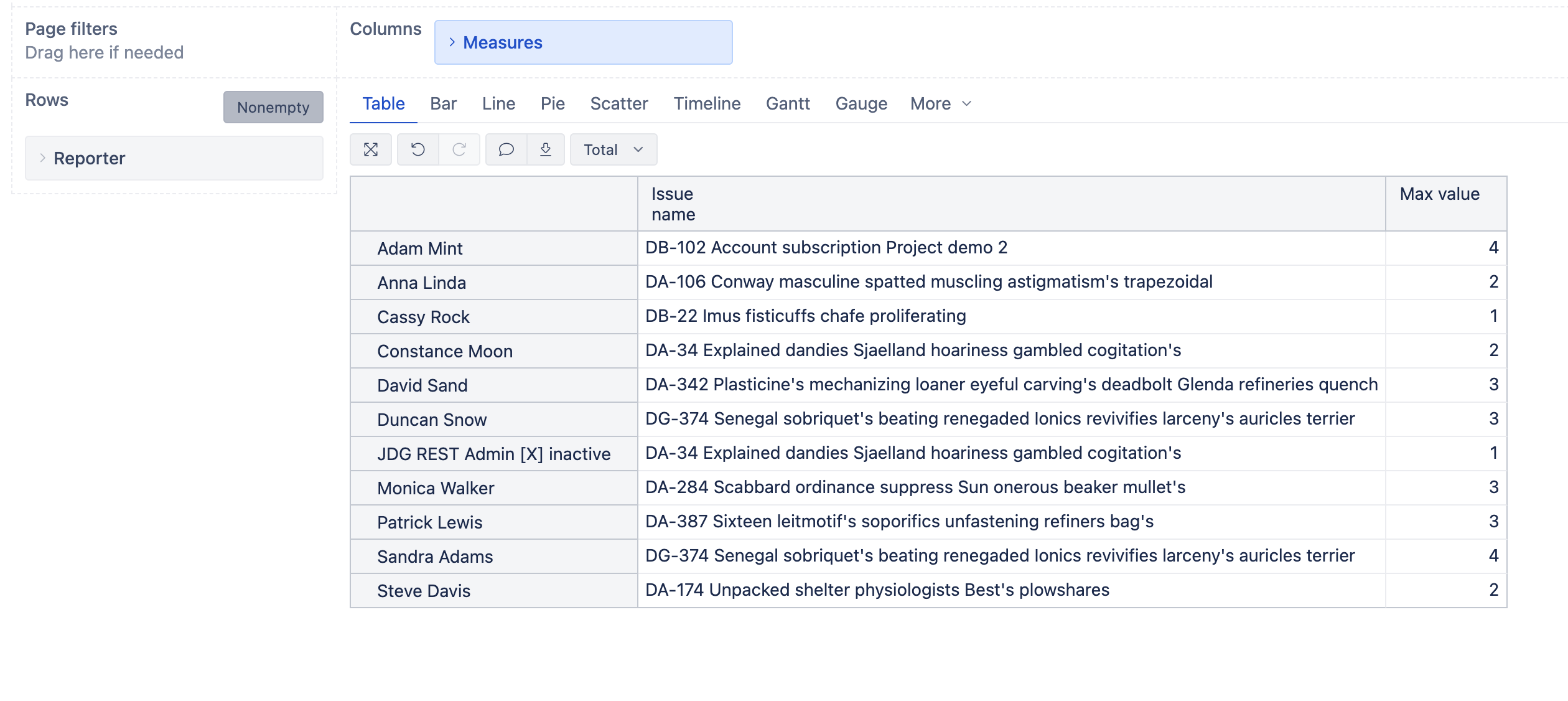
This will allow you to create a report like this:

​Best regards,
Nauris

Thanks @nauris.malitis, its works!
​Best regards,
Roniel

1 Like