I am new and need help.
i import all Jira Projects into EaszBi. → they all are needed for specific Reports.
Now i need a Report with all projects but without Project 2, Project5
in jira i would search like
project not in (Project2, Project5)
how can i implement it in this specific report?
i have to exclude they projects for gantt chart
and the exclude Projects are less then the projects i need
i know how to select the projects but if someone add a new project it will not been diesplayed
Hi @steinerw
Thanks for posting your question!
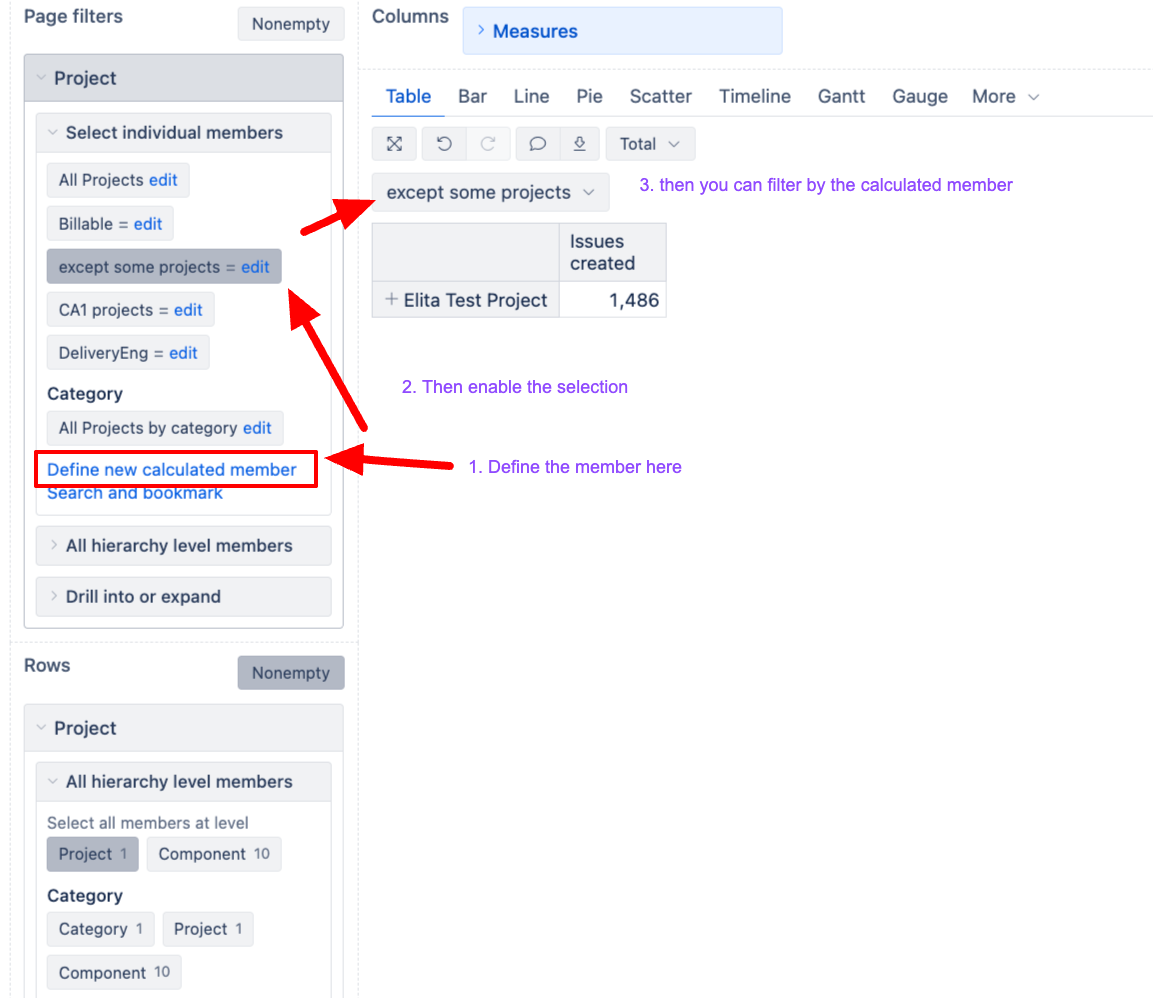
You can do this with a calculated member in the Project dimension that excludes the specific projects you don’t need, while automatically including any project added later.
To set this up, please do the following:
- Go to the Project dimension in your report and open the dimension editor (click on the dimension name in rows).
- Create a new calculated member with a formula like this:
Aggregate(
  Except(
    [Project].[Project].Members,
    {[Project].[Project2],
     [Project].[Project5]}
  )
)
- Use this calculated member instead of selecting individual projects in your Gantt chart rows/pages.
Best,
Elita from support@eazybi.com