Hi team,
Just so you know we would appreciate if data import allow us to :
- choose a frequency greater than once per day (something like one week for example, but let’s just not set a limit)
- set a time for the import for every frequency. For example if you choose a 12 hours frequency and set a time for the import to 6 AM then imports will run at 6 AM and 6 PM.
regards
Hi @Sebastien_RATEL
Thank you for your inquiry. Indeed, this is quite a popular requirement, and we see its value in organizing imports more aligned with your business needs. While I can not promise any ETA yet, we are considering options on how to implement that. I added your voice to the ticket, and we will post information as soon as we have any updates.
Best regards,
Ilze, support@eazybi.com
Hi @Sebastien_RATEL,
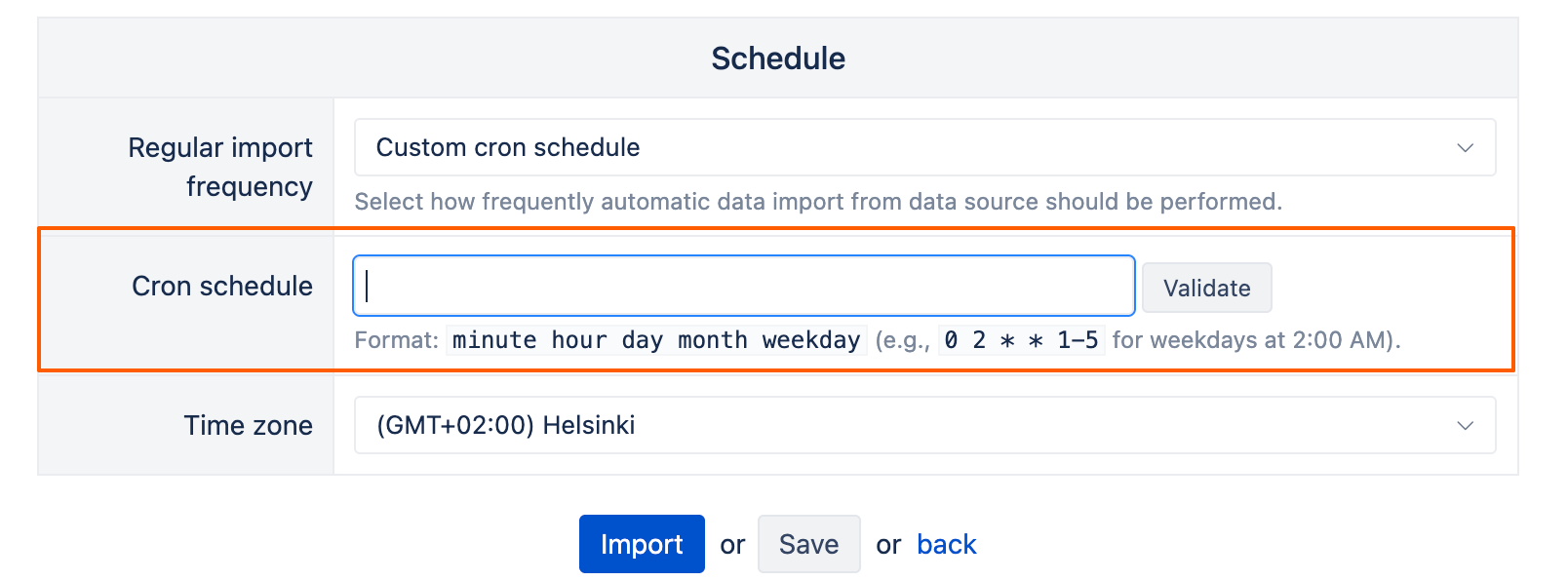
I wanted to let you know that we’ve implemented a custom cron schedule for data imports in eazyBI Cloud & Data Center (starting from version 9.0):
You can now schedule regular imports to run at specific hours of the day (for Data Center), on specific days of the month, or on selected weekdays (for Cloud and Data Center).
Since you were interested in two specific scenarios, here are the cron expression examples you can use:
- weekly on Mondays at 8 AM: 0 8 * * 1
- daily at 6 AM and 6 PM (for Data Center only): 0 6,18 * * *
Note that the cron job can’t override the minimum import frequency on Cloud — so while Data Center lets you set imports for specific hours on a daily basis, Cloud imports are still limited to once a day.
For more details, please check our documentation: Data from Jira
Best regards,
Marita from support@eazybi.com
Thanks a lot for this great new !