Hello,
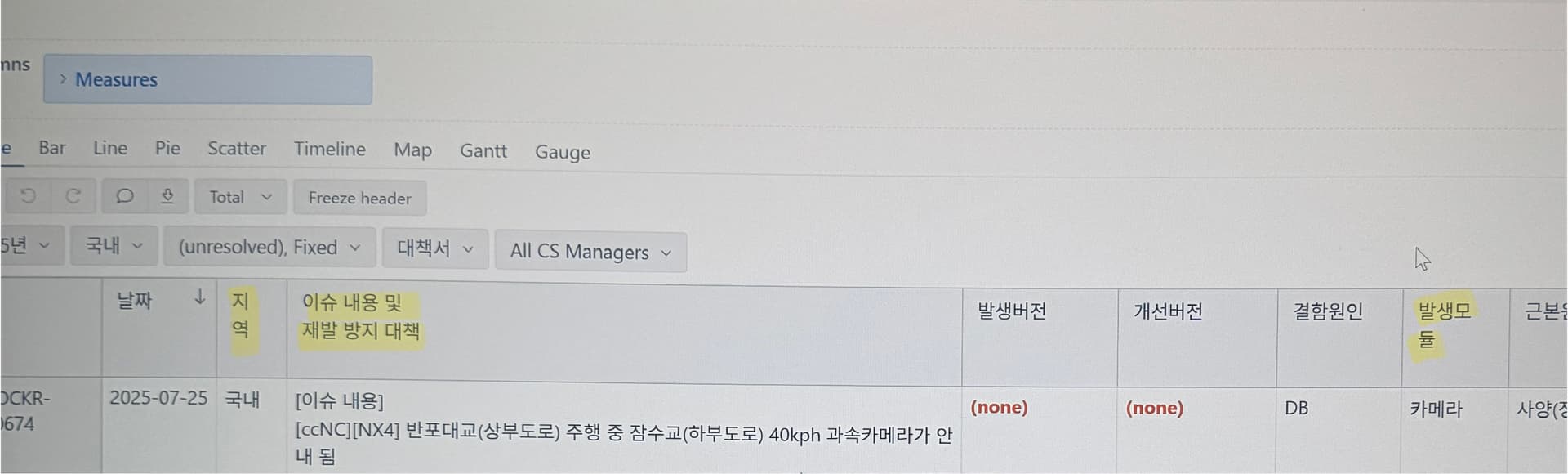
I would like to know how to prevent table column names from wrapping.
Thank you.
Hi @pea4789,
Thanks for posting your question.
eazyBI calculates column widths automatically based on content length and available screen space. At the moment, there is no option to prevent column name wrapping or manually set fixed column widths.
We do have a feature request to add more table formatting options, and I have added your vote to it. While I cannot share a timeline for its implementation, we will keep you posted if there are any changes.
Best,
Marita from support@eazybi.com
Hi all,
Great news! The table header formatting options are now available on eazyBI Cloud and since eazyBI version 9.0 for Data Center.
You can now:
- Resize column width by dragging the right border of the column header
- Change text and background color for headers
For more details, please check our documentation: See Customize reports documentation
Full changelog available here:
- eazyBI for Jira Data Center: Changelog - eazyBI for Jira
- eazyBI for Jira Cloud: Latest features on Cloud
Let us know if you have any further questions!
Best regards,
Gerda // support@eazybi.com