Time issue between logging time and server time - displaying wrongly data in report

Hello All

I noticed since some time this kind of issue that when I login a tame in late afternoon - like today where is let’s say 6 PM CEST The time which I have logged is shown on daily report in next day so for today we have Thursday it is showing as time logged on Friday. I assume that the issue is with Server Time where Jira is hosted - it is on prem installation and time zone is setup for totally different region where already there is after midnight.

My question is - is there a way to avoid it in automatic way that during the import the time will be taken as a proper day time in which I’m working? Perfect would be if there would be some automation to change it on fly during import so no one will have to manually update old logged time or log in future the time with some 8h buffer so instead of logging a time now at 6PM logging it as 11 AM :slight_smile:

FYI I’m a beginner of EazyBi so if there is some solution please provide step by step easy instruction how to do it :slight_smile:

Thank you in advance for your support!
Hi @Dawid_S,

Thanks for posting your question!

This is a common timezone mismatch issue. By default, eazyBI uses your Jira server’s timezone, which seems to be in a different region than yours.

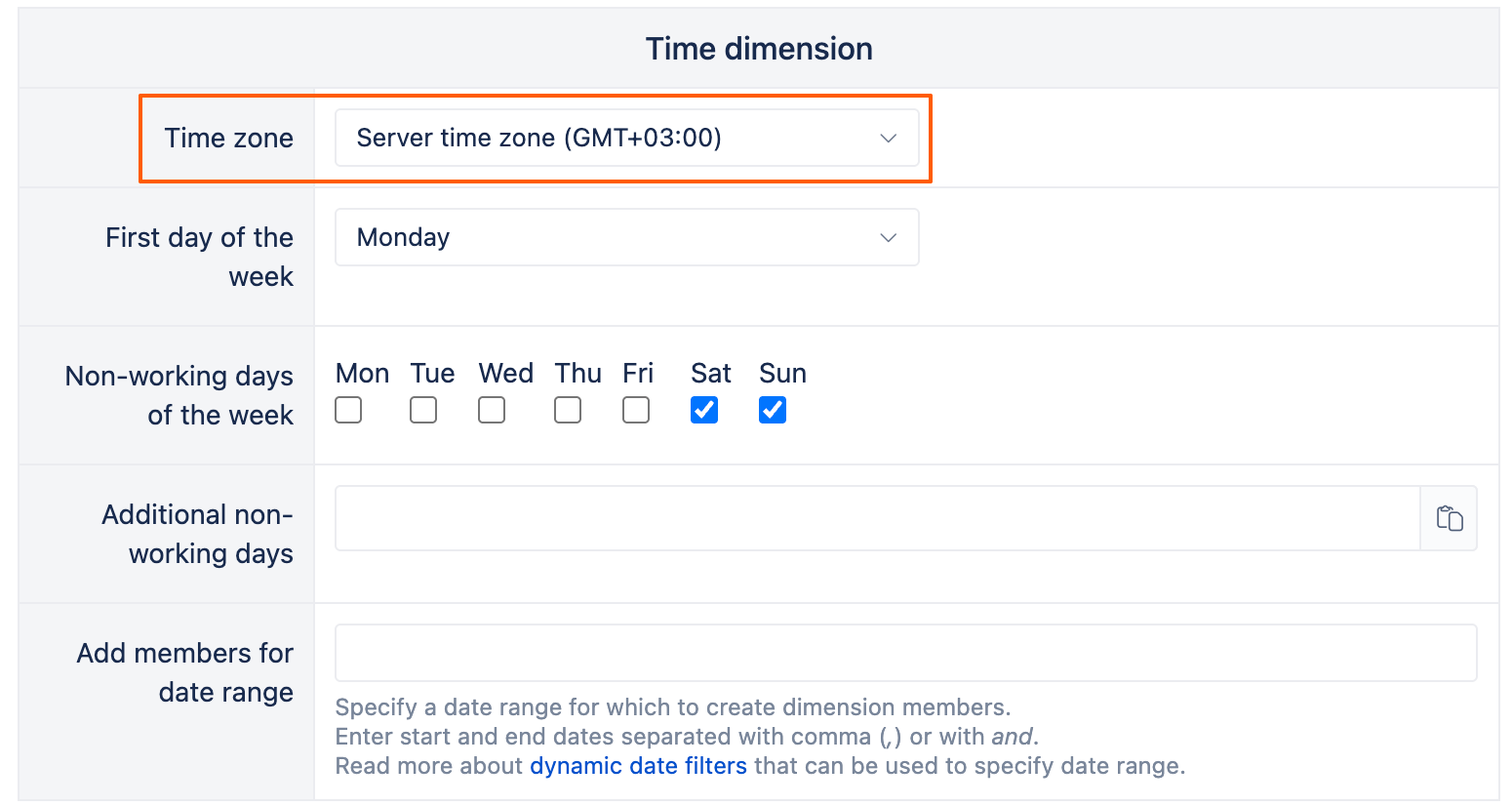
You can change it in the import options: https://docs.eazybi.com/eazybi/data-import/data-from-jira#DatafromJira-Timedimension

  1. Go to your Source data → Edit

  2. Navigate to Additional options

  3. Find the Time dimension section

  4. Set the timezone

Run a full data reimport to recalculate all existing data.

After the reimport, your work logs should appear on the correct days according to your local timezone.

Important notes:

  • This change will affect everyone using this eazyBI account as all imported data related to time are recalculated during data import

  • If your company has users in multiple timezones, consider creating separate eazyBI accounts per region setting most appropriate time zone in import options

Best,
Marita from support@eazybi.com