I’m looking to build a report with the below columns
- sprint name
- resources
- all issues type as a name which belong to a specific resource
- original estimate for each of the above issue type
- time spent
- time left (original estimate - time spent )
- flag on track yes/No
I’d like to see the above for the current open sprint for all project together or filter by project in addition to have it per Q
Hello @JustAlon
Welcome to eazyBI community!
I would recommend you start by following:
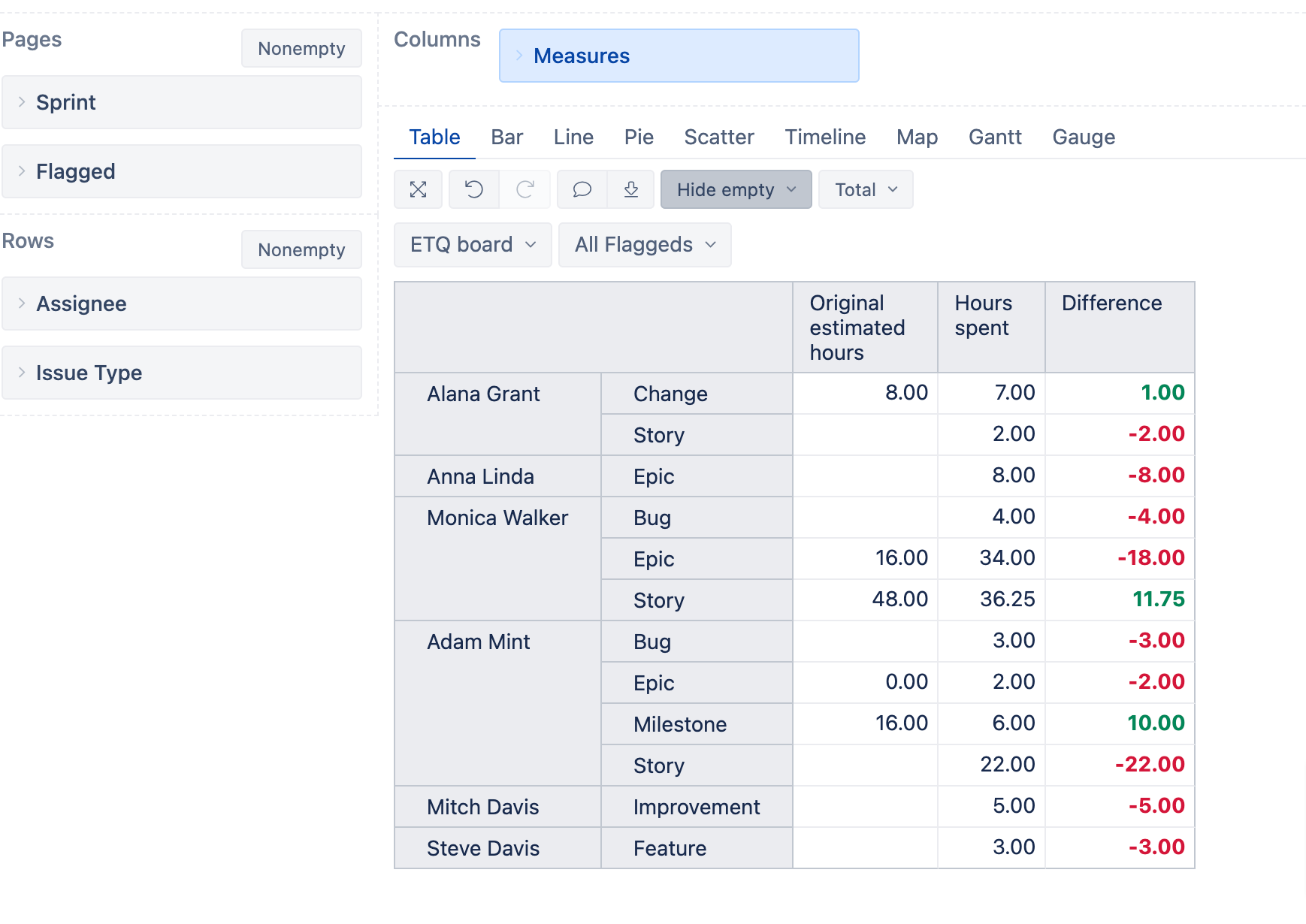
1. Add dimension Sprint in pages (this will allow you to filter your report by Sprints)
2. Add dimension Asignee in Rows
3. Add dimension Issue Type in Rows
4. Select measure “Original estimated hours” from Measures dimension
5. Select measure “Hours spent” from Measures dimension
6. Define a new calculated measure with the formula below.
[Measures].[Original estimated hours]-
[Measures].[Hours spent]
- Add dimension Flagged in Pages, to filter on issues flagged or not flagged
Here is also a screenshot of how your report might look.
Please let me know if you have further questions regarding this!
Kind regards,
Elita from support@eazybi.com