Hello,
We are starting to use EazyBI in our company, and I would like to know if the following scenario is possible to implement.
We use Jira Service Management (JSM) and work with Organizations on tickets. We log work hours normally, but our clients purchase either hour packages or fixed monthly hour contracts.
What we would like to achieve is a report that shows, per organization:
An example report would look like this:
| Organization |
Logged Hours |
Sold Hours |
Available Hours |
| Org1 |
10 |
20 |
10 |
| Org2 |
5 |
15 |
10 |
| Org3 |
8 |
10 |
2 |
Is this possible to build using EazyBI?
If so, could you please indicate how this could be done or point me to any documentation or tutorial to implement it in the simplest possible way?
Thank you very much in advance for your help.
Hi @pablo_bagliere
Could you please share more details about the use-case.
I’m wondering where do you enter “sold tickets” for an organization in Jira? Is that some custom field you have somewhere you you maintain a seprate file with organization hour packages?
Logged hours is easy to calculate, using “Hours spent” measure and “Organization” dimension, but i’m not sure how to get “Sold hours” in your case
See some dashboard here:
And check this page on how to import “Organizations” as dimension.
Martins / eazyBI support
Hello,
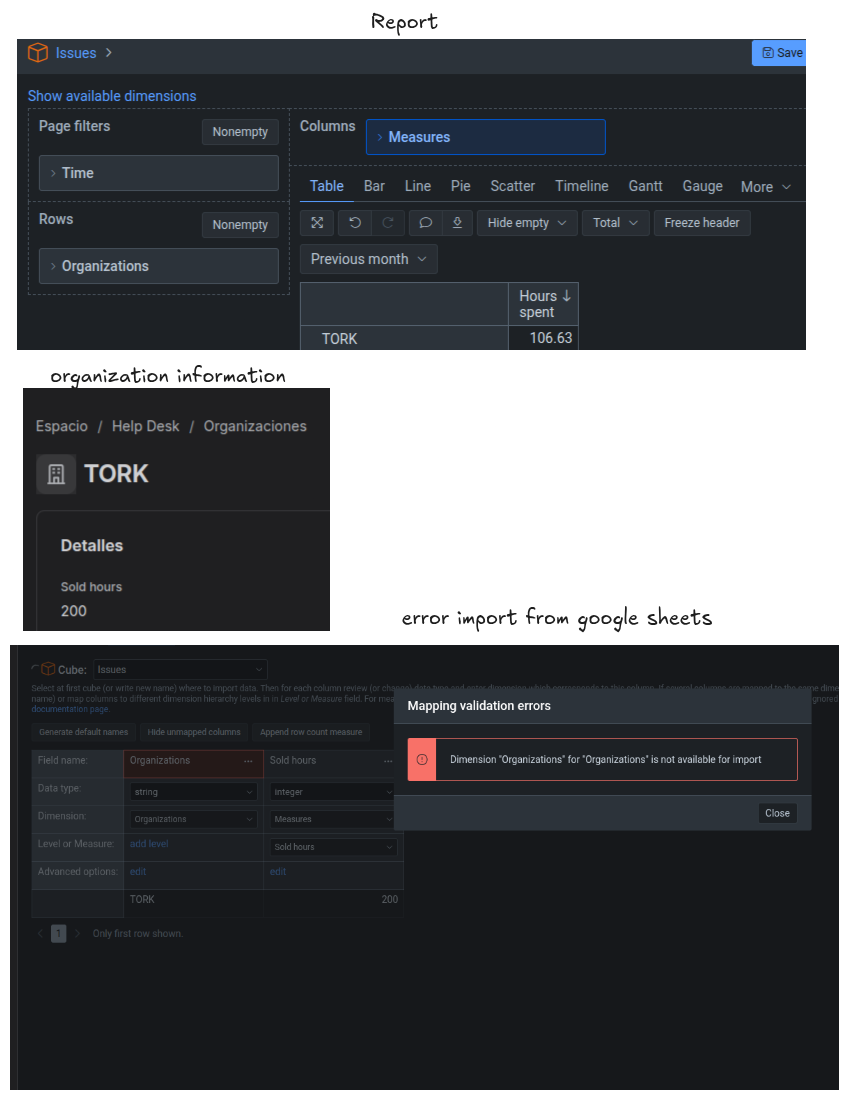
We save the hours sold in the organization information, but we are not sure how to display them in the report. We tried importing them from a Google spreadsheet to the Issues cube, but it is not possible to create new dimensions. Nor is it possible to modify the Organization dimension to be able to use that data.
That is why we wanted to ask if there is any way to achieve this.
Example photos
@pablo_bagliere
Organizations is a multi-value field in Jira and such fields when imported as dimensions in eazyBI, do not support additional data import from additional data sources (files or applications).
The only workaround I can imagine for eazyBI reports is if you use just one organization per ticket (at all times).
In that case, you create a new account-specific calculated custom field with “separate_table = true” settings by using JavaScript, and then you could import the additional data to this new dimension. The script should return just one organization per ticket, so you can import single-value behavior in the dimension.
Later in reports, you could still use the original “organizations” dimension in report and, with the help of MDX formulas, return values imported to the "new” organization dimension by matching dimension member names.
But this concept would return unexpected results in reports for tickets with multiple organizations added in Jira
Let me know if that sounds interesting to you.
Martins / eazyBI