In my project, I need to filter out the test execution status for user stories that are in “Done” status for a particular sprint. I couldn’t find a way to fetch a report based on this condition in EasyBI. I used the Xray Requirement dimension, but I couldn’t fetch the user stories for a particular sprint. I used the custom link property, where I got the linked test case count, not the execution status.
Please suggest
Hi @Vishnu_Priya
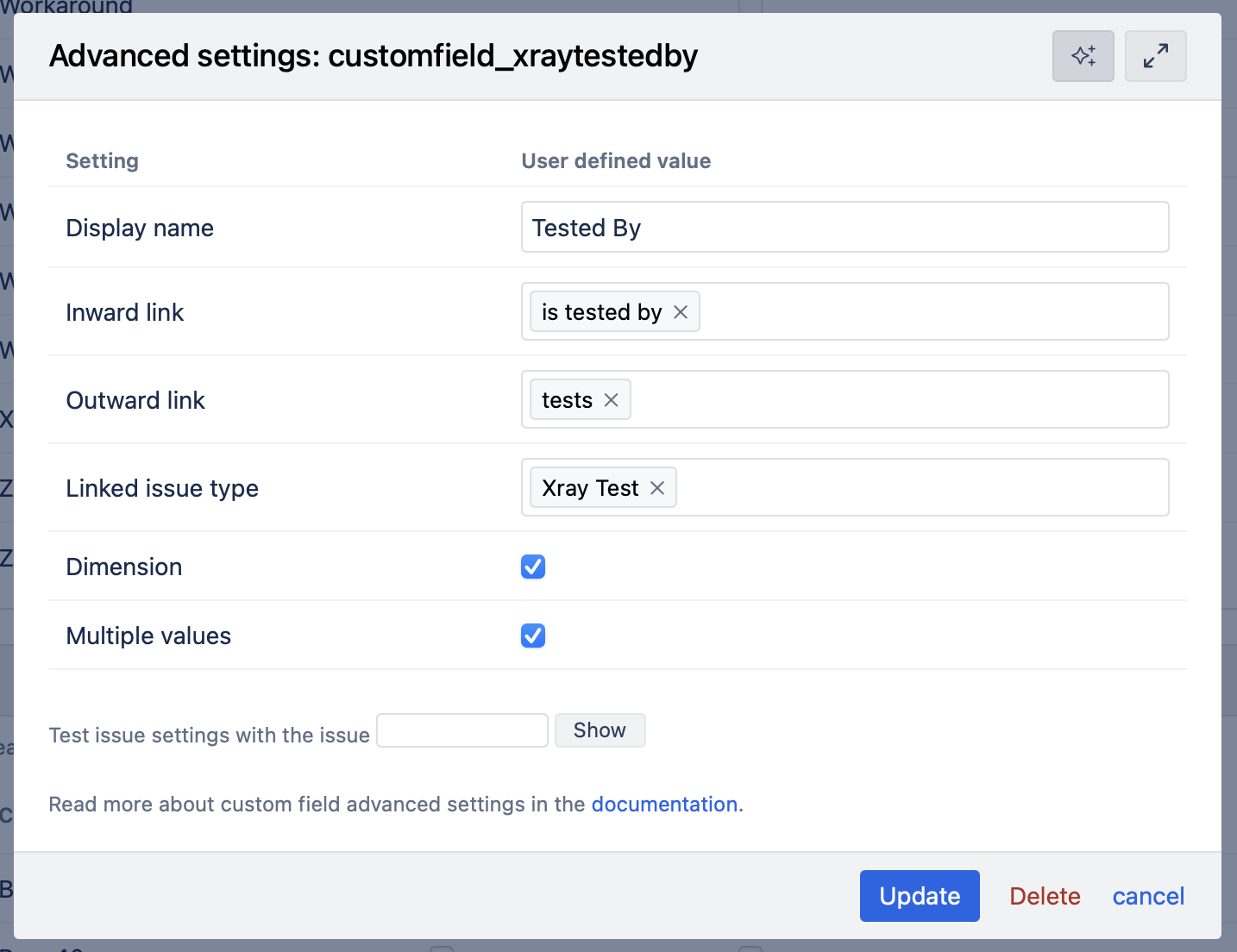
First, please check that you are importing the issue link dimension that links the Tests to the Stories. (Source Data tab → Edit Jira source → Custom fields → Issue links)
If not, click the “Add new Issue links field” and set it up like this (you’re inward/outward link names may be different):
Save it, select it for import and run the import.
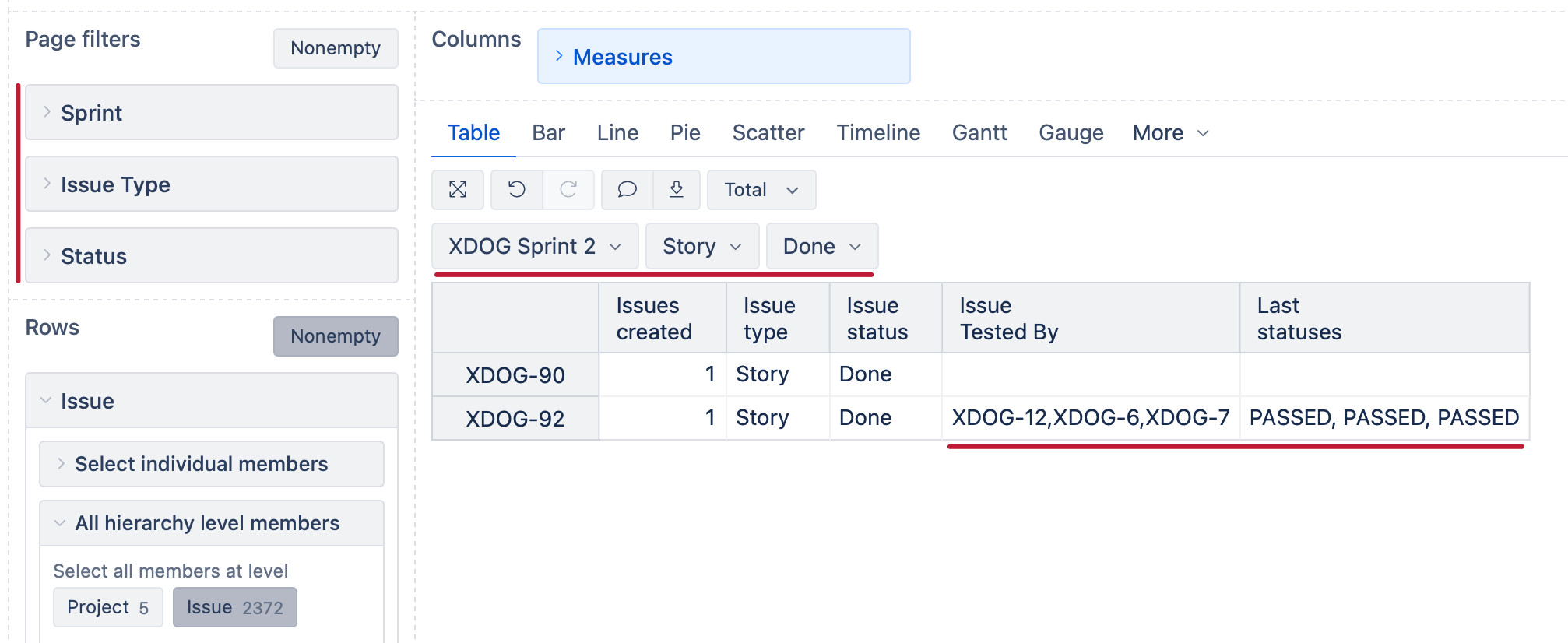
After that, you can create a report like this:
The “Issue Tested By” property will be available to you in the Measures dimension after setting up the issue link and you can define a new measure “Last statuses” with a formula like this:
Generate(
  [Xray Test].[Test].GetMembersByKeys(
    [Measures].[Issue Tested By]
  ),
  [Measures].[Xray Test last execution status],
  ", "
)
This will, for each Done Story in your selected Sprint, show the last Test execution status for each test associated with this Story.
Best regards,
Nauris