Hi @Stijn,
-
Break down by Test Execution is easy to achieve by modifying the sample Xray Overall test run results report:
1.1 You would bring the Test Execution Status dimension to columns
1.2 Add the Text Execution dimension / Execution level to rows
1.3 Configure the report in Bar charts as stacked, vertical, etc.
-
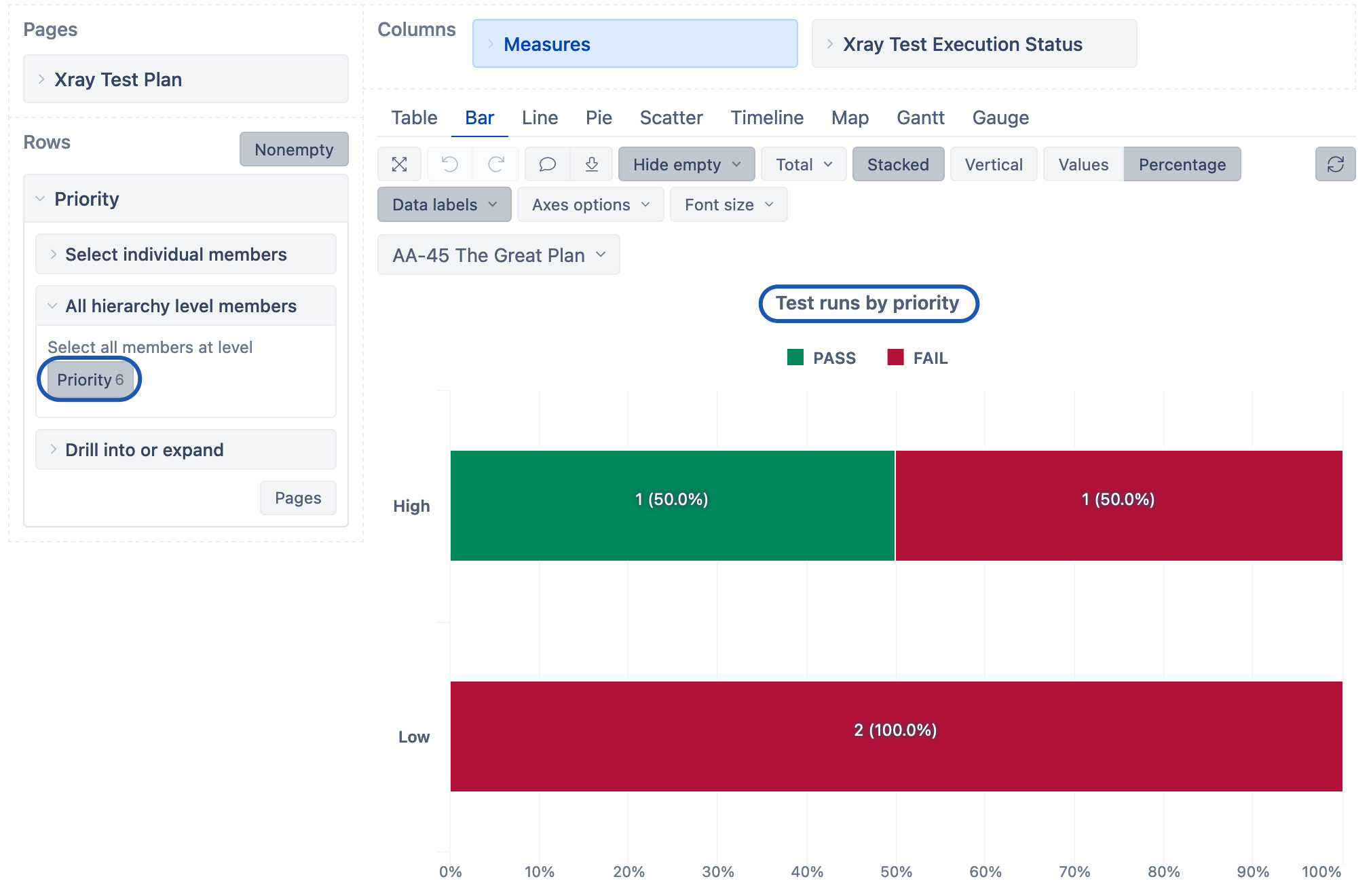
For the Test runs by priority report, you can use the following calculation with Priority and Test Execution Status dimensions:
Sum(Filter(
Descendants(
[Xray Test].CurrentMember, [Xray Test].[Test]
), ([Measures].[Xray Tests created], [Xray Test Execution Status].DefaultMember) > 0
), ([Measures].[Xray Test Runs], [Priority].DefaultMember))
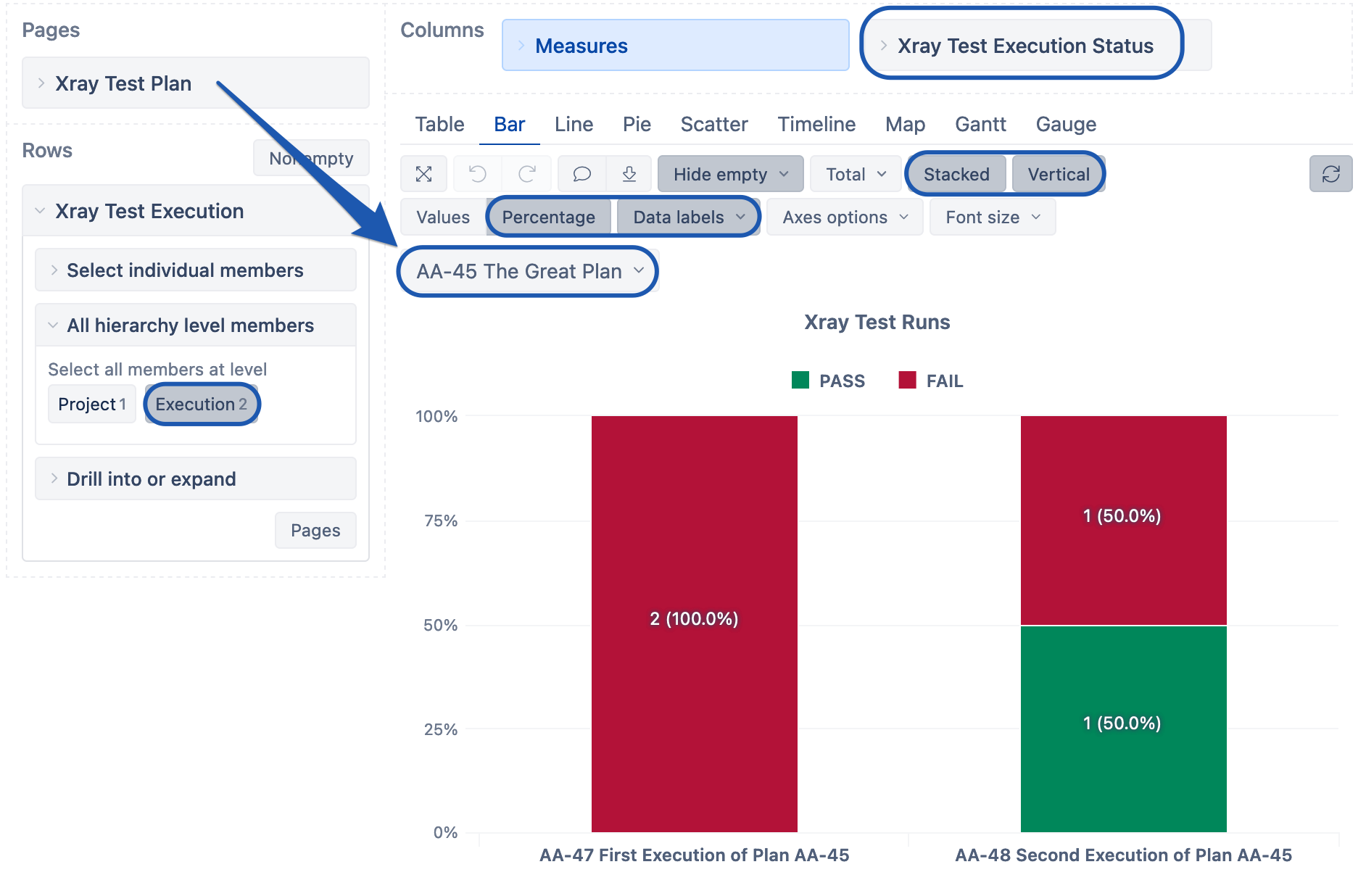
The report would look as follows.
Lauma / support@eazybi.com