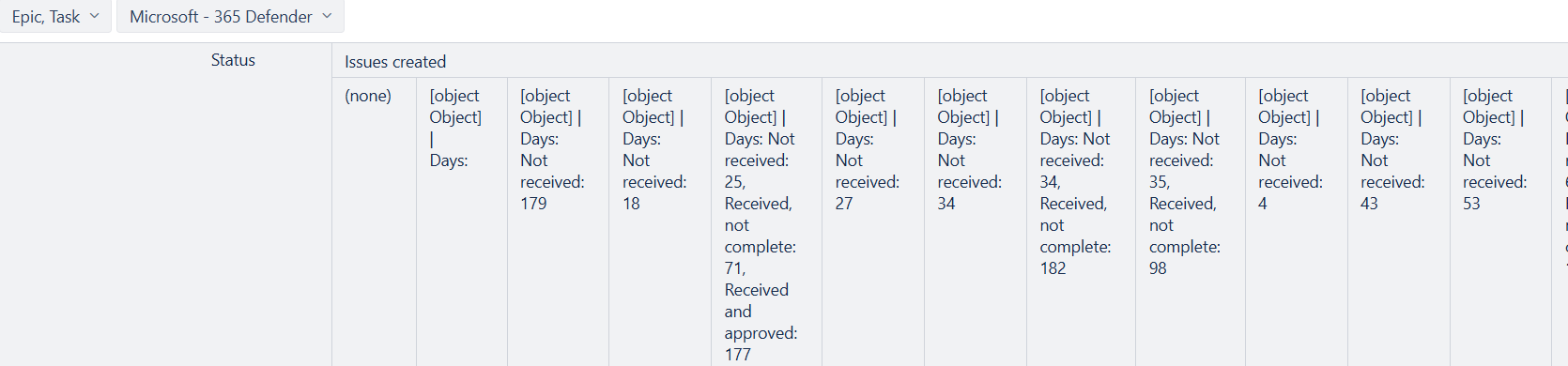
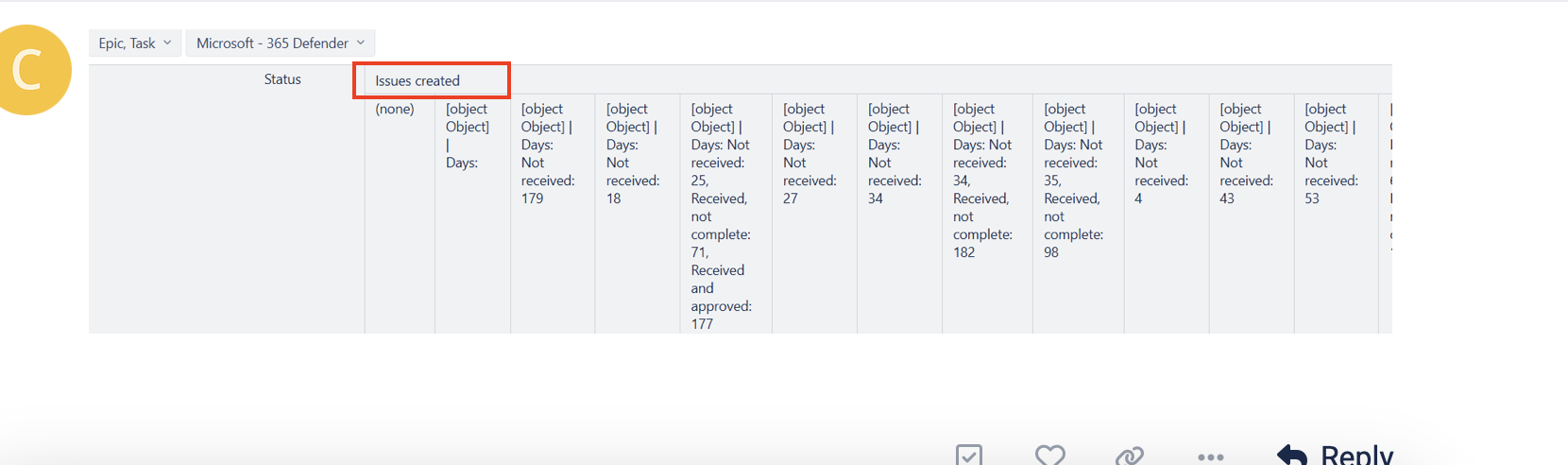
I hope you can assist and tell me how to create a new report
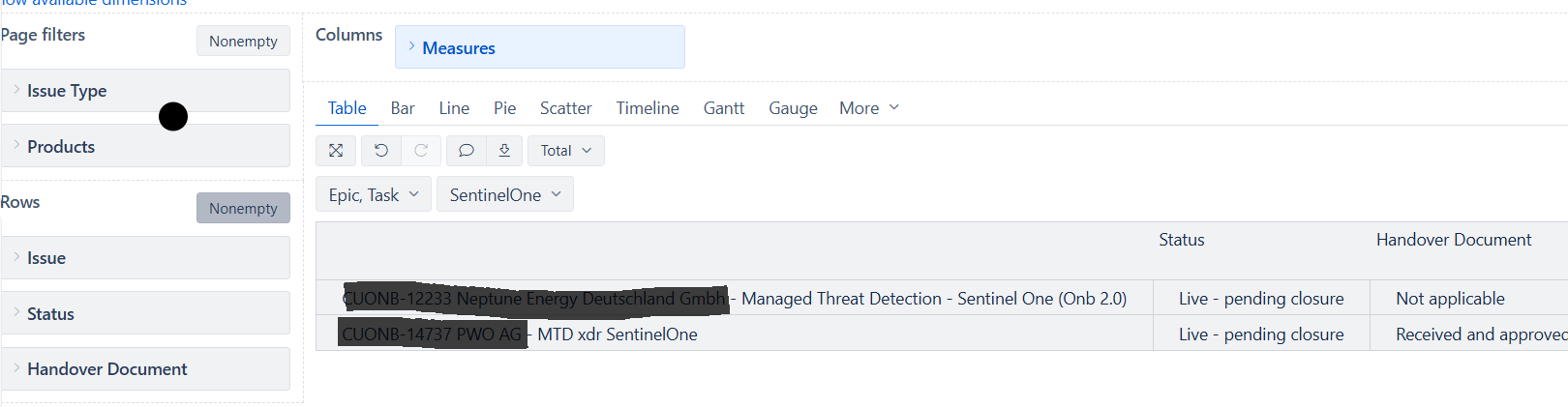
We have added a “Fiel” that we call Handover, there we have a Dropdown list
There are some statuses that we need.
Now we need a report to state when we change from one status to another status
Some information that can be useful, We have Handover impotent as and Dimension & Property. But I can´t select different status
I can see it under Activities in our project
Thanks for posting your question! I must agree with @Marilou - it is not entirely clear what kind of a report you are attempting to build (a screenshot or more details would be very useful, if you don’t feel comfortable sharing here, you can reach out directly to us at support@eazybi.com, referring to this community post).
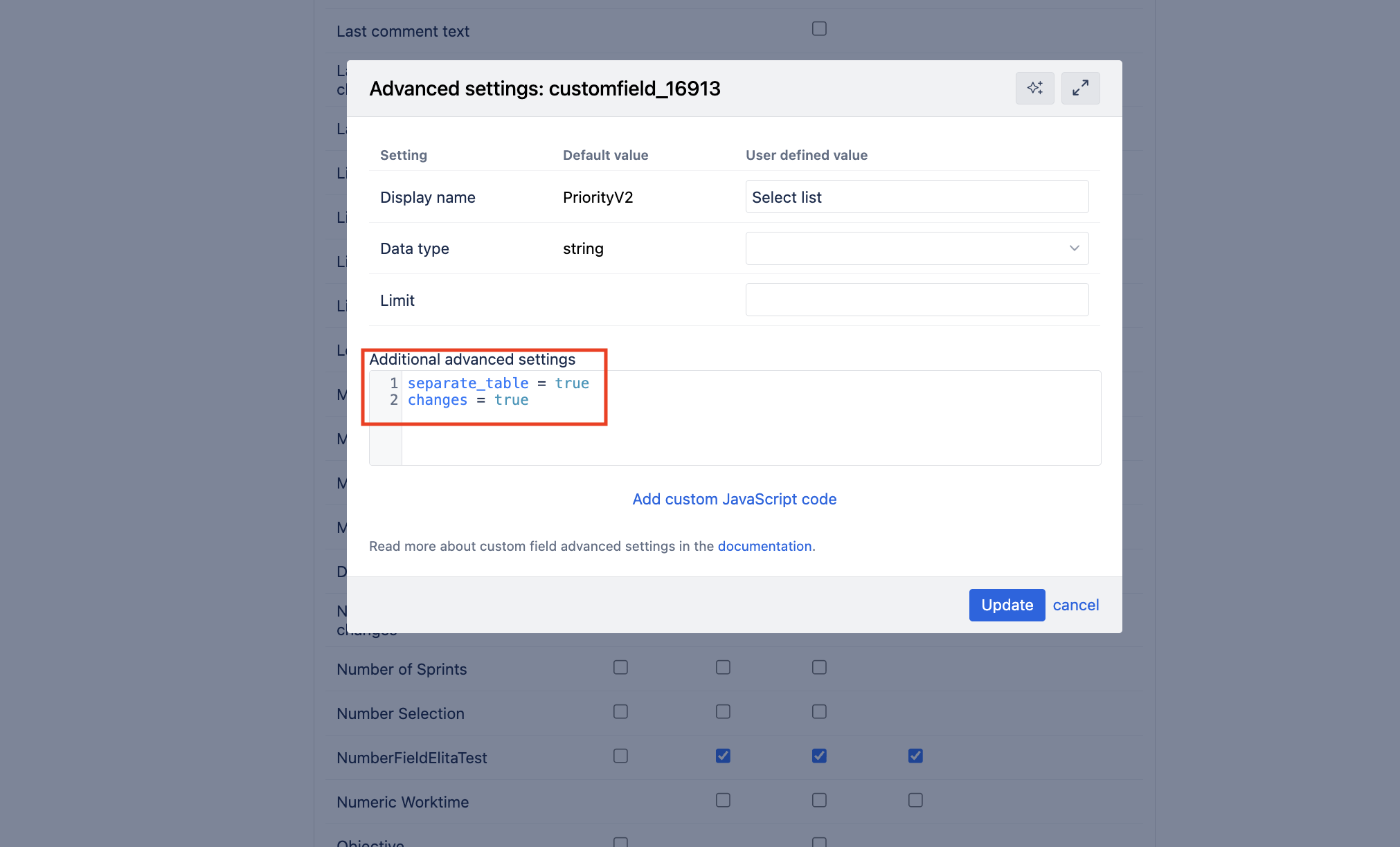
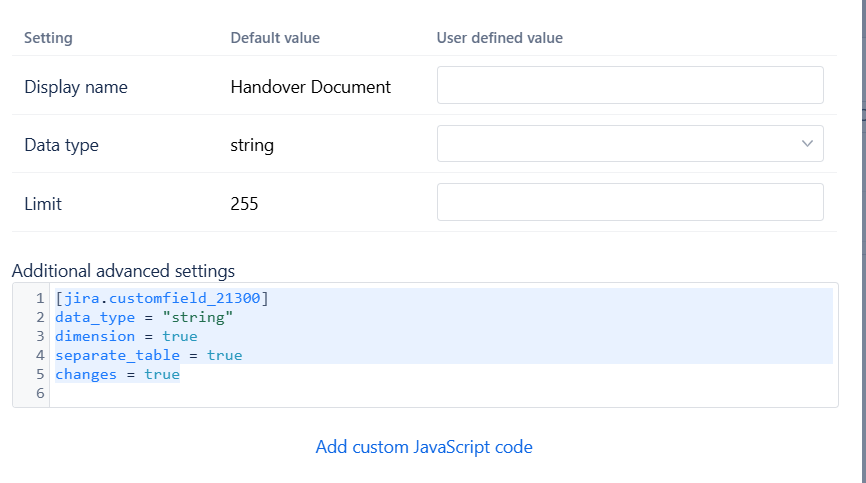
However, for you to be able to track single select drop-down field history, you first must enable the value change import.
If you don’t see the selection to import value changes, add these lines in the Additional advances setting section (see screenshot below)
To add some more info
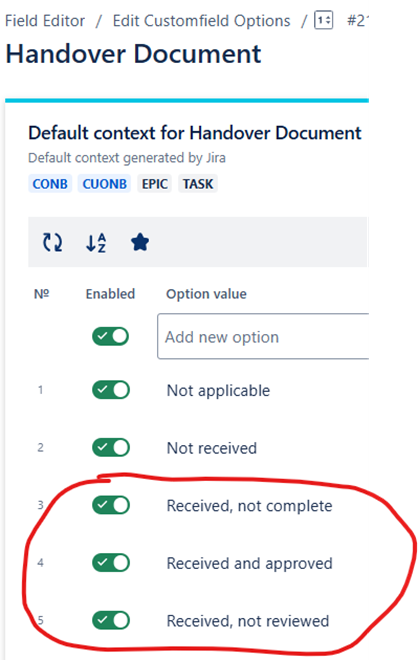
We have those options below and we want to create a report that shows when we change from (Example) Received, not reviewed - Received Not Complete (result will be in days)
So in fact, you want to see how long the ticket stays in the particular selected option?
Start by enabling the value change import, as I showed in my response above.
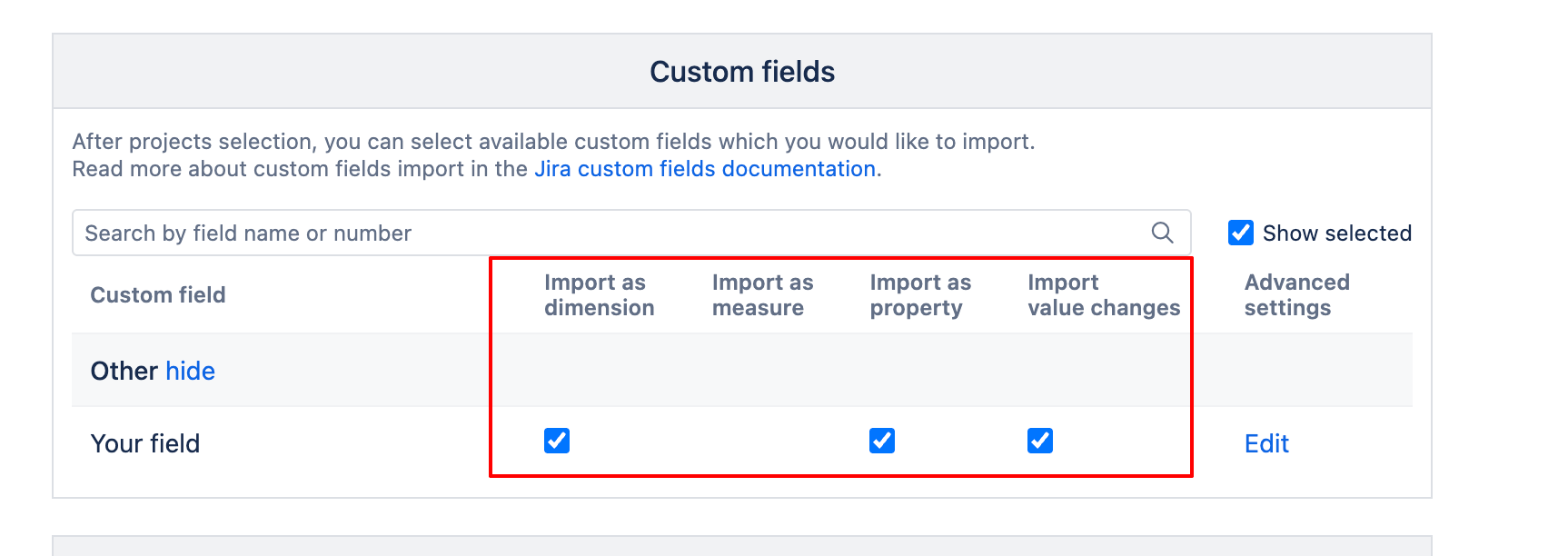
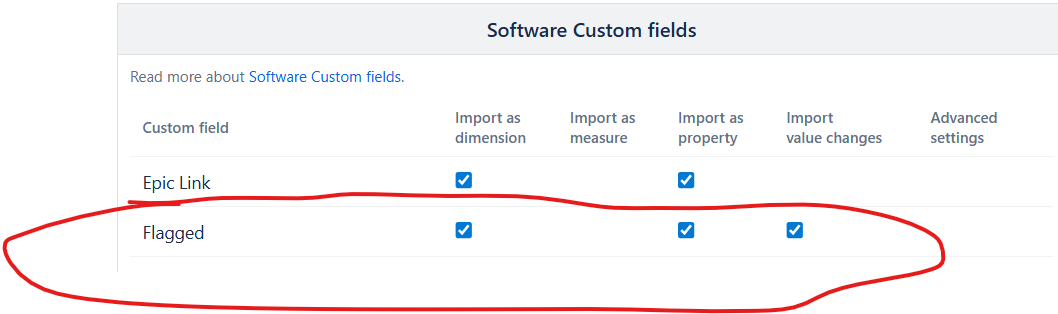
For you to be able to analyze the field’s history, you need to import the value changes (your field should be imported with all these checkmarks enabled)
Indeed. You have to adjust the settings to be able to import the value changes. Find that field in your import options under the Custom Fields and click on “edit” the field.
Please also take a look at my first response in this conversation thread, where I have shared the settings that must be added and the screenshot of how it should look. Once you add these settings, you will be able to import the value changes.
Previously, you mentioned the following: We have those options below and we want to create a report that shows when we change from (Example) Received, not reviewed - Received Not Complete (result will be in days)
That made me assume you want to see how many days the issues stayed in the particular values selected in the Handover Document field.
Now you are mentioning you want to see the days in Statuses? Please clarify what is the desired result?
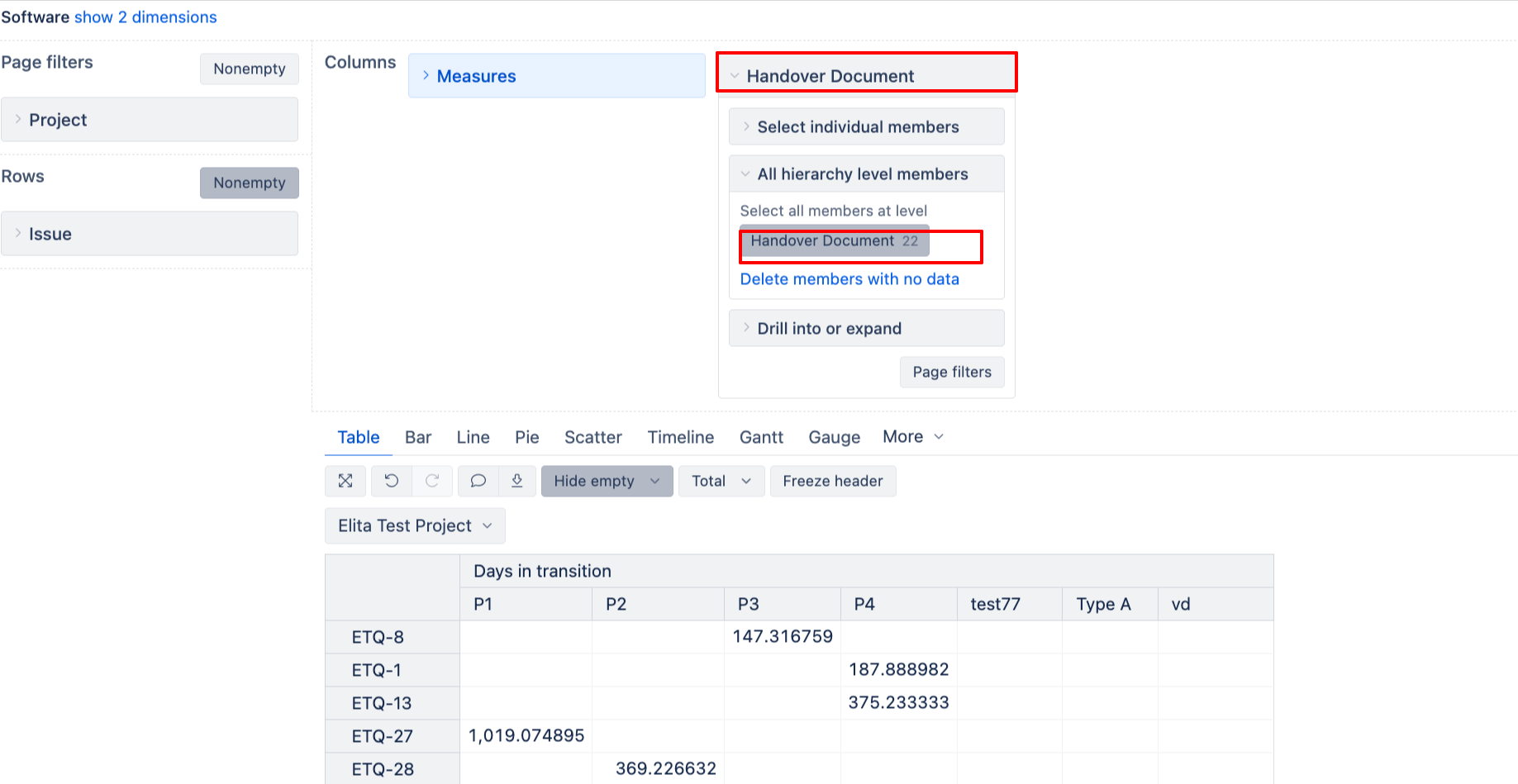
If you want to see how many days the issues stayed in the Handover Document field selections, please create your report as follows
Add issue dimension in Rows
Select measure (From Measures dimension) named “Days in transition”
Add Handover Document next to measures dimension → In Columns. Select the Handover document members.
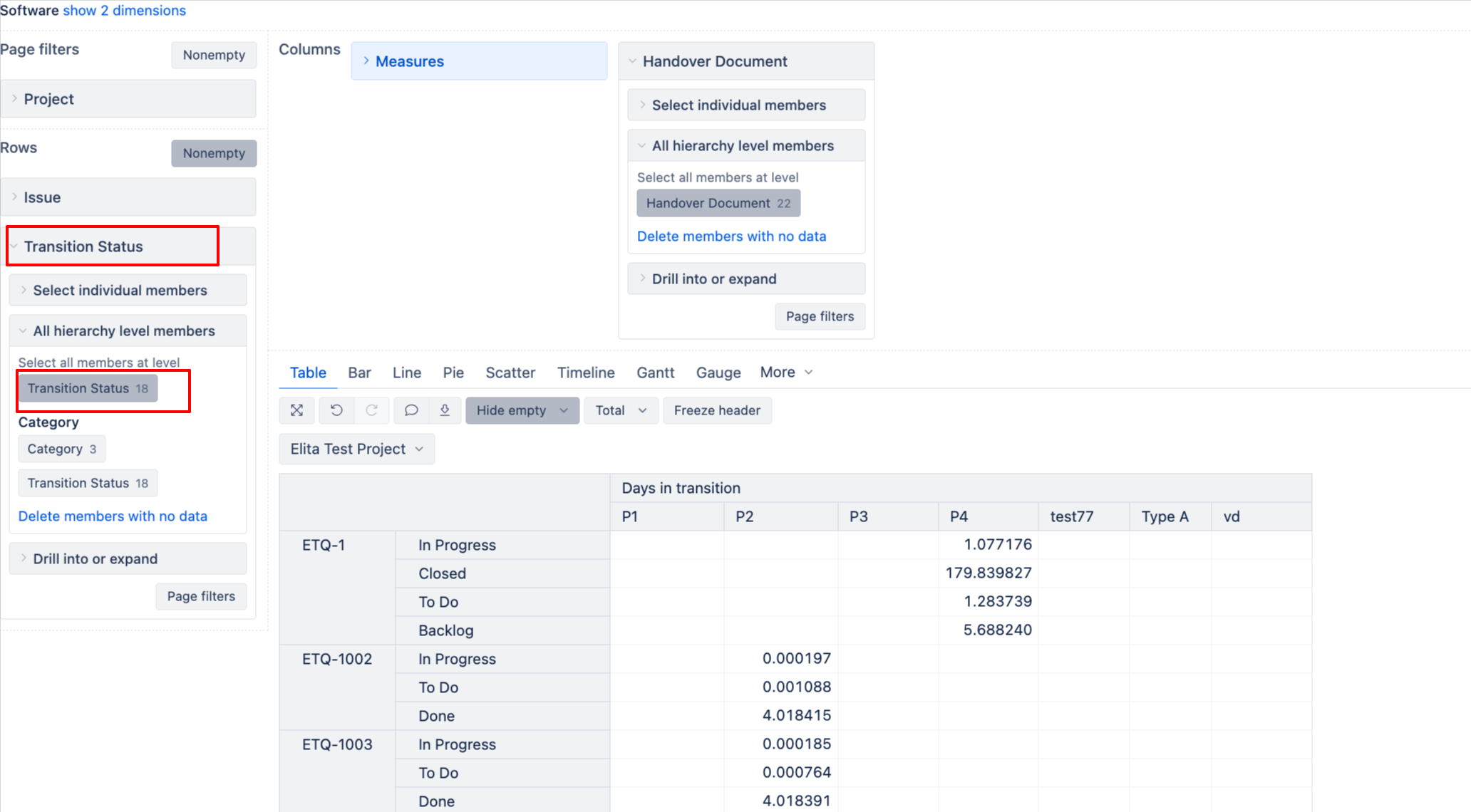
If you also want to see in which status the issues were, please use the Transition Status dimension.
The difference between Transition status and Status dimension is that Transition Status interacts with historical measures (such as “Days in transition”). The Status dimension only displays results for the issues in the status currently. From what I understand from your use case - you want to see how much time issues spent (historically) in the particular members of Handover Document field. Hence, you had to import the value changes, and that’s why the historical measures and dimensions need to be used.
If you are new to eazyBI, I highly recommend taking a look at our learning center, which will help you learn about eazyBI in an interactive way - Learning Center